
Your customers open WhatsApp messages 98% of the time. Email? Barely 20%. And yet most businesses still pour their budget into email funnels and contact forms instead of meeting people where they actually are.
That gap is exactly why the best WhatsApp AI chatbots—and AI agents for the same channel—are becoming essential tools for any serious business in 2026. In this guide, we compare nine platforms for AI chat on WhatsApp to help you find the right fit.
Comparison table: best WhatsApp AI chatbots at a glance
Here’s a quick look at nine of the best WhatsApp AI chatbot tools and bots. Typebot stands out for users who want open-source flexibility and a visual way to build flows.
| Tool Name | Best For | Open Source | Free Plan | Starting Price (Paid) | Visual Builder | AI Capabilities |
|---|---|---|---|---|---|---|
| Typebot | Open-source, visual no-code builds for WhatsApp and web | Yes (self-hostable) | 200 chats/month | $39/month | Yes (drag-and-drop) | Native OpenAI, Anthropic, Mistral, Groq, RAG, custom LLMs |
| ManyChat | Multi-channel marketing and automation | No | 1,000 contacts | $15/month | Yes | AI Assistant, large context, auto-comment, auto-reply |
| Botpress | Customizable AI bots for developers | Yes | 500 messages/month | $1/month, cloud pay-as-you-go | Yes | Advanced NLP, LLM, custom doc/image analysis |
| Landbot | No-code visual conversational flows | No | 100 chats/month | $30/month | Yes | OpenAI, AI agents, lead scoring |
| Wati | WhatsApp-first support and sales teams | No | 7-day trial | $39/month | Low-code builder | Automation, chatbot flows |
| Tidio | E-commerce support, live chat + bot | No | Limited | $29/month | Yes | Lyro AI, routing, FAQ automation |
| Chatbase | AI bots trained on custom docs and FAQ | No | 100 messages/month | $19/month | Yes | GPT/RAG-based, knowledge-driven answers |
| AISensy | Budget WhatsApp marketing and broadcasts | No | Unlimited chats, basic features | $45/month | Limited builder | NLP-based FAQ bot |
| Freshchat | Enterprise omnichannel support | No | Up to 10 agents, limited | $23/agent/month | Yes | Freddy AI Agent and Copilot, auto-summary, handoff |
WhatsApp business API vs WhatsApp Business App
WhatsApp Business App
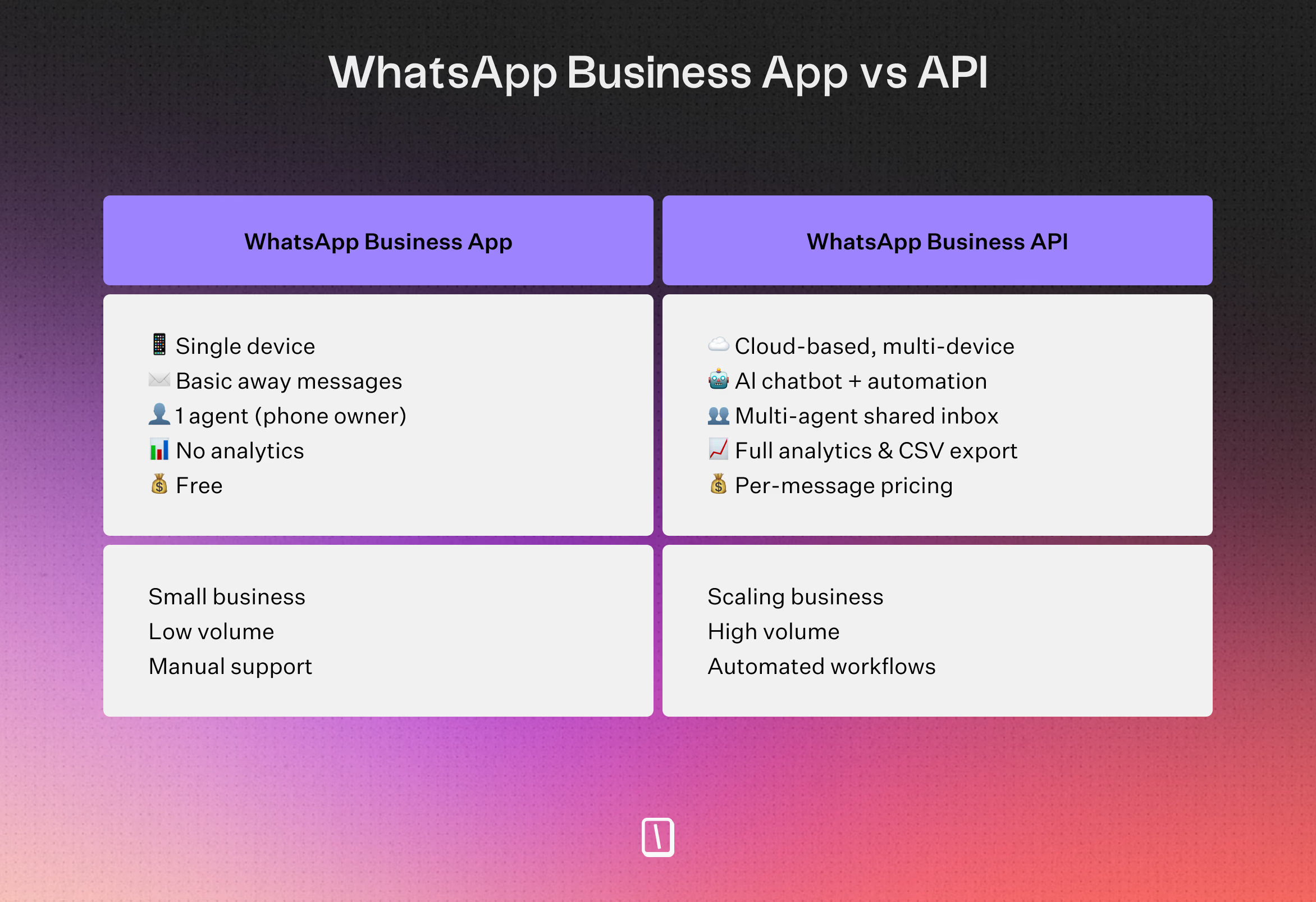
The free WhatsApp Business App is best suited for small businesses that want to handle customer support manually.
Automation here is pretty minimal, think basic away messages and simple auto-replies.
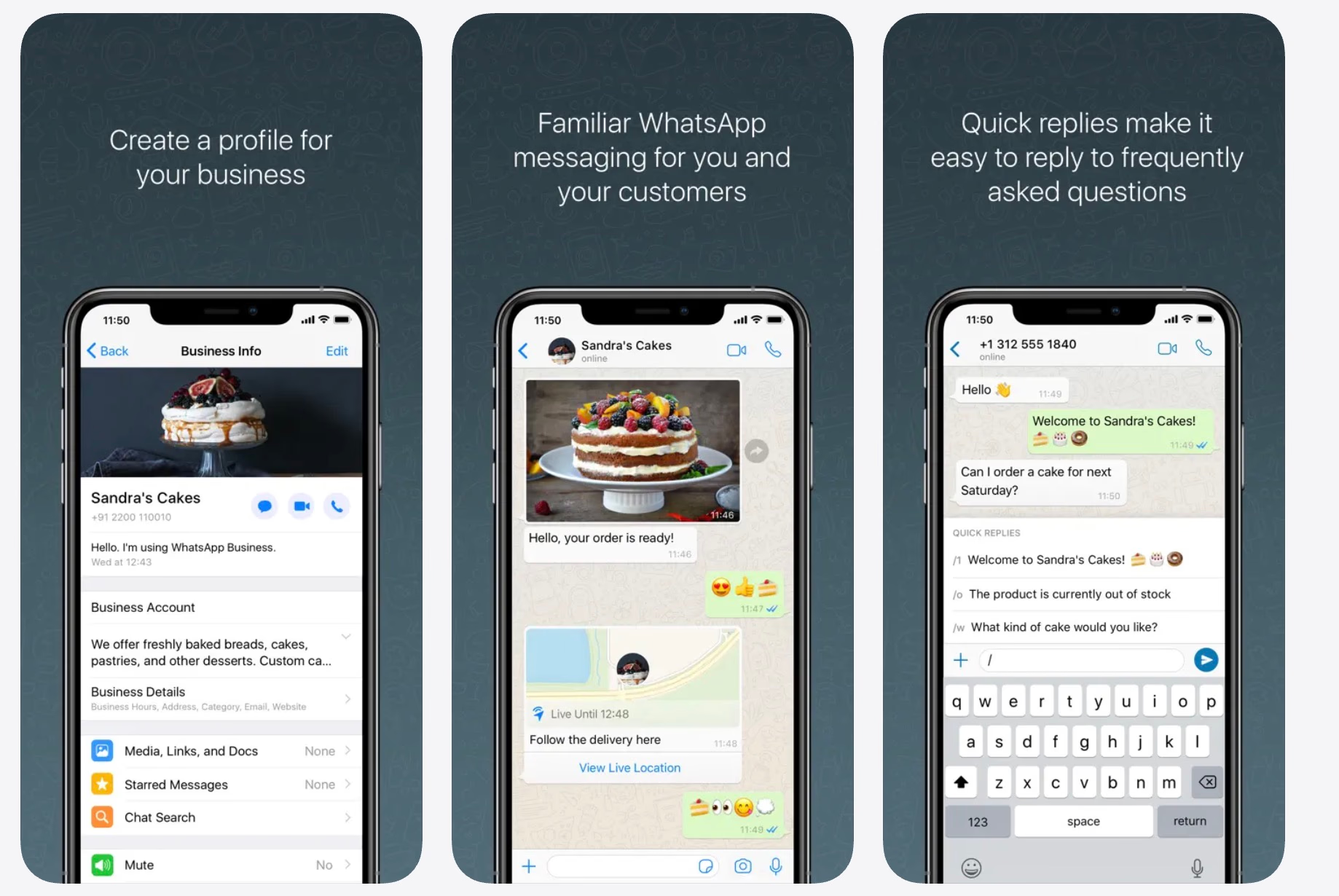
You won’t get access to AI-powered chatbots, advanced automated workflows, or a shared inbox for multiple agents.
WhatsApp Business API
The API is a different story.
This is Meta’s official solution for companies that need to manage conversations at a larger scale.
You’ll need the API if you want to:
- Deploy an auto chatbot or AI agent and set up automated conversation flows
- Let several team members manage chats from one place
- Connect WhatsApp to your CRM or other marketing tools for smoother, more automated customer journeys
There’s some setup involved.
To get started, you’ll need a Facebook Business account, register your business with Meta, and handle authentication settings in Meta’s Business Manager.
Per-message pricing
Unlike the app, the API has a cost — but it's more nuanced than it sounds. As of July 1, 2025, Meta charges per template message delivered. Template messages are pre-approved, structured messages that businesses send to users without being prompted — like order confirmations, promo blasts, or OTP codes. Non-template, free-form messages (i.e. replies to a user) are completely free.
This is actually good news if you're building a chatbot with a tool. Chatbot flows use free-form messages, not templates — so as long as the customer messages you first (opening a 24-hour service window), the entire conversation costs nothing on Meta's side.
Where costs do kick in is if you proactively reach out to users with template messages, like promotional campaigns or transactional alerts. Rates vary by country and category, check our detailed article.
1. Typebot: best open-source no-code WhatsApp AI chatbot builder
Key features and AI capabilities
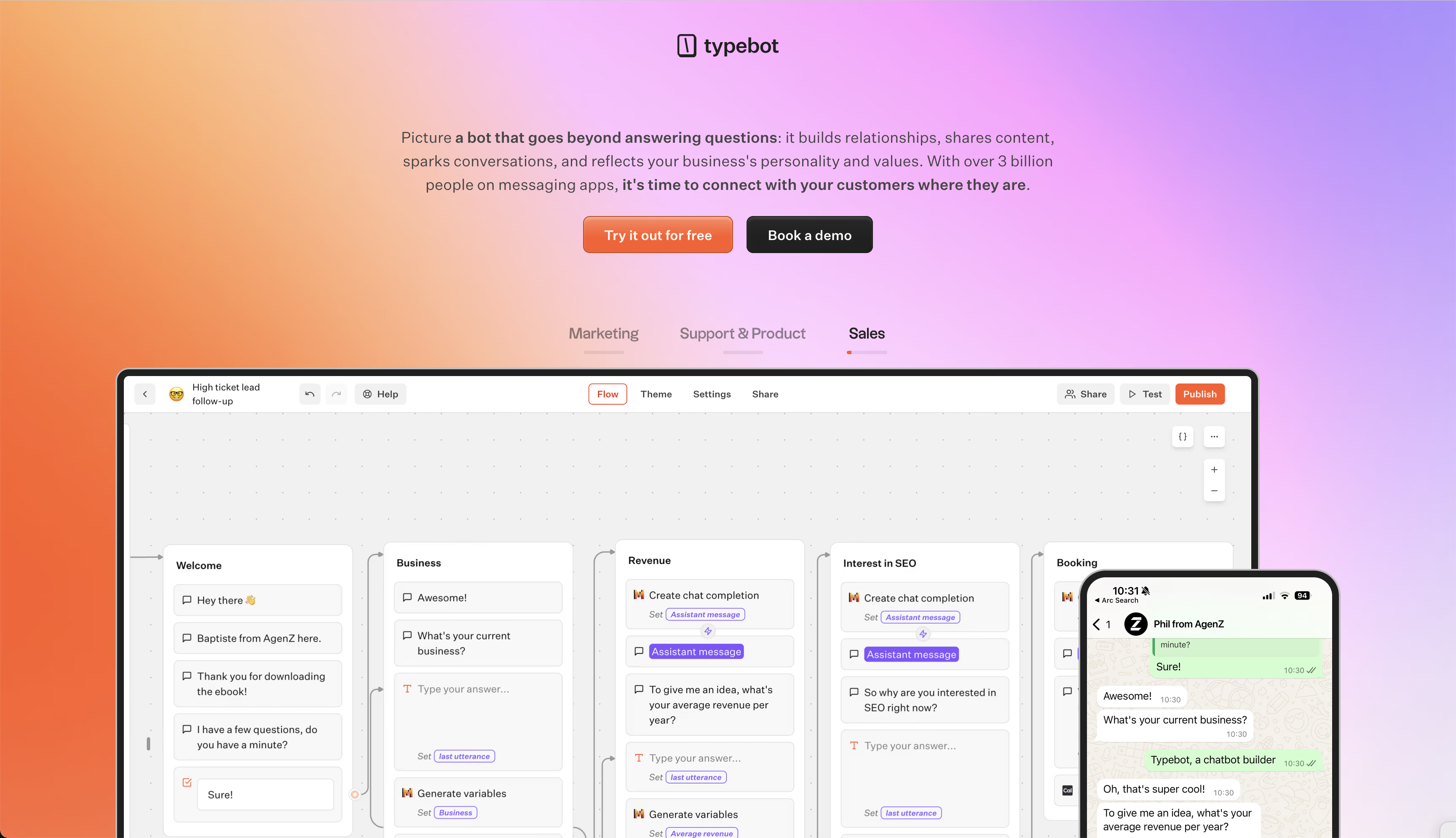
Typebot is a no-code builder that lets you design chatbot conversations using a drag-and-drop editor. You build flows with interactive blocks, like text bubbles, input fields, and logic steps that adapt to different user responses.
The chatbot stores answers in variables. This makes it easier to personalize each interaction and track data.
A big plus is how smoothly Typebot connects with leading LLMs. You can plug into OpenAI, Anthropic, Mistral, Groq, or OpenRouter, all within the visual builder.
Analytics are included, so you can see where users drop off or finish a conversation. If you need to dig into performance or keep records, you can export all the data to CSV.
WhatsApp integration and deployment
Typebot integrates directly with the WhatsApp Business API. With a Meta Business App and access token, your bot links to your WhatsApp number.
The platform automatically pulls in customer details like name and phone number, making messages feel more personal. This helps create a more natural and tailored WhatsApp experience.
There are also a few WhatsApp-specific settings:
- Contact Variables: Automatically fill your flows with user info.
- Session Expiration: Controls how long a conversation stays open if the user pauses.
- Start Conditions: Helps decide when your bot should start, especially if you run multiple campaigns from one number.
You can use a single Typebot flow on WhatsApp, web embeds, or popups. That keeps your customer experience consistent across channels.
Pricing and free plan
Typebot keeps pricing simple and usage-based:
- Free: Up to 200 chats per month, handy for testing.
- Starter: $39/month for 2,000 chats and 2 seats.
- Pro: $89/month for 10,000 chats and 5 seats.
Since Typebot is open-source, you can host it yourself. That means no builder charge per message, plus full control of your data.
That is especially useful if you handle lots of conversations.
Pros and cons
Pros:
- Open-source, so you can self-host and control your data.
- No builder fees per message when self-hosted, just standard WhatsApp API charges.
- Integrates natively with several AI providers, including OpenAI and Anthropic.
- The visual builder works for both rules-based and AI-driven chatbots.
- One flow runs across multiple channels.
Cons:
- WhatsApp limits apply, for example, only three buttons per message.
- Not set up for WhatsApp group chat automation.
- Media support is limited compared to web flows, and for video, only .mp4 works.
- Some advanced blocks, like payment and custom scripts, are skipped in WhatsApp flows.
Best for
Technical teams and agencies needing flexible bots and full data control. Typebot fits well if you want a powerful, LLM-driven chatbot without vendor lock-in or high per-message fees.
Create, customize, and deploy your first Typebot today. No coding required.
No trial. Generous free plan.
2. ManyChat: best for multi-channel marketing automation
Key features and AI capabilities
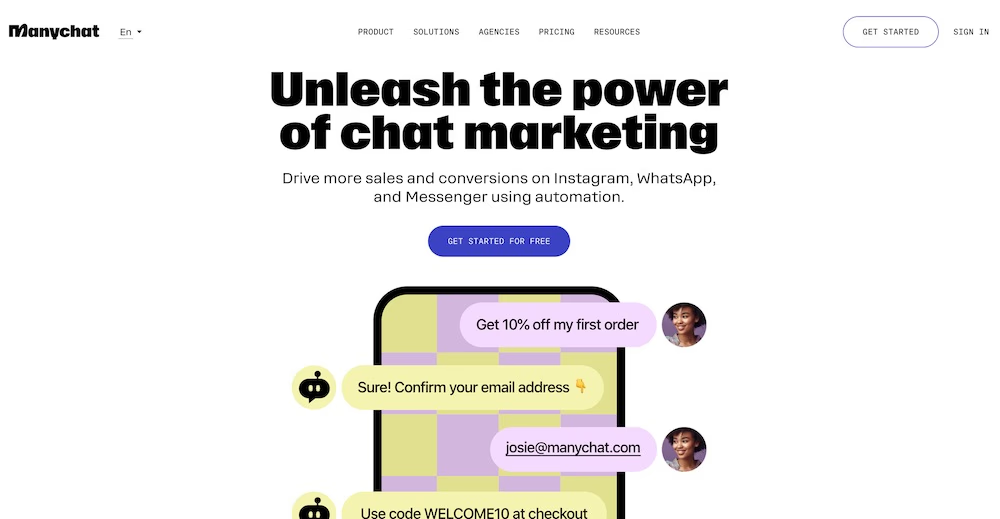
ManyChat focuses on social media engagement. It brings conversations from Instagram, Facebook Messenger, WhatsApp, SMS, Telegram, and TikTok into one dashboard, so you can compare and run messaging chatbots across WhatsApp and SMS without building each channel from scratch.
You get a visual builder that triggers automations based on what users do, like replying to stories, commenting on posts, or mentioning your brand.
The platform’s AI Assistant can use up to 250,000 characters of custom business info, so replies stay detailed and on-brand. It also handles social media comments and can move public conversations into private chats.
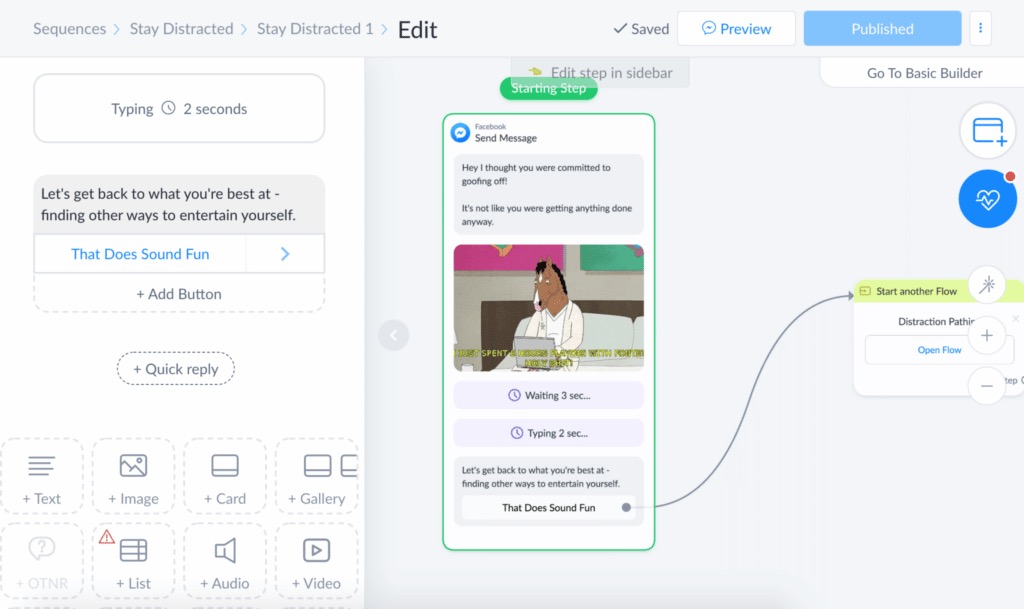
ManyChat connects with Shopify, Mailchimp, and Google Sheets. That makes it easy to automate abandoned-cart reminders or upsells.
The platform also supports segmentation for targeted messaging. It offers an AI-to-human handoff when a real person needs to step in.
WhatsApp integration and pricing
Since ManyChat is an official Meta Business Partner, you get direct integration with the WhatsApp Business API. No third-party tools are needed.
- Free: Automate up to 1,000 contacts.
- Pro: Starts at $15/month with unlimited sequences, advanced segmentation, and more channels like SMS and email.
Pricing depends on how many contacts you manage. If your list is large, costs can add up quickly.
Pros, cons, and best for
Pros:
- Manage Instagram, Facebook, and WhatsApp campaigns from one place.
- Advanced social features, like automated comment replies and story triggers.
- Detailed, brand-aware AI Assistant responses.
- Smooth e-commerce integrations.
Cons:
- It’s a proprietary, closed-source platform.
- Costs rise quickly with larger contact lists.
- Some users find contact management and filtering a bit limiting.
Best for: E-commerce brands and marketing teams that prioritize social media engagement. ManyChat works well for teams that want to turn social interactions into automated sales or support conversations across several messaging channels.
3. Botpress: Best for developers needing advanced customization
Key features and AI capabilities
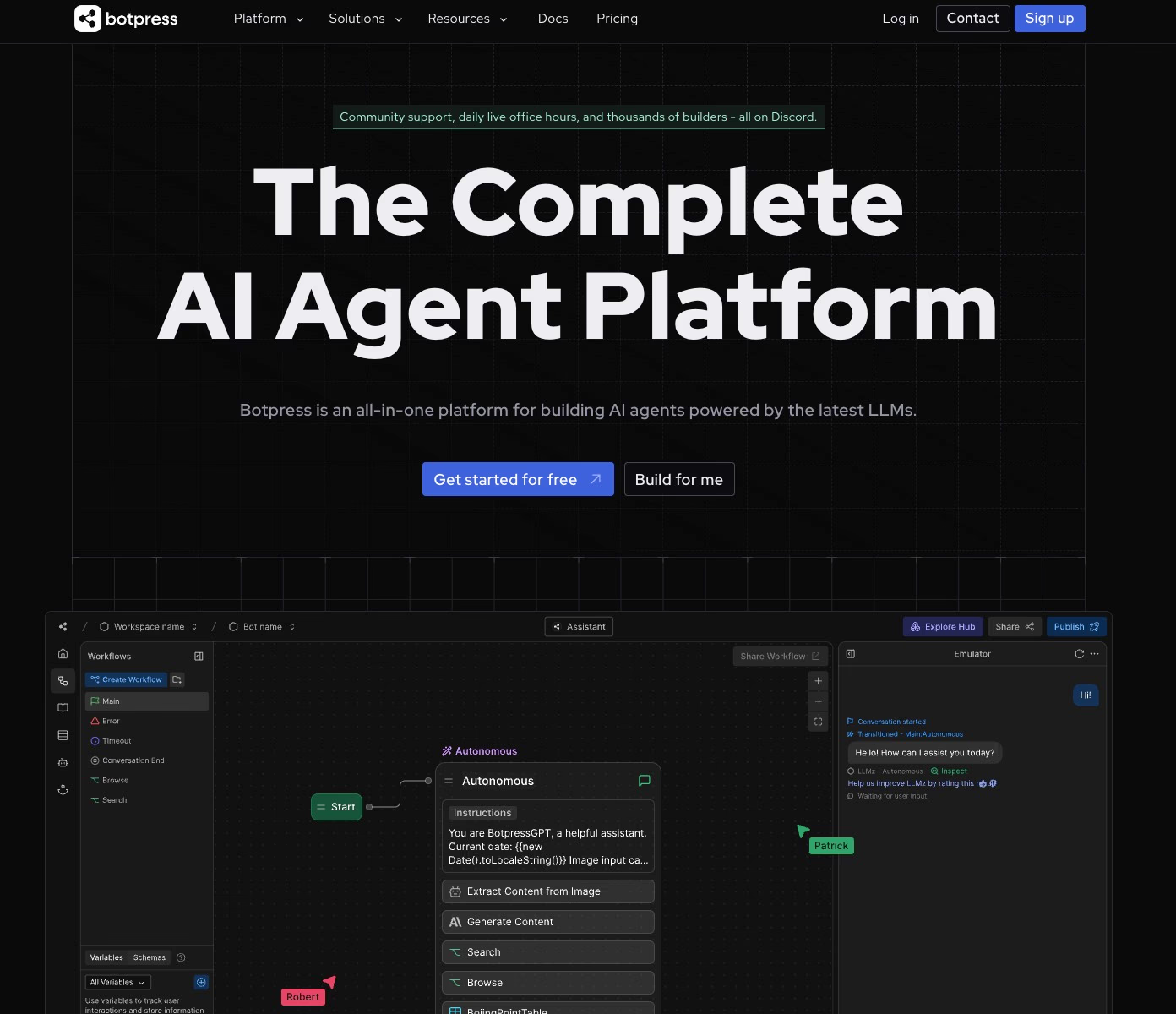
Botpress is designed for developers who want to dig deep into conversational AI. It includes a drag-and-drop builder, but its real strength is deep customization.
Developers can tap into built-in agents to fine-tune bot behavior:
- Knowledge Agent trains bots using your documentation.
- Personality Agent adjusts and maintains the bot’s tone of voice.
- Summary Agent automatically pulls conversation summaries.
- Vision Agent lets the bot analyze and interpret images.
- Translator Agent handles multilingual conversations on its own.
The platform also offers AI task cards that make content generation and intent classification easier. You do not have to rely on manual training phrases.
Features like intent recognition, data tables, and step-by-step workflows round out the toolkit.
Botpress runs on several channels, including Web, Slack, and Zendesk. It also includes a built-in emulator for testing and a live chat extension for smoother human handoff.
WhatsApp integration and pricing
Getting Botpress onto WhatsApp takes a few extra steps. There is no native WhatsApp setup. Instead, you need third-party connectors.
That makes deployment less plug-and-play, but it gives you more control behind the scenes.
- Free (Community Edition): 1 chatbot, up to 500 messages per month, 1 collaborator, and 100MB of storage.
- Cloud paid plans: Pay-as-you-go, starting at $1 per month. Pricing scales with messages, bot numbers, and storage.
- Enterprise tier: Adds advanced analytics, higher security, and live chat. It starts at $89 per month.
Pros, cons, and best for
Pros:
- Open-source codebase means developers can customize as needed.
- Advanced AI agents, including translation, image analysis, and summaries, support specific use cases.
- Flexible pricing grows with your needs.
- Active technical community provides support.
Cons:
- It has a steep learning curve, so it is not the best fit for teams wanting a simple no-code tool.
- WhatsApp needs external connectors, so there is no native API management.
- Higher-tier plans are required for some premium features, like analytics and multi-agent chat.
- It lacks some basic marketing and broadcast tools out of the box.
Best for: Development teams and technical leads needing total control over their bot’s AI setup. Botpress is a strong choice for complex, data-heavy workflows and multi-channel integrations.
Consider exploring Botpress alternatives for other powerful options.
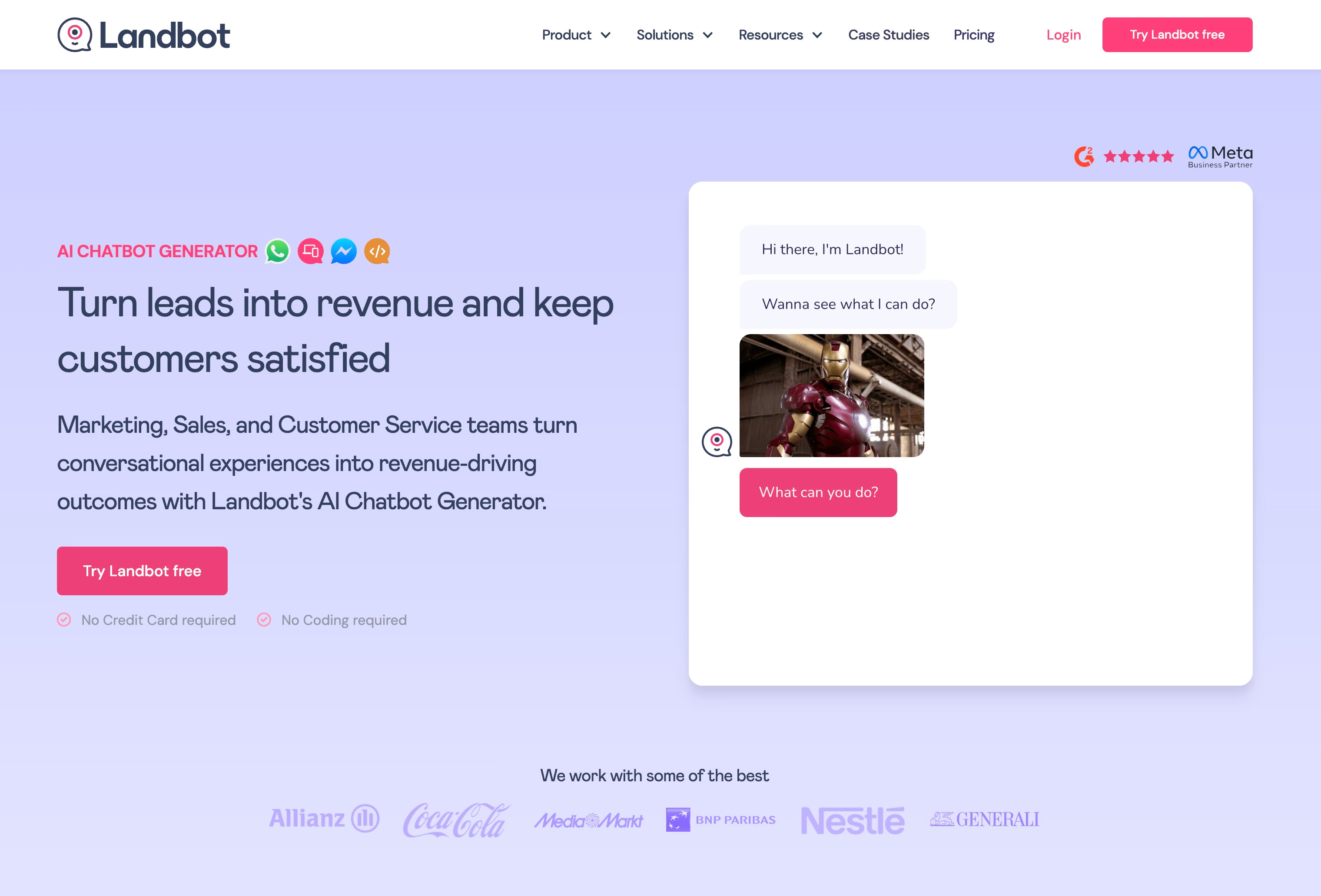
4. Landbot: Best for visual no-code conversational flows
Key features and AI capabilities
Landbot sticks with a block-based flow builder, so you don’t need to touch code to get a chatbot up and running.
Each part of your conversation, whether it’s a simple question, a media carousel, or a data capture field, gets its own visual block. You can snap these blocks together to build bigger flows quickly.
The system supports conditional logic and custom formulas. That makes it easier to create branching paths and personalized user experiences.
If you want smarter workflows, Landbot lets you add OpenAI-powered AI agents right into your flows. Teams often use these agents to handle the first round of lead generation, filtering prospects before anyone on your team needs to get involved.
When you need tighter control for compliance or strict qualifications, you can mix standard rule-based blocks with the AI.
The main focus is turning boring, static forms into interactive surveys, appointment bookings, and lead capture funnels.
If Landbot doesn't fit your needs, explore Landbot alternatives for better options.
WhatsApp integration and pricing
Landbot offers native support for WhatsApp, Facebook Messenger, and web chat.
For WhatsApp, you can use it to automate campaigns and segment audiences using what you learn from conversations. However, the platform does not include more advanced tag-based segmentation features found in some other marketing-focused tools.
- Free: Up to 100 chats each month. You won’t get access to AI capabilities or CRM integrations on this plan.
- Paid: Starts at $30/month. If you want WhatsApp automation, you’ll usually need a higher-tier plan or special add-ons, so expect a higher price tag for that channel.
Pros, cons, and best for
Pros:
- Very user-friendly visual builder with hardly any learning curve.
- Includes a variety of pre-built templates, especially for marketing and lead capture.
- Integrates directly with popular CRMs like HubSpot and Salesforce.
- Lets you combine AI agents with rule-based flows for flexibility.
Cons:
- The free plan is quite limited.
- WhatsApp features are mostly behind higher-priced tiers or add-ons.
- Lacks advanced user-tagging tools for subscriber management.
Best for: Marketing and sales teams at small or medium-sized businesses who want to launch lead generation bots fast. It is especially useful for teams with limited developer support who prefer a quick, template-based design process.
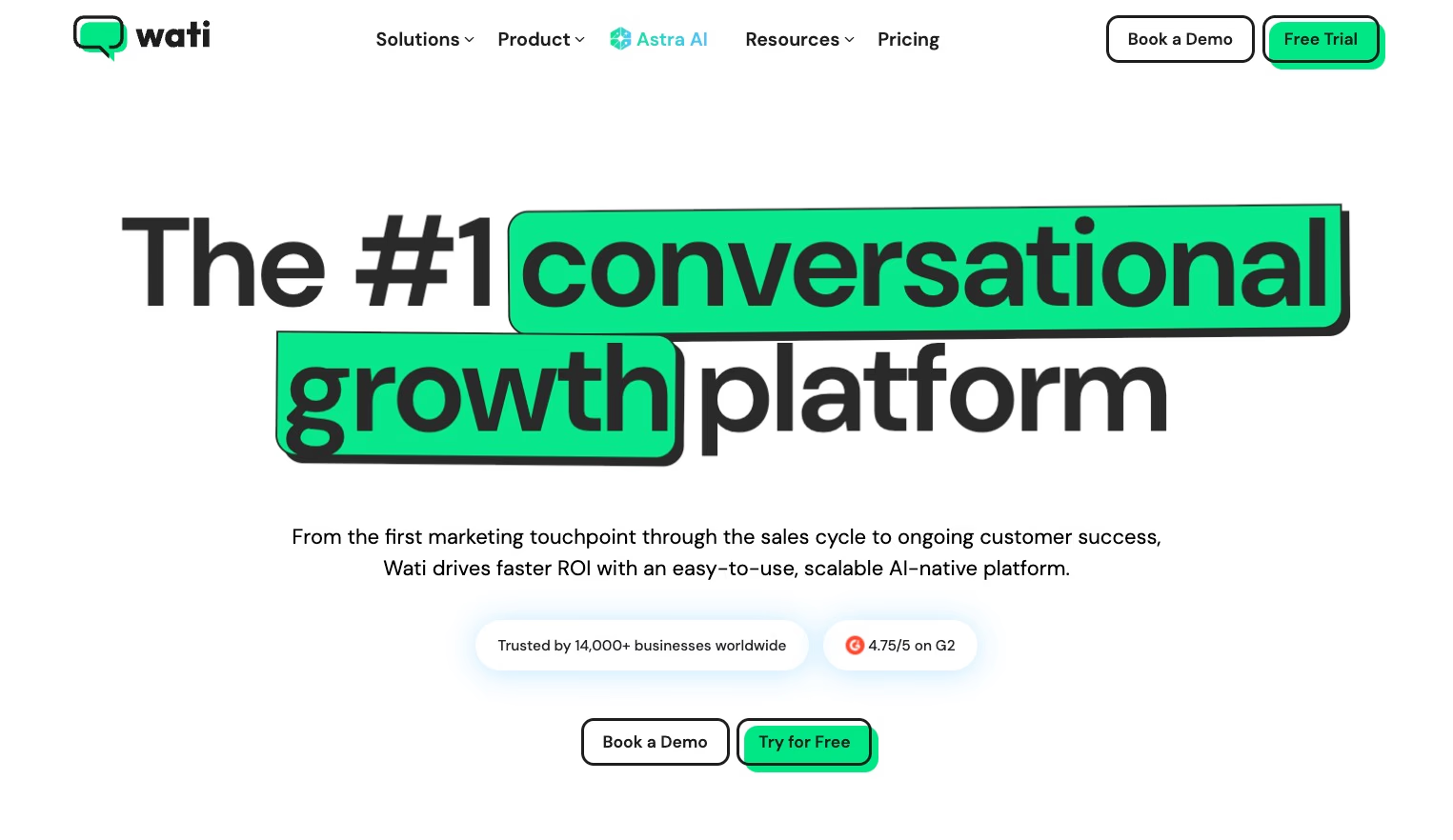
5. Wati: best for WhatsApp-first support and sales teams
Key features and WhatsApp integration
Wati focuses entirely on the WhatsApp Business API. Its main draw is a shared team inbox, where several agents can work together to handle incoming messages. This makes it easier to keep response times fast and avoid missing conversations.
Automation is straightforward with Wati’s low-code workflow builder. Non-technical team members can set up chatbots to answer FAQs, handle lead qualification, or direct messages to the right person.
Wati can also send large-scale personalized broadcasts. Businesses can reach up to 100,000 recipients at once.
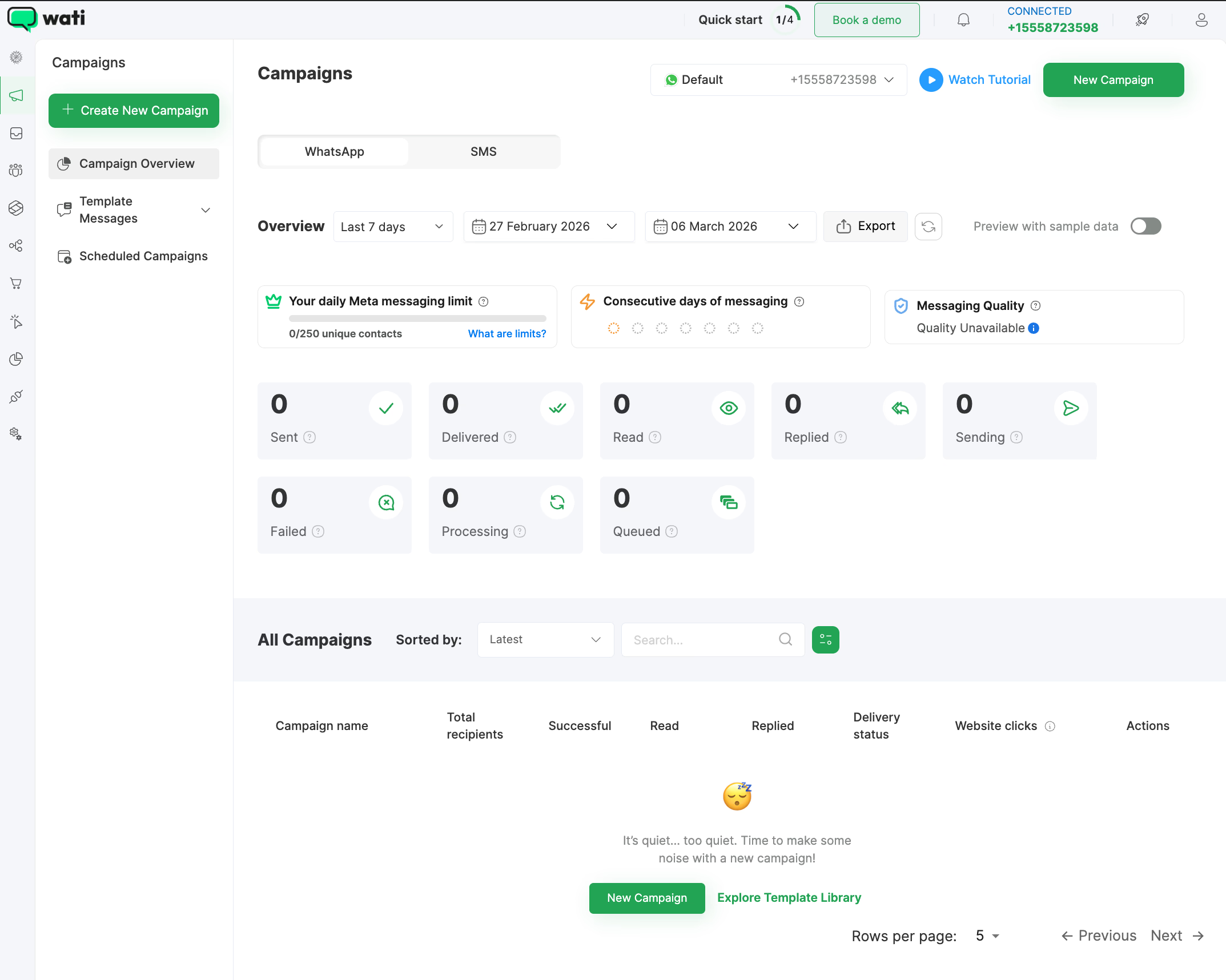
There’s a mobile app, and Wati connects with tools like HubSpot, Zapier, and Google Sheets. So, your WhatsApp data can feed right into your CRM without adding manual steps.
Pricing
You can try Wati free for 7 days, then pick from several paid plans that scale up with the features you need:
- Growth: $39/month. Comes with the shared inbox, broadcast messaging, and basic automation.
- Pro: $79/month. Includes advanced automation and expanded support capabilities.
- Business: $199/month. Adds around-the-clock priority support and access to the WhatsApp Pay API.
One thing to remember: Wati only works with WhatsApp. If you’re looking for support across Messenger, Instagram, or web chat, it’s not the tool for that.
Pros, cons, and best for
Pros:
- Designed specifically for teams using WhatsApp as their main communication channel.
- Shared inbox supports advanced tagging and smart routing, keeping conversations organized for agents.
- Can handle large-scale marketing broadcasts.
- Mobile app makes it easy to work from anywhere.
Cons:
- Doesn’t support other messaging channels like Instagram or Facebook Messenger.
- Entry price is a bit higher than some multi-channel options.
- Specialized automation tools are only included in higher-tier plans.
Best for: Support and sales teams that rely almost entirely on WhatsApp. If your organization needs a central place for multi-agent conversations and workflow automation without extra channels crowding the dashboard, Wati is a strong fit.
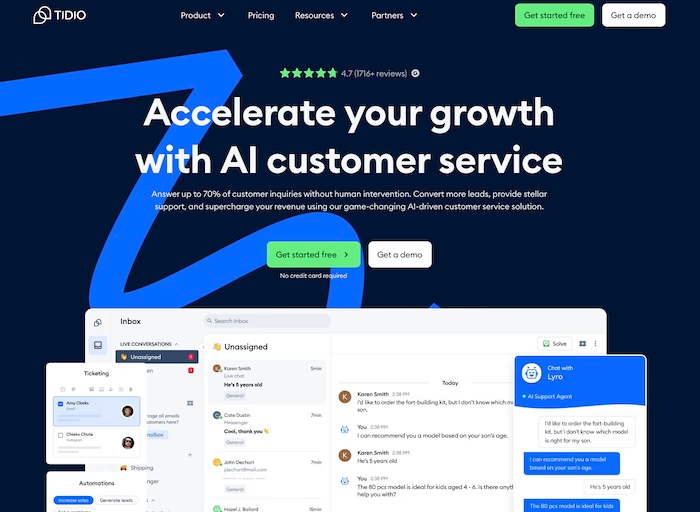
6. Tidio: Best for e-commerce customer support
Key features and AI capabilities
Tidio brings together live chat, chatbot automation, and ticketing in one place for online retailers.
The live chat widget lets agents view shopper details in real time. This makes it easier to jump in and help when questions come up at checkout.
The Lyro AI handles routine tasks, replying instantly to FAQs any time of day. For store-specific needs, Tidio has ready-made flows for order tracking, product recommendations, and shipping updates.
These automations connect directly with Shopify and WooCommerce, so the bot stays in sync with your store’s current data.
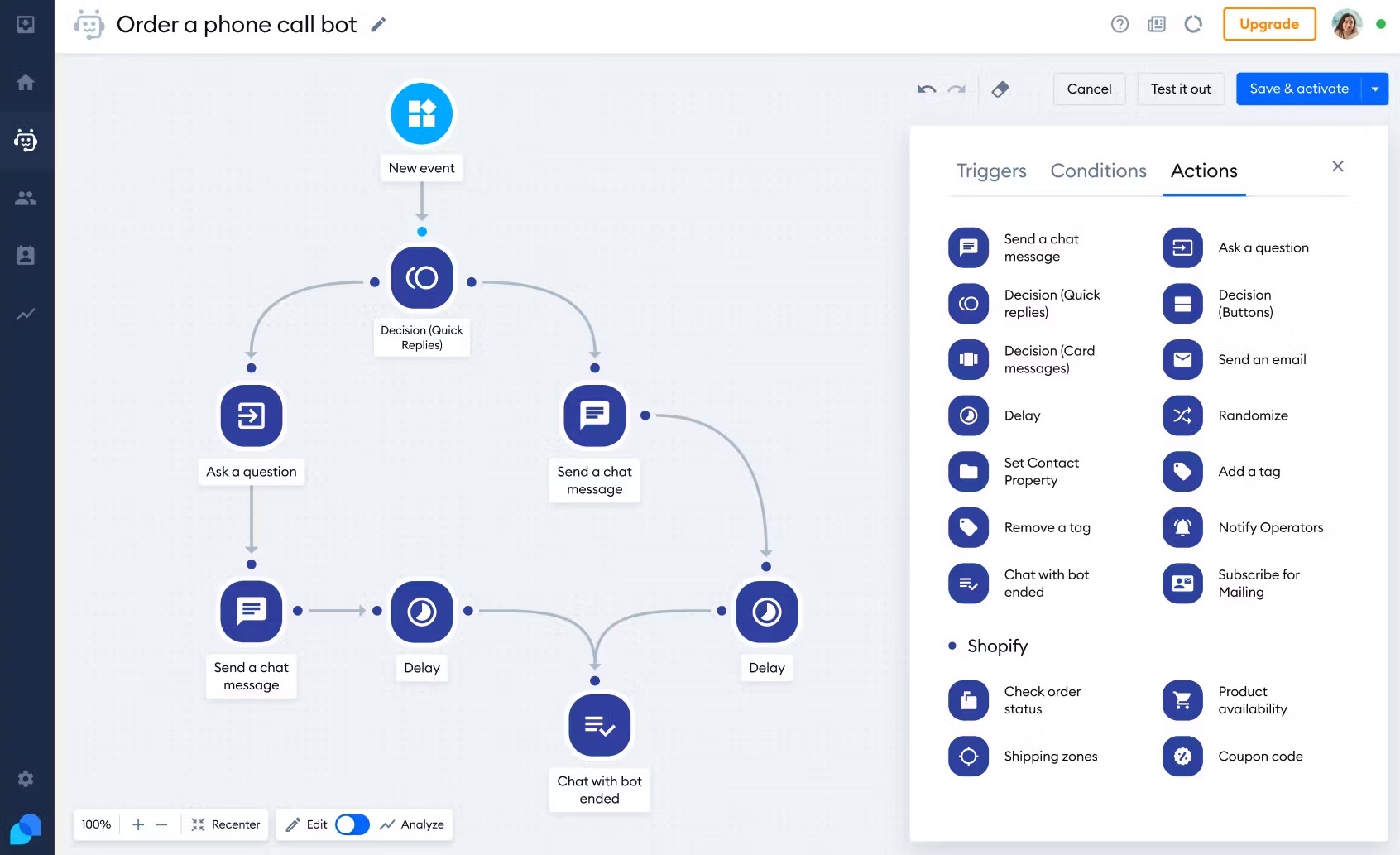
When a bot cannot solve an issue, the conversation turns into a support ticket or goes straight to a real person. That helps prevent tricky problems and high-value sales from being left hanging.
Pricing and best for
- Free: A limited plan for smaller shops that need basic chat and simple automation.
- Paid: Plans start around $29/month. This opens up Lyro AI, more advanced chatbot workflows, and extra integrations. Final pricing depends on team size and add-ons.
Best for: E-commerce brands on Shopify or WooCommerce that want everything in one support workspace. It works well for teams that want to move smoothly between AI-powered automation and live human help. That can help boost conversions and keep post-purchase questions under control.
7. Chatbase: best for AI trained on your own data
Key features and AI capabilities
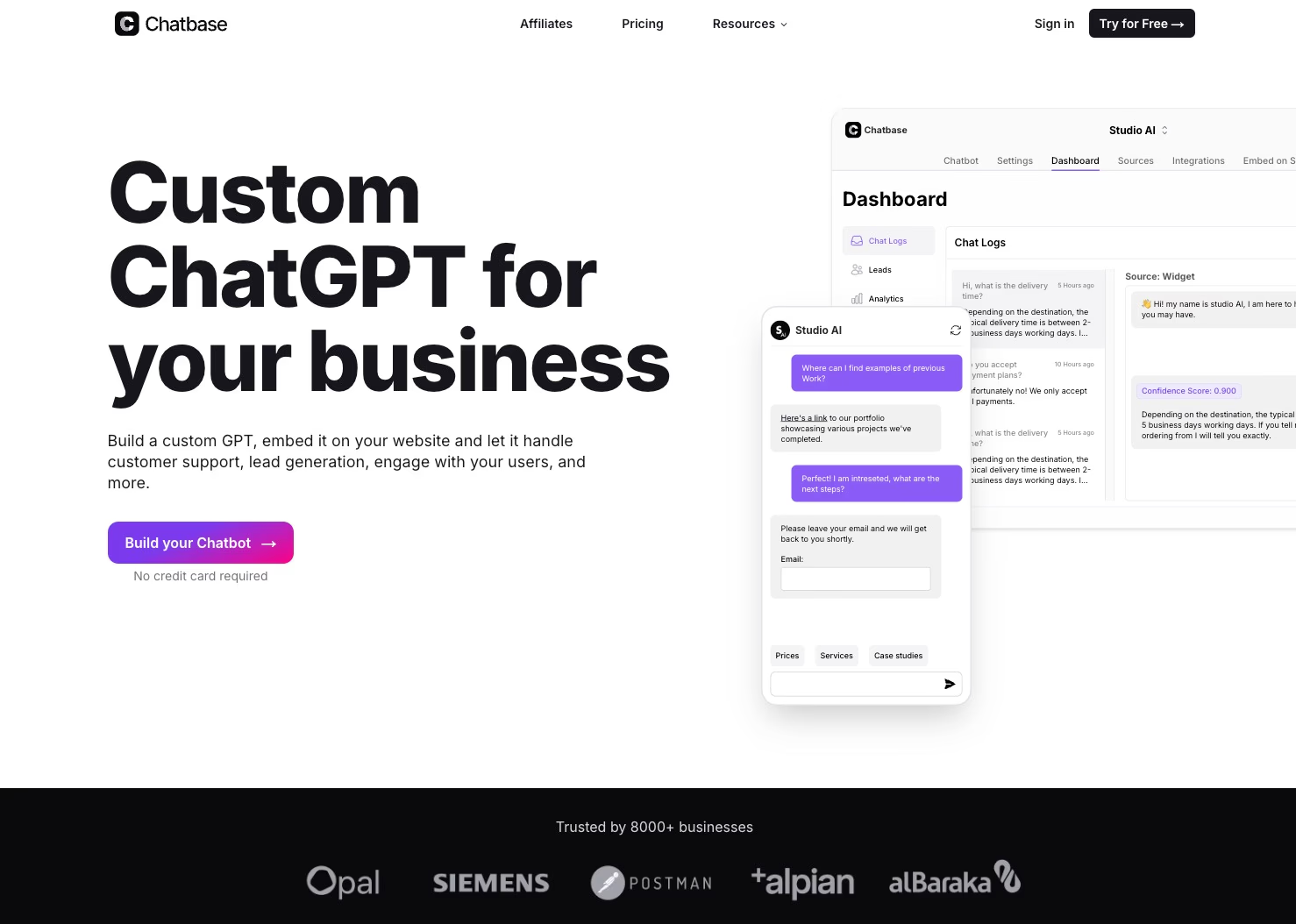
Chatbase is all about building GPT-powered chatbots that use your own business data, such as PDFs, website links, and internal docs.
Instead of pulling from the general internet, the bot relies on what you upload. That means answers are grounded in your actual content, not broad, generic info.
So if you run a SaaS company or offer technical services, you get answers based on your own materials.
You won’t find flowcharts or complicated conversation trees here. Chatbase indexes your data, then searches it to answer questions.
If the AI’s response isn’t quite right, the “Revise Answers” tool lets you tweak things. The “Confidence Score” also flags answers that might need a closer look.
Besides looking up information, Chatbase can automate tasks using AI Actions. For example, you can let it book meetings through Calendly or check an order status on demand.
There’s no advanced visual workflow builder, but you do get options to adjust the look and feel of your bot for branding and custom greetings.
Pricing and best for
- Free: You get one chatbot and a limited number of messages to try it out.
- Paid: From $19/month, you unlock more chatbots, a larger message quota, and deeper integrations, like connecting with Zendesk.
Pros:
- You can launch a working AI assistant in under 10 minutes.
- There’s no need for manual flow design or branching paths.
- It syncs content straight from your website and documents.
Cons:
- No built-in live chat.
- Limited control over conversation flow, since it is designed mainly for direct Q&A.
- Not built for complex, multi-channel marketing campaigns.
Best for: Small businesses and solo founders who want a chatbot that gives accurate, data-driven answers based on their own documentation, without needing a developer. If your team values reliable information over advanced conversational design, Chatbase is one of the fastest ways to get up and running.
8. AISensy: best for budget-friendly WhatsApp broadcasts
Key features
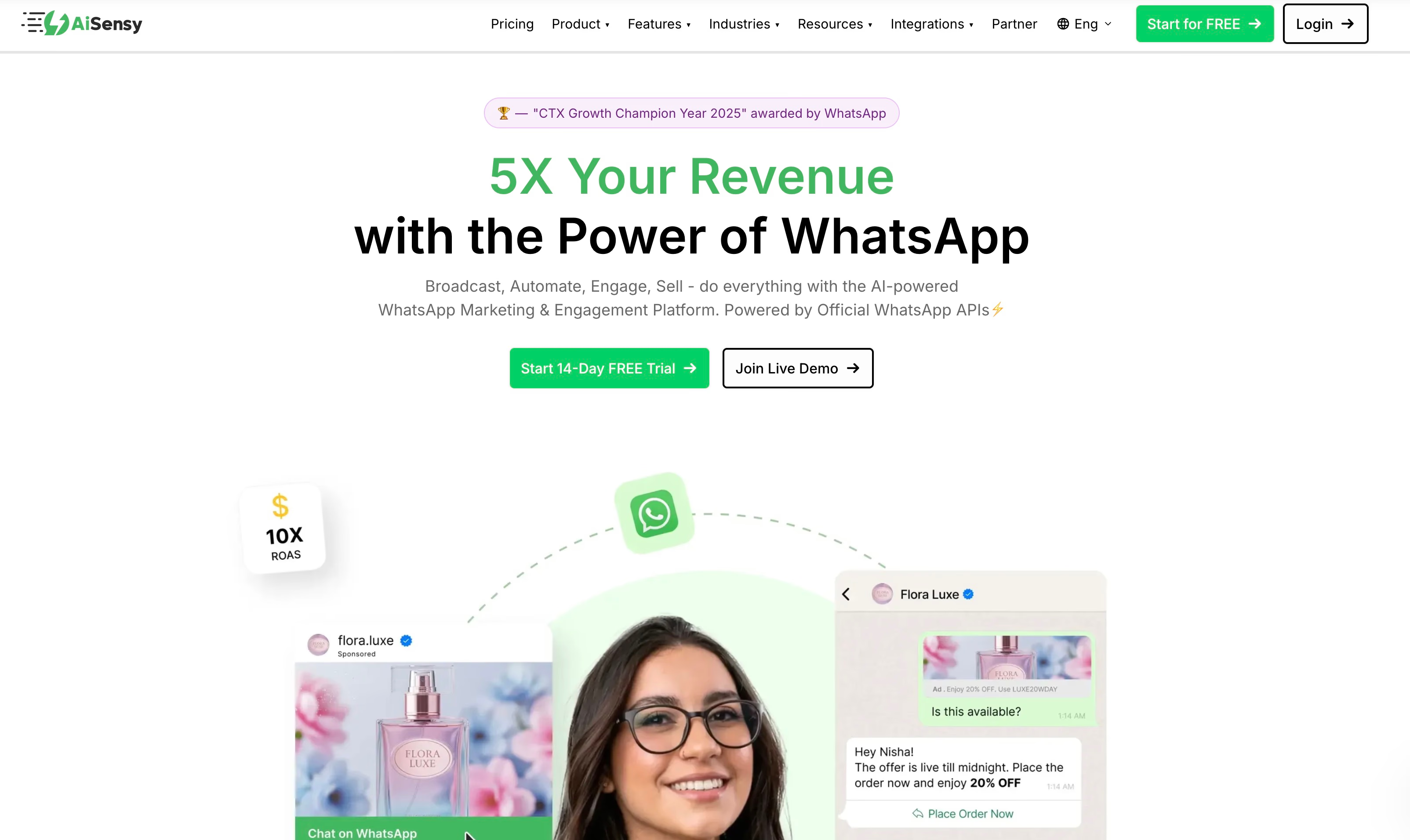
AISensy is an official Meta Business Solution Provider (BSP) built for small and medium-sized businesses focused on WhatsApp marketing. Its main draw is broadcast messaging, so you can send bulk promotions, updates, and notifications without much hassle.
To help manage these campaigns, AISensy offers:
- Multi-agent shared inbox: Your whole team can reply from one WhatsApp number. This means you do not have to juggle conversations across devices.
- Ad integration: Connects directly with Facebook and Instagram for click-to-WhatsApp ads.
- Campaign management: Lets you schedule broadcasts, segment audiences, and track read rates from one analytics dashboard.
- E-commerce connectivity: Syncs with Shopify and WooCommerce to automate transactional messages, like order updates.
AISensy does include an NLP-based chatbot for FAQs, but keep in mind that it is a rule-based system. Compared with more advanced LLM-driven platforms, it is fairly basic and sticks to answering structured questions.
Pricing and best for
- Free: Unlimited chats and basic live chat features. Good for testing or if you have light chat volume.
- Basic ($45/month): Covers up to 5 agents and adds e-commerce integrations.
- Pro ($99/month): Gives you access to advanced campaign scheduling, smart routing, and more generous limits for tags and attributes.
- Note: If you need extra agent seats, those run about $20/month each. The AI chatbot often comes as a paid add-on.
Best for: Startups and small businesses, especially those in India, that need affordable, high-volume WhatsApp broadcasting. It is a solid pick for teams who want a simple shared inbox and basic marketing automation without getting bogged down by complex AI or multistep customer journeys.
If your main goal is to get up and running quickly with promotional messages, with as little technical setup as possible, AISensy is likely easier to use than more developer-focused options.
9. Freshchat: best for enterprise support suites
Key features and AI capabilities
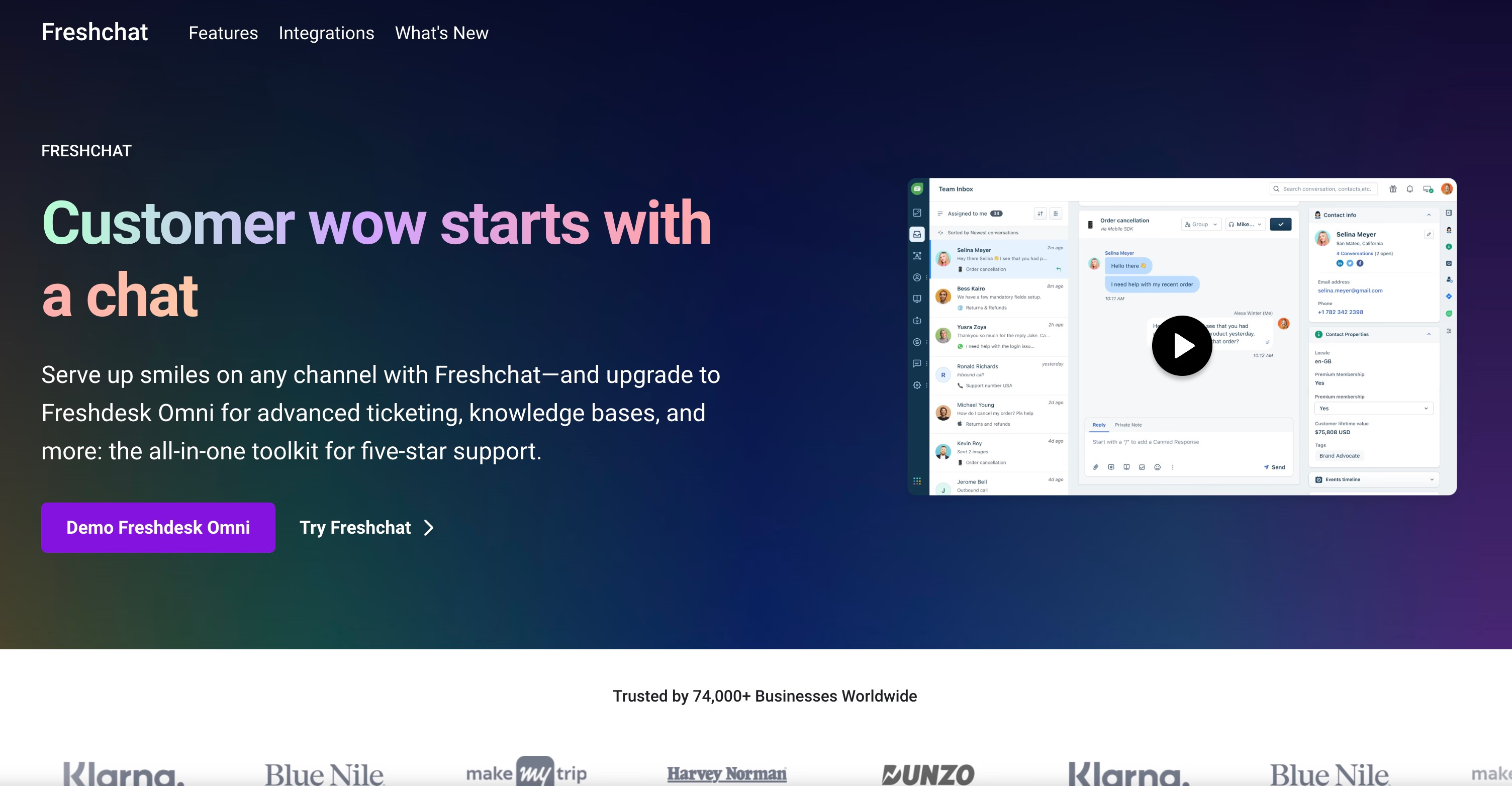
Freshchat is the chat tool inside the Freshworks platform. It is mainly aimed at large teams that need omnichannel support. It brings WhatsApp, Facebook Messenger, Instagram, and web chat into one workspace, so agents do not need to jump between multiple tabs.
There are two main AI features at play:
- Freddy AI Agent: This is a no-code chatbot that helps customers help themselves. It handles common questions, identifies intent, and supports multiple languages. The goal is to reduce repetitive tickets.
- Freddy AI Copilot: This generative AI assistant gives agents conversation summaries, reply suggestions, and quick access to helpful knowledge base articles.
Freshchat also offers ready-made templates for popular support scenarios. It includes options for sending proactive messages based on how users interact with your site or app.
Its analytics tools let you create custom reports. That makes it easier to track agent efficiency and customer satisfaction scores in the way you want.
Pricing and best for
- Free: Supports up to 10 agents and covers basic ticketing.
- Growth ($23/agent/month): Needed for WhatsApp integration and live dashboards.
- Pro ($59/agent/month): Unlocks more advanced routing and custom dashboard options.
- Enterprise ($95/agent/month): Adds features like skills-based routing and a sandbox for testing.
Hidden costs:
AI is not all-inclusive here. Freddy AI Copilot adds $29/agent/month. After the first 500 free bot sessions, you will pay $49 per 100 sessions. There is also a 20% markup on regular Meta WhatsApp API fees.
Best for:
Freshchat tends to work best for large organizations already using other Freshworks tools, such as Freshdesk or Freshsales, and needing to manage several support channels from one place. If you only care about WhatsApp or need simple, predictable pricing, the session-based fees and API markups can add up quickly.
Free vs paid WhatsApp AI chatbots: what you actually get
If you are searching for a free WhatsApp AI chatbot, the real answer depends on three costs that people often mix up: the builder’s free plan, Meta’s message fees, and whether you need the WhatsApp Business API.
Is there a free WhatsApp AI chatbot for business?
Yes—but “free” usually covers the builder layer, not unlimited marketing blasts on WhatsApp.
Here is the practical landscape:
- WhatsApp Business App (the free Meta app): Good for a single person answering messages. It is not built for AI automation, multi-agent inboxes, or complex flows. Once more than one teammate needs the same number, you will outgrow it quickly.
- Free cloud plans on chatbot platforms: Typebot, ManyChat, Botpress, AISensy, Landbot, Tidio, Chatbase, and Freshchat all offer free or freemium tiers. Limits usually hit chats, contacts, seats, AI features, or WhatsApp-specific tools before “unlimited business use” does.
- Open-source / self-hosted builders: Typebot and Botpress can run on your own infrastructure, so you avoid a SaaS seat bill. You still pay for hosting, setup time, and any WhatsApp Cloud API path you use.
- DIY automation stacks (for example n8n workflows): Attractive if you already manage servers and APIs. You own the stack, but you also own the maintenance: model costs, template approval, edge cases, and failing message paths. Most teams prefer a visual builder unless they have engineering time spare.
For a business AI WhatsApp chatbot that can grow into real product logic, Typebot Free is a good place to prototype the flow in your browser. To deploy it on WhatsApp, use Typebot Cloud Pro or a self-hosted open-source setup.
What “free on WhatsApp” actually means (Meta fees vs platform fees)
WhatsApp Business API pricing and your chatbot SaaS plan are separate bills.
- Service replies inside the 24-hour customer-care window: When a customer messages you first, Meta generally does not charge for your replies in that service window. Pure support-style automations can stay very cheap at the Meta layer.
- Template (proactive) messages: Marketing, utility, or auth templates you send outside that window are billable by Meta. Rates vary by country and category.
- Builder charges: Manychat-style contact pricing, shared-inbox seats, AI message packs, or chatbot plans sit on top of Meta.
Typebot only talks to customers inside the open service window—it is for conversational replies, not paid broadcast templates. In practice, Meta message fees for a Typebot WhatsApp bot often stay at $0, and your main platform cost is the Typebot plan (or hosting if you self-host). That is different from broadcast-first tools that push template campaigns all day.
So when someone asks for a WhatsApp Business AI chatbot free, the honest ceiling is: free or cheap builder + free Meta service replies for inbound chat, with template campaigns billed separately if you add them later through a different product.
Free options at a glance
| Platform | Free / freemium | Typical free limits | Open-source / self-host | Best free use case |
|---|---|---|---|---|
| Typebot | Yes | 200 chats/month; visual builder, logic, basic analytics | Yes | AI + flow chatbot prototypes without per-message builder fees |
| ManyChat | Yes | Up to 1,000 contacts; simple social/marketing flows | No | Lightweight multi-channel marketing tests |
| Botpress | Yes (Community / free cloud limits) | ~1 bot, 500 messages/month, 1 collaborator on community-style free access | Yes | Developer-led AI agent experiments |
| AISensy | Yes | Unlimited chats; tight tag/attribute limits; basic live chat | No | Budget WhatsApp inbox + light automation |
| Landbot | Yes | ~100 chats/month; AI and CRM usually locked | No | Trying the visual builder only |
| Tidio | Yes | Limited free chat/automation; Lyro AI paid | No | Small e-commerce live chat tests |
| Chatbase | Yes | 1 bot + limited messages | No | Doc-trained Q&A demos |
| Freshchat | Yes | Up to 10 agents on the free entry path for basic ticketing/chat | No | Teams already testing Freshworks support tools |
| Wati | Trial only | Typically a short trial (for example 7 days), not a lasting free AI tier | No | Evaluating a WhatsApp-first shared inbox before paying |
Numbers change, so treat free caps as directional—but the pattern is stable: free tiers are for pilots, not high-volume revenue chat.
What free plans include (and what they quietly leave out)
Free plans are mainly for basic testing or early-stage prototypes. They let you try core features. They usually throttle the parts that make a WhatsApp AI chatbot production-ready.
- Typebot: Up to 200 chats per month, plus the visual builder, logic options, and basic analytics. AI model keys and the WhatsApp connection still need setup. Self-hosting removes the chat ceiling on the builder side if you can run infrastructure.
- ManyChat: Up to 1,000 contacts for simple social and marketing flows. Contact-based pricing climbs quickly once WhatsApp becomes a primary channel.
- Botpress: Free community-style access for a single bot experiment. WhatsApp usually needs third-party connectors, so “free AI” does not always mean “quick official WhatsApp launch.”
- Landbot & Tidio: Low interaction caps (often around 100 chats/month on Landbot’s free tier) and little or no serious AI on free. Fine for UI demos, not AI support at scale.
- Chatbase: One free bot and a small message pool—enough to prove a knowledge-base assistant, not enough for a multi-agent WhatsApp desk.
- Freshchat: Free entry for small support teams testing tickets and manual conversations—not a free advanced WhatsApp AI builder.
These free tiers are best if you’re piloting a project or checking whether the platform’s interface fits your team before putting money down.
Fully free paths: open-source, self-host, and DIY
If your goal is a truly free AI chatbot for WhatsApp with no monthly SaaS fee:
- Self-host Typebot — keep full control of conversation logic, data, and AI blocks. You pay server cost and engineering time, not Typebot per-message fees.
- Self-host Botpress — stronger when your team wants deep agent customization; plan for more technical ownership and a non-native WhatsApp connector path.
- DIY workflows — tools like n8n can glue WhatsApp Cloud API + an LLM. This ranks well in DIY discussions because it can be $0 in software licenses, but it is not a guided chatbot product. You must handle auth tokens, template policy, retries, and conversation state yourself.
For most non-engineering teams, free Cloud Typebot is enough to validate. Move to self-host only when volume or privacy makes SaaS limits expensive.
How to build a WhatsApp AI chatbot with Typebot
Step 1: Create your Meta app and get API access
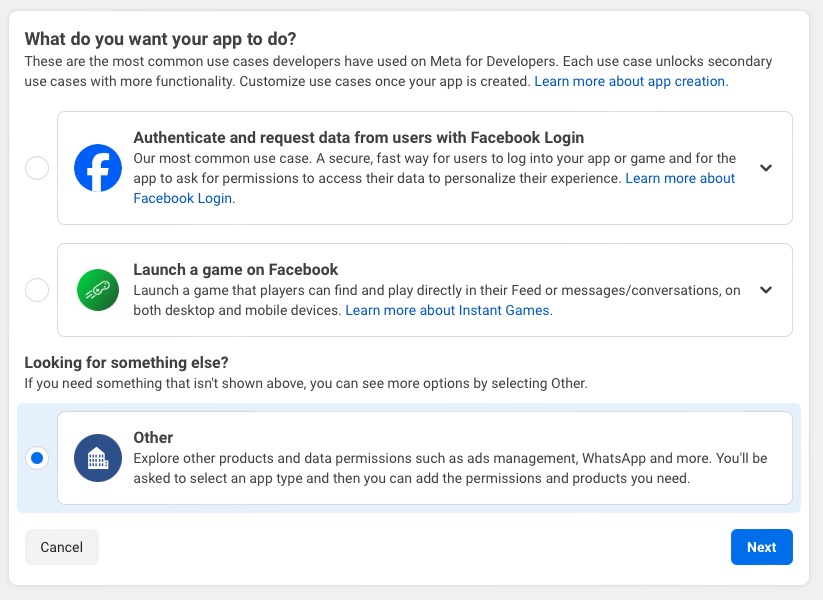
First, connect Typebot to Meta. Go to developers.facebook.com/apps, create a new app, choose Business as the type, and turn on the WhatsApp product.
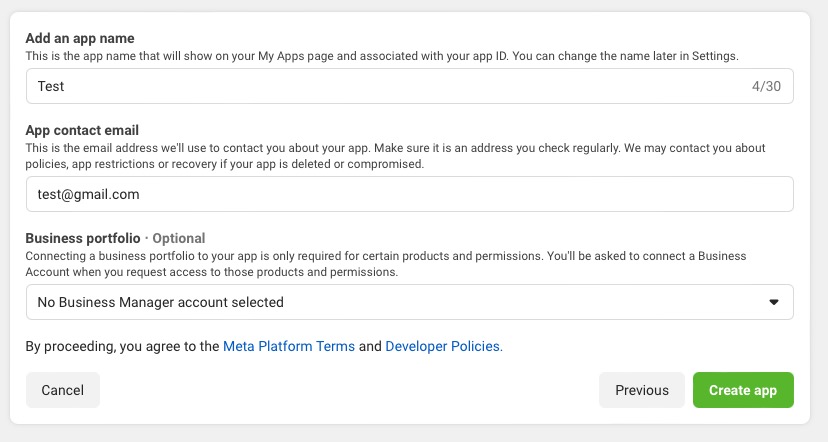
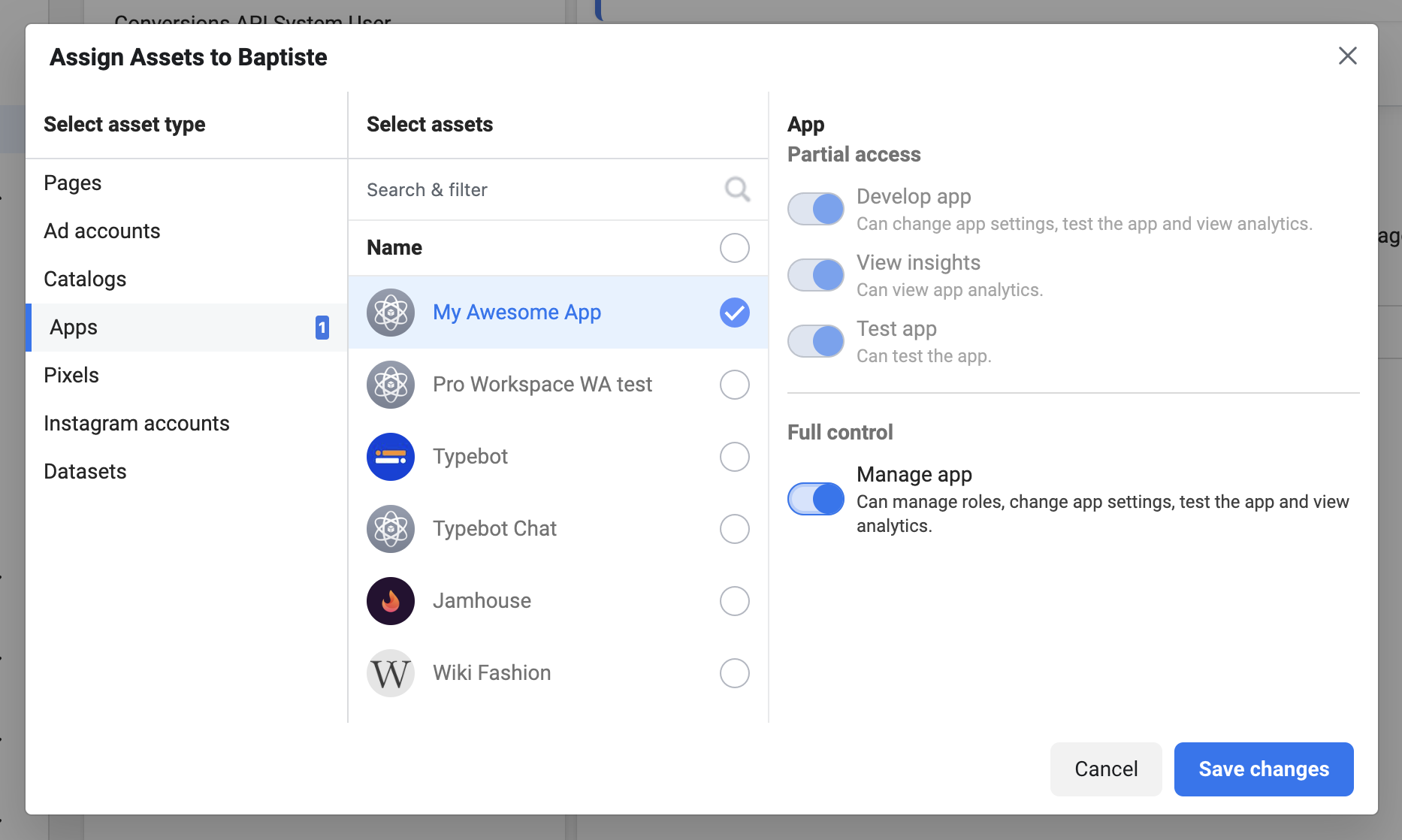
Inside Meta Business Settings, make a System User, give it Admin rights, and add your app as an asset.
Generate an access token. This token lets Typebot send messages through your WhatsApp number.
Step 2: Design your conversation flow in Typebot
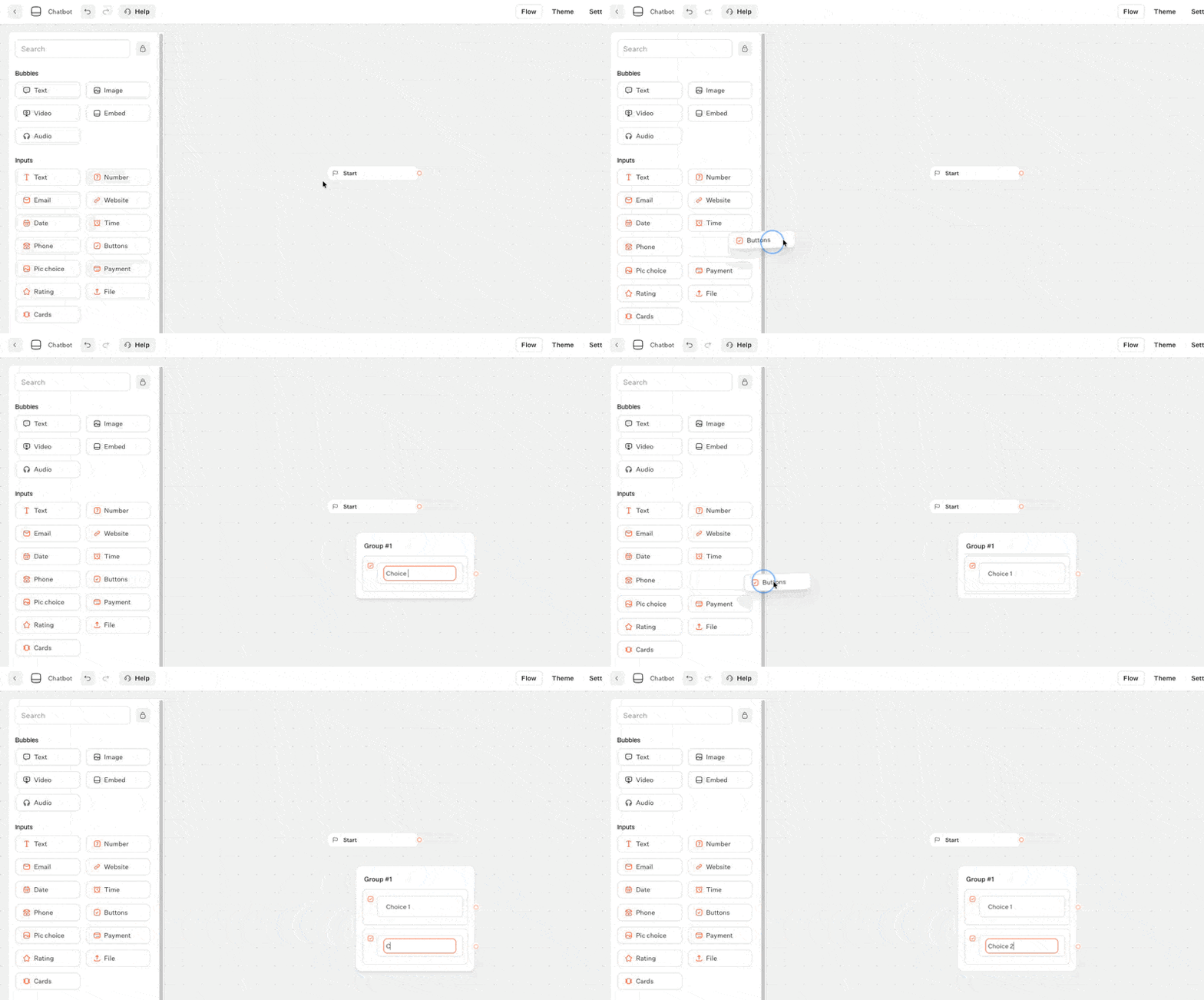
Now you can build your conversation in the Typebot editor using its drag-and-drop tools.
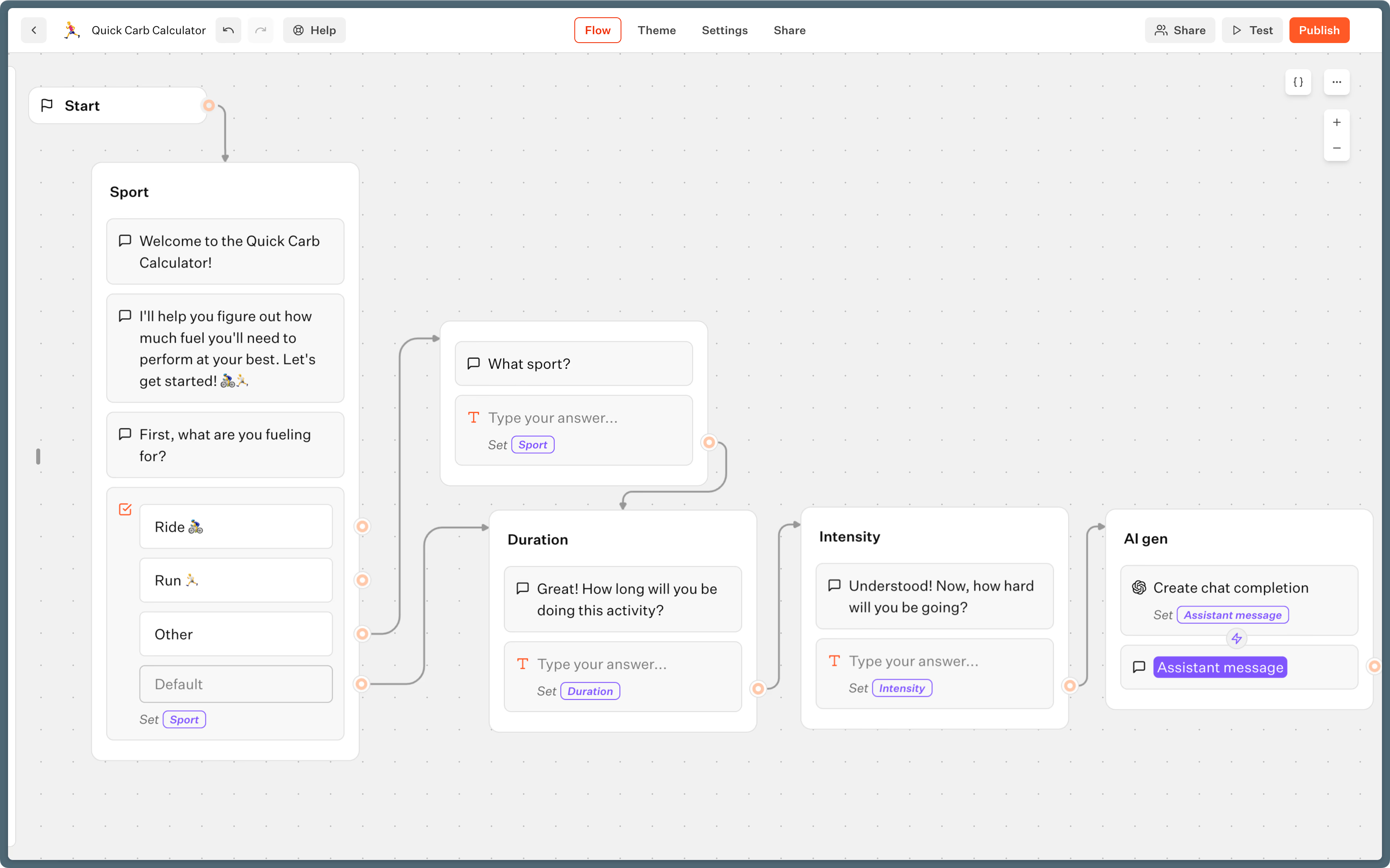
- Structure: Add text bubbles and input blocks to collect emails, phone numbers, or button clicks.
- Logic: Use condition blocks to split the flow into different responses, and capture user answers with variables for a more personal feel.
- AI integration: Add OpenAI, Anthropic, or Groq blocks. Pass the chat history so your AI responses stay in context.
- Integrations: Pull live data from your CRM or external APIs with HTTP Request or Webhook blocks.
Step 3: Configure WhatsApp-specific settings
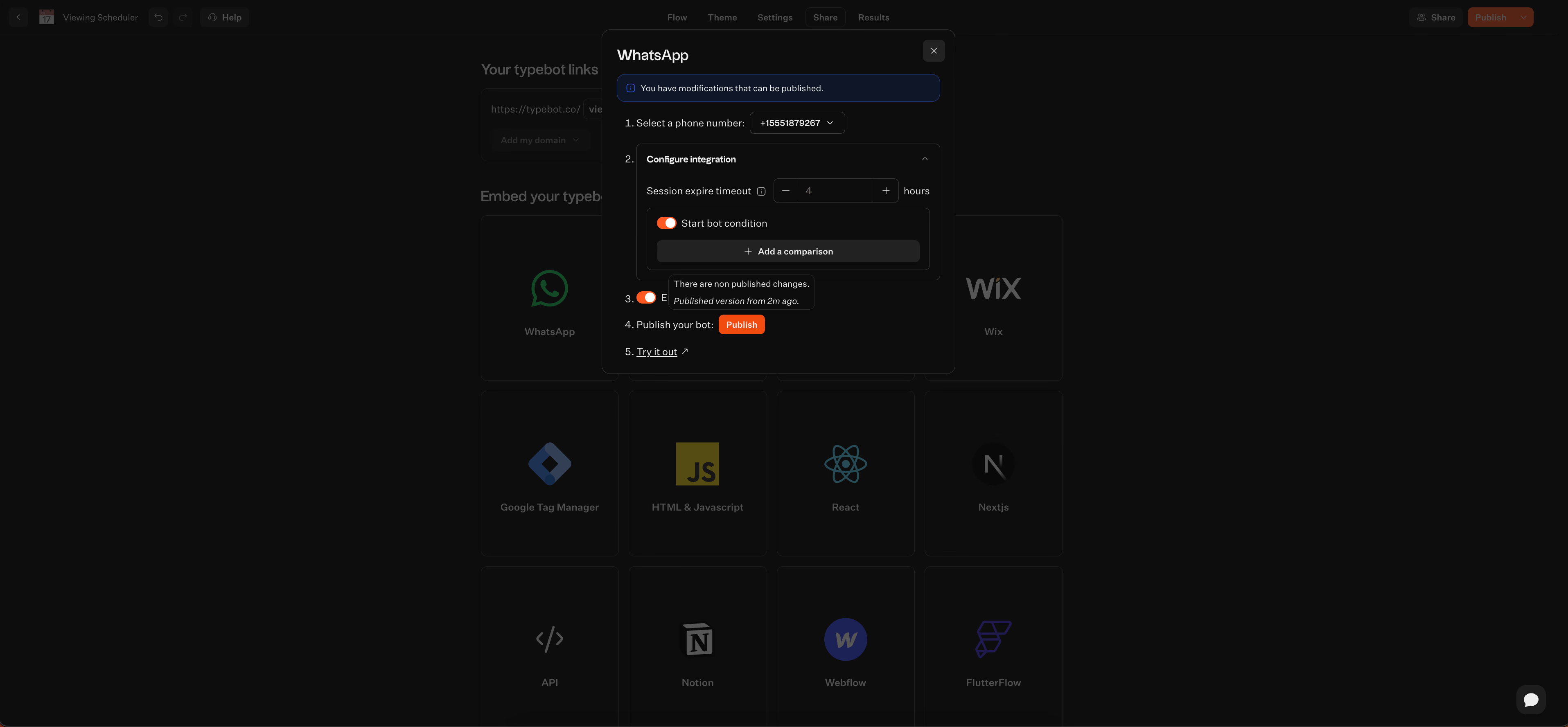
Tweak your settings so your bot works well on WhatsApp.
- System variables: Personalize greetings using the user name and phone number Typebot collects automatically.
- Session ethics: Set chats to expire after a period of inactivity, so outdated conversations do not continue where they left off.
- Button limits: Keep it to three buttons or fewer per message. Typebot will handle extras, but staying under this limit keeps things tidy.
- Start conditions: If you run several bots on the same number, create triggers or use keywords so users get the right bot.
Step 4: Connect your WhatsApp number
In Typebot, open the WhatsApp channel settings. Add your phone number ID and the access token from Step 1.
Then copy Typebot’s Webhook URL and Verify Token into your Meta app’s webhook config.
Once you verify it, your WhatsApp number is connected and ready to go.
Step 5: Test, deploy, and monitor
Try out your bot with Typebot’s Test feature, choosing the WhatsApp runtime to see the mobile view.
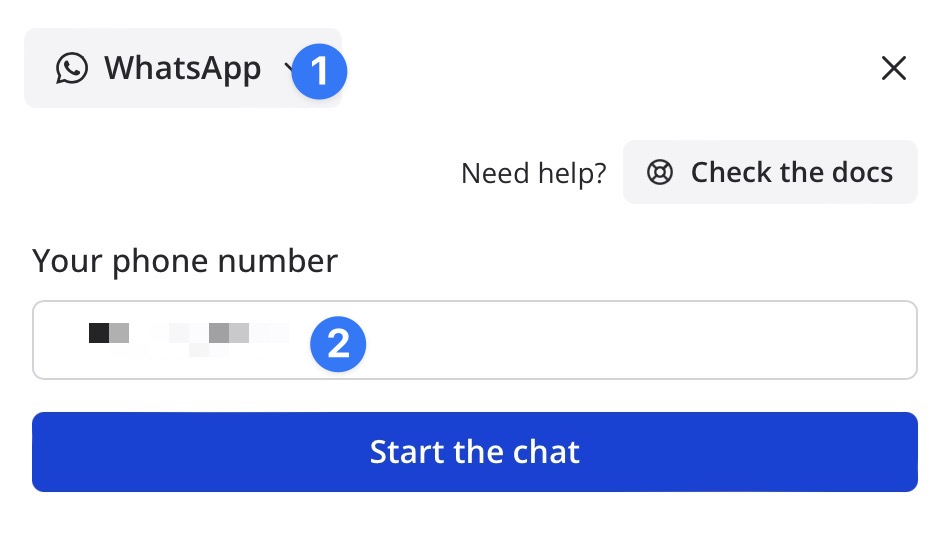
After you publish your bot:
-
Monitor performance: Open the analytics dashboard and look for where users drop off or complete conversations.
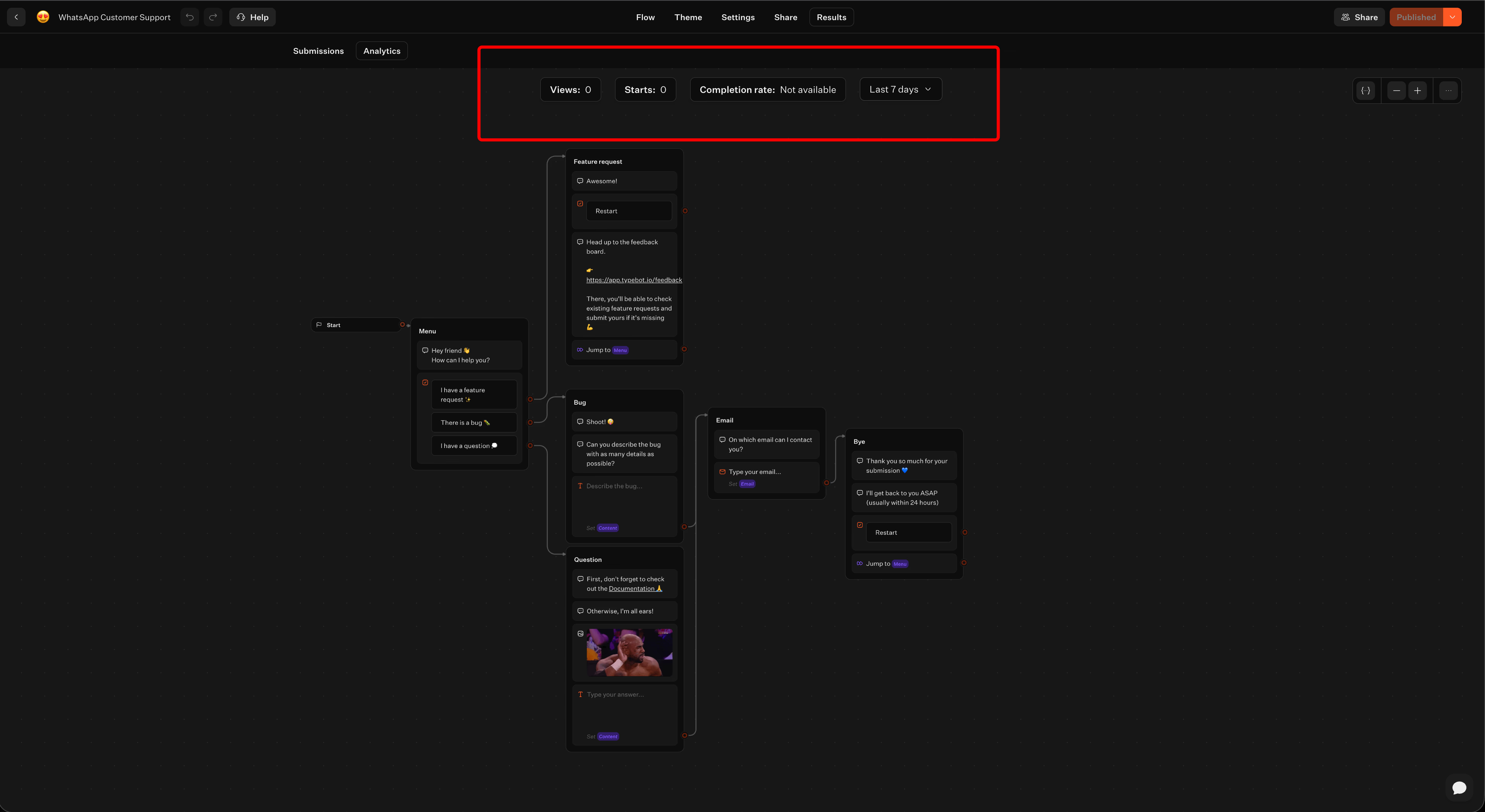
The analytics overlay highlights completion rates and drop-off points directly on your flow, so you know exactly which step to improve -
Iterate: Use these insights to smooth out rough spots and update your conversation blocks.
-
Data portability: If you need to report or audit chats, you can export your conversation logs to CSV.
Ready to get started? Learn the complete process of how to build a WhatsApp chatbot with step-by-step guidance and best practices.
Quick decision guide: which WhatsApp AI chatbot should you choose
Choosing the right platform mostly comes down to your goals: how much control you want over data, how many channels you need to cover, and your team’s technical skills. Here’s a quick way to narrow things down:
- Open-source control and data ownership: If you want full control, Typebot stands out. You get a drag-and-drop builder with built-in AI blocks, plus direct WhatsApp API access. Going self-hosted means no per-message fees, and you avoid lock-in with a single vendor.
- Multi-channel marketing automation: Need to run campaigns on Instagram, Messenger, WhatsApp, or TikTok? ManyChat brings everything together in one place, making it a good fit for marketers juggling social media engagement.
- Developer-level customization: Have a technical team? Botpress gives you advanced NLP, specific AI agents like vision and translation, and deeper technical control. You will need to handle third-party connectors and custom code.
- WhatsApp-only team support: If you are all-in on WhatsApp, Wati is built for that. It includes a shared inbox, routing between multiple agents, and high-volume broadcasts.
- E-commerce sales and support: For direct Shopify or WooCommerce integration, Tidio combines live chat with AI-powered features like order tracking and cart recovery, which is useful for online stores.
- Document-driven FAQ bots: Need to train a bot on your PDFs or website content? Chatbase makes this fast with RAG, skipping the hassle of manual flow design.
- Budget-friendly broadcasting: Focusing on bulk WhatsApp messages, especially for smaller Indian businesses? AISensy keeps costs low and automation simple.
- Enterprise omnichannel suites: If you are already using Freshdesk or Freshsales, Freshchat centralizes support across channels for teams that want everything in one ecosystem.
- No-code lead generation: Want to swap out forms for conversational flows? Landbot lets you build visually, with ready-to-use templates and no coding required.
Want to see how a WhatsApp chatbot actually works in practice? Check out this WhatsApp chatbot example to understand the flow and capabilities before choosing your platform.
Final verdict: pick the right WhatsApp AI chatbot for your business
WhatsApp is not just another messaging channel. With over 3 billion users, 98% open rates, and conversion rates that leave email in the dust, it is one of the most powerful customer touchpoints available today.
The right WhatsApp bot platform depends on what you need most. Typebot gives you full data ownership with an open-source, no-code builder. ManyChat excels at multi-channel campaigns. Botpress is built for developers who want deep AI control. Wati and AISensy cover WhatsApp-first teams on different budgets. Tidio and Chatbase each solve specific e-commerce and document-based use cases. And Landbot makes visual lead-gen flows effortless.
Reach your audience where they are. Integrate Typebot with WhatsApp for seamless, personalized communication.
No trial. Generous free plan.