
![Top 9 WhatsApp Business API Providers Compared [2026]](/blog-assets/whatsapp-business-api-providers/cover.avif)
With over 200 million businesses on WhatsApp, why do most still struggle to turn conversations into conversions? The answer lies not in the messaging app itself, but in the complex ecosystem of API providers, chatbot builders, and operational tools that support it.
Choosing the wrong combination can cost you time, money, and customer trust.
This guide breaks down the 3-layer WhatsApp ecosystem and compares the best WhatsApp Business API providers so you can build a messaging strategy that actually works.
Understanding the 3-layer WhatsApp ecosystem: API, chatbots, and operations
What is the WhatsApp Business API and how does it differ from the app
The WhatsApp Business API forms the backbone for businesses that need to scale their messaging beyond just a few conversations.
The WhatsApp Business App is meant for individuals or very small businesses, while the API is built for bigger teams.
It supports automation, connects smoothly with CRM systems, allows multiple agents to work together, and handles high-volume campaigns.
By linking the API to your existing software, you can tie customer messages directly to things like order systems or automated support, tasks the basic app cannot manage.
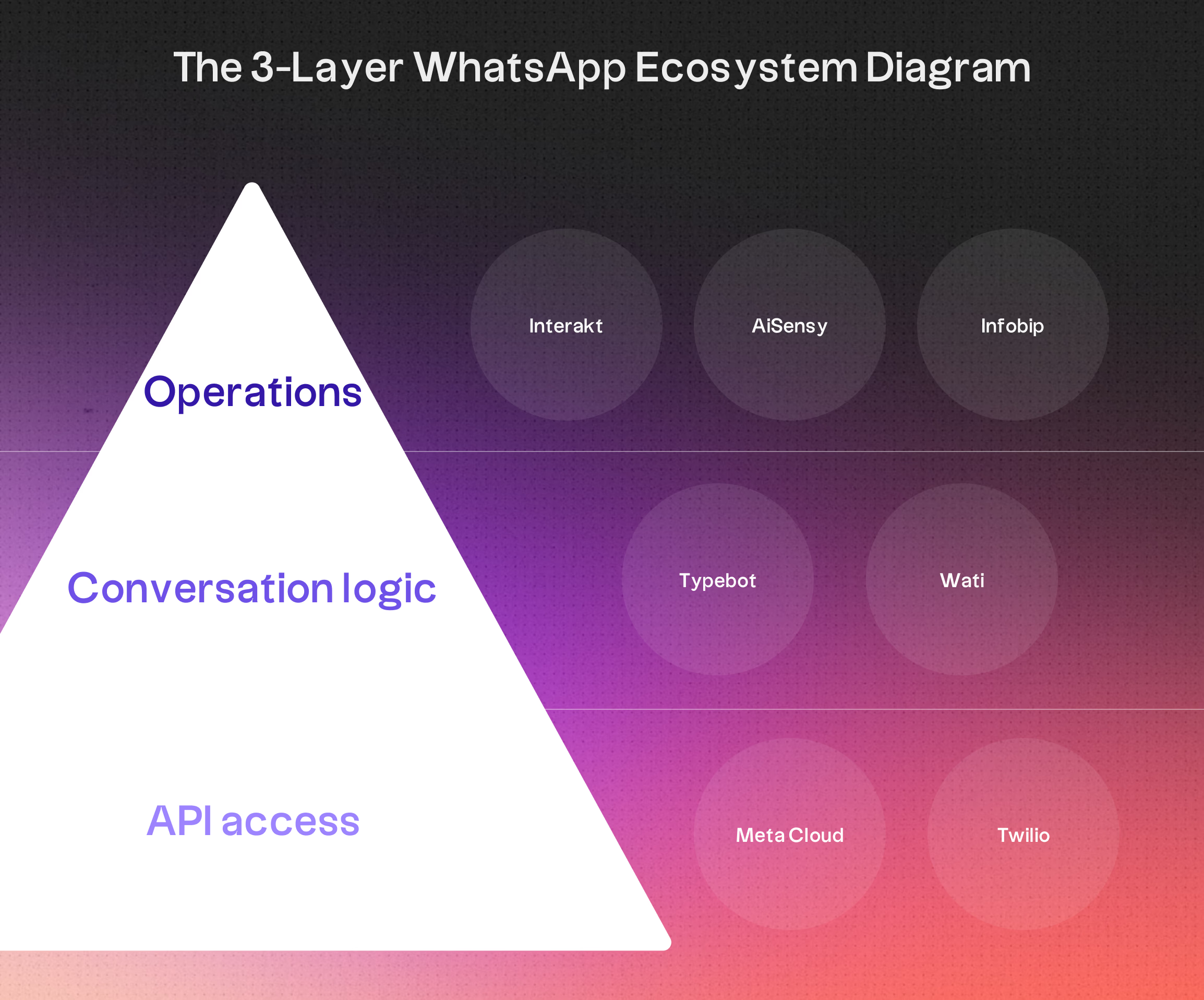
Layer 1: API access through Meta Cloud API and BSPs
To tap into WhatsApp’s messaging capabilities, you have two main options: Meta’s Cloud API or a Business Solution Provider, BSP.
Meta’s Cloud API is hosted by Meta itself, so you do not have to worry about hosting servers.
It works well for teams with developers who prefer direct integration and predictable costs. Meta bills per delivered message based on its category and the recipient's market.
BSPs, also called WhatsApp service providers or WhatsApp Business API solution providers, are approved by Meta and bundle the API with support services, dashboards, and onboarding help.
They generally fit into two groups:
- API-first BSPs: Companies like 360dialog and Twilio deliver basic connectivity with just enough software to get started.
- All-in-one platforms: Services like WATI, Interakt, and AiSensy package the API with inboxes, automation features, and CRM tools.
API-first BSPs also tend to offer integrations beyond WhatsApp, including SMS, voice, and email channels, making them a solid choice if you plan to expand your messaging stack later.
Layer 2: Conversational logic and chatbot builders
Here is where things get practical.
The API lets you send and receive messages, but it does not organize them.
The second layer is for chatbot builders and integration logic. They take raw communication and shape it into useful customer interactions.
In this layer, you set up how chats work.
That could mean rule-based flows for standard questions, visual designers for onboarding, or even AI that can reply contextually. This layer makes it possible to design and test customer interactions without writing every piece of code yourself.
Some platforms, such as WATI or AiSensy, have automation tools built in.
Others need an external conversational layer. Typebot connects natively to Meta Cloud API and 360dialog. Using it with Twilio requires a custom adapter.
Layer 3: Operational tools like inboxes and broadcasts
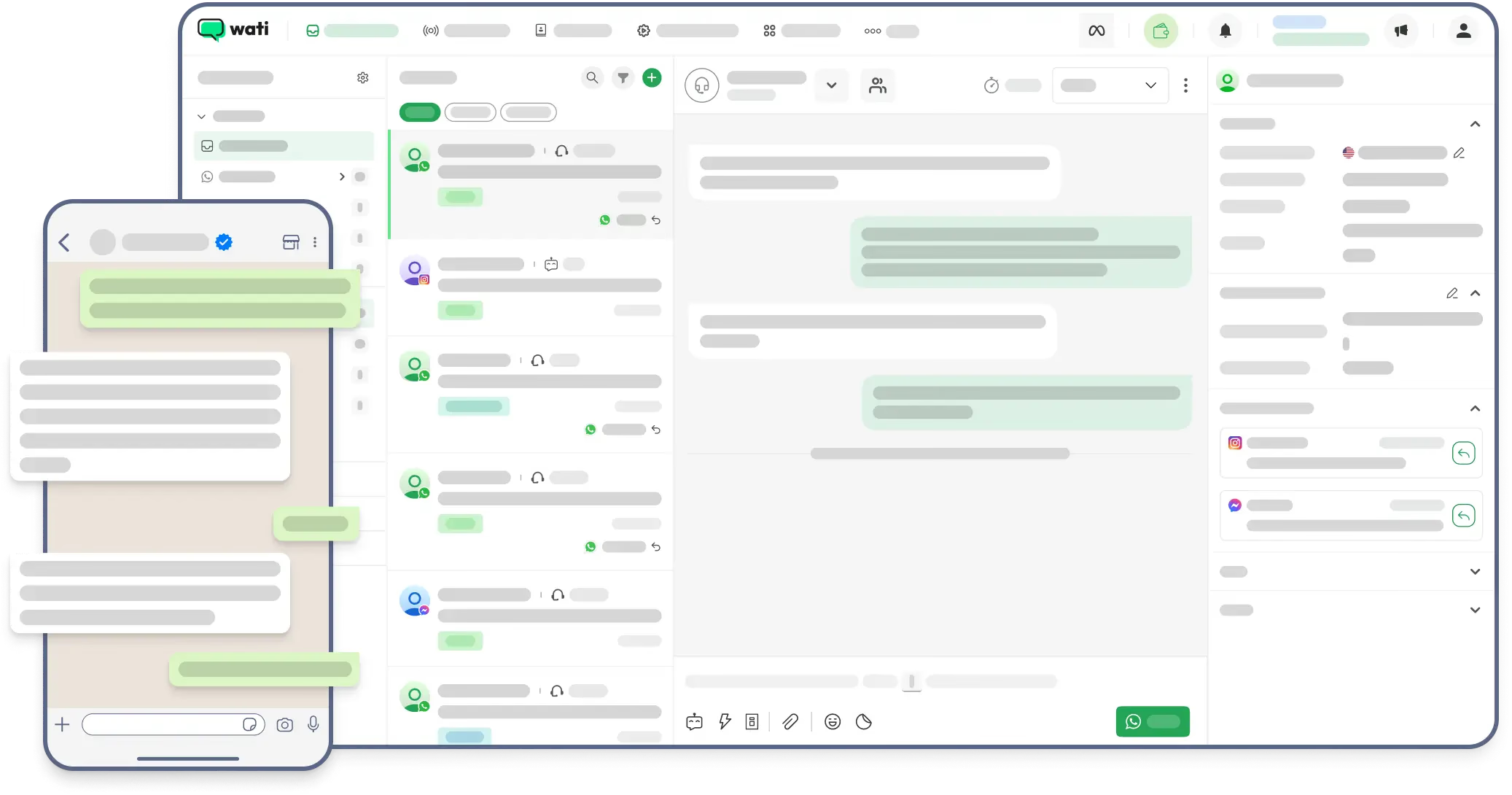
The last layer is what your team actually sees day to day, shared inboxes, dashboards for broadcasts, analytics, and agent management tools.
Without these, you are stuck sending and receiving messages through code alone.
This interface lets staff without technical skills launch campaigns, filter contact lists, and track how things are going. It turns WhatsApp from a messaging channel into a practical team workflow.
Platforms like WATI, Interakt, and AiSensy offer ready-made dashboards.
If you are using Meta’s API or a service like 360dialog, you will need to set up your own tools or bring them in from elsewhere.
For bigger companies, omnichannel platforms such as Infobip, Gupshup, and MessageBird put WhatsApp alongside SMS, email, and voice, so everything is in one place.
<p><strong>Jump to:</strong> <a href="#meta-cloud-api">Meta</a> · <a href="#360dialog">360dialog</a> · <a href="#typebot">Typebot</a> · <a href="#twilio">Twilio</a> · <a href="#wati">WATI</a> · <a href="#interakt">Interakt</a> · <a href="#gupshup">Gupshup</a> · <a href="#infobip">Infobip</a> · <a href="#aisensy">AiSensy</a> · <a href="#how-to-choose">How to choose</a> · <a href="#faq">FAQ</a></p>1. Meta Cloud API: Direct access for technical teams
How Meta’s hosted API works
Meta’s Cloud API lets technical teams tap straight into WhatsApp’s infrastructure, without the hassle of running their own servers.
Meta quietly takes care of maintenance, scaling, and updates in the background, so you do not have to worry about the heavy lifting. Integration happens through HTTP requests, which means developers can roll out custom code to send messages, manage templates, and automate interactions as needed.
This setup gives you a lot of control, but it does not include a built-in interface. Engineering teams are responsible for creating the systems they need, whether that is processing messages, managing replies, or linking WhatsApp to a CRM.
Pricing structure and message fees
With the Cloud API, pricing is based on delivered messages.
There is no monthly fee to Meta. Meta charges per delivered message based on its category and the recipient's market. Service replies inside the 24-hour customer service window are free, as are utility messages sent in response to a user.
Going direct with the Cloud API is usually the cheapest option. Third-party BSPs may add their own markups to cover hosting and support tools, but you skip infrastructure maintenance costs and only pay Meta's per-message fees.
Best use cases and limitations
The Cloud API tends to fit best in SaaS setups, enterprise workflows, or any team with in-house developers who want to weave WhatsApp into their existing systems.
It is the favorite for those who want full control over their data and minimal software overhead.
Key considerations:
- No out-of-the-box UI: There is no shared inbox, template management, or built-in dashboard.
- Manual automation: Teams without technical help cannot easily build chatbot flows or broadcasts unless they use third-party add-ons.
- Development required: Engineering time is essential for turning the API into something usable for the business.
For teams that do not have developers on hand, getting started with the Cloud API can be tricky.
If that is your situation, a BSP that offers ready-made tools might be a simpler starting point.
2. 360dialog: API-first WhatsApp connectivity
Positioning and how it works
360dialog takes an API-first approach for WhatsApp connectivity.
If your team values reliability and wants to avoid bulky software, this provider is worth a look. Rather than packing in a CRM or inbox, it offers a secure REST API for sending and receiving messages, managing templates, and building custom automations.
You get direct access to Meta’s infrastructure, while 360dialog takes care of hosting, upgrades, and maintenance on their end.
Since there’s no shared inbox or chatbot builder included, it’s aimed at organizations that prefer to bring their own technical stack and work directly with the raw API.
Pricing and message fees
Pricing here is straightforward: flat monthly hosting fees, and no extra charges per message.
The base API hosting starts at €49/month, with professional plans, offering better SLA guarantees, at €99/month. If you need specialized integrations, think Salesforce or SAP, you’re looking at about €200–€500/month.
The transparent cost setup stands out, because you pay Meta’s official per-message fees directly. 360dialog doesn’t tack anything extra onto those.
This predictability can be a relief for businesses that need to scale, but don’t want surprise platform fees creeping in.
Strengths and weaknesses for developers
Strengths:
- Official Meta Partnership: Solid, reliable connectivity and compliance, with strong uptime.
- Transparent Pricing: No hidden surcharges, just Meta’s fees and the monthly hosting cost.
- No Platform Lock-in: The lean API lets you connect any CRM, helpdesk, or custom chatbot engine you want.
- Technical Documentation: Clear resources and support, built for developer-driven troubleshooting.
Weaknesses:
- No Built-in Tools: There’s no native chatbot builder, broadcast tool, or inbox, so you’ll have to integrate those yourself, for example using Typebot for logic.
- Technical Barrier: If you don’t have engineering resources, setup and maintenance will be tricky.
- Support Experience: Some users report that support can be less accessible, especially on entry-level plans that rely more on automated assistants.
360dialog focuses on technical control and clear, predictable pricing. It suits teams with a developer mindset who want to build custom workflows, rather than opting for an all-in-one platform where everything is boxed in.
3. Typebot: The open-source conversational layer
Turning API access into interactive conversations
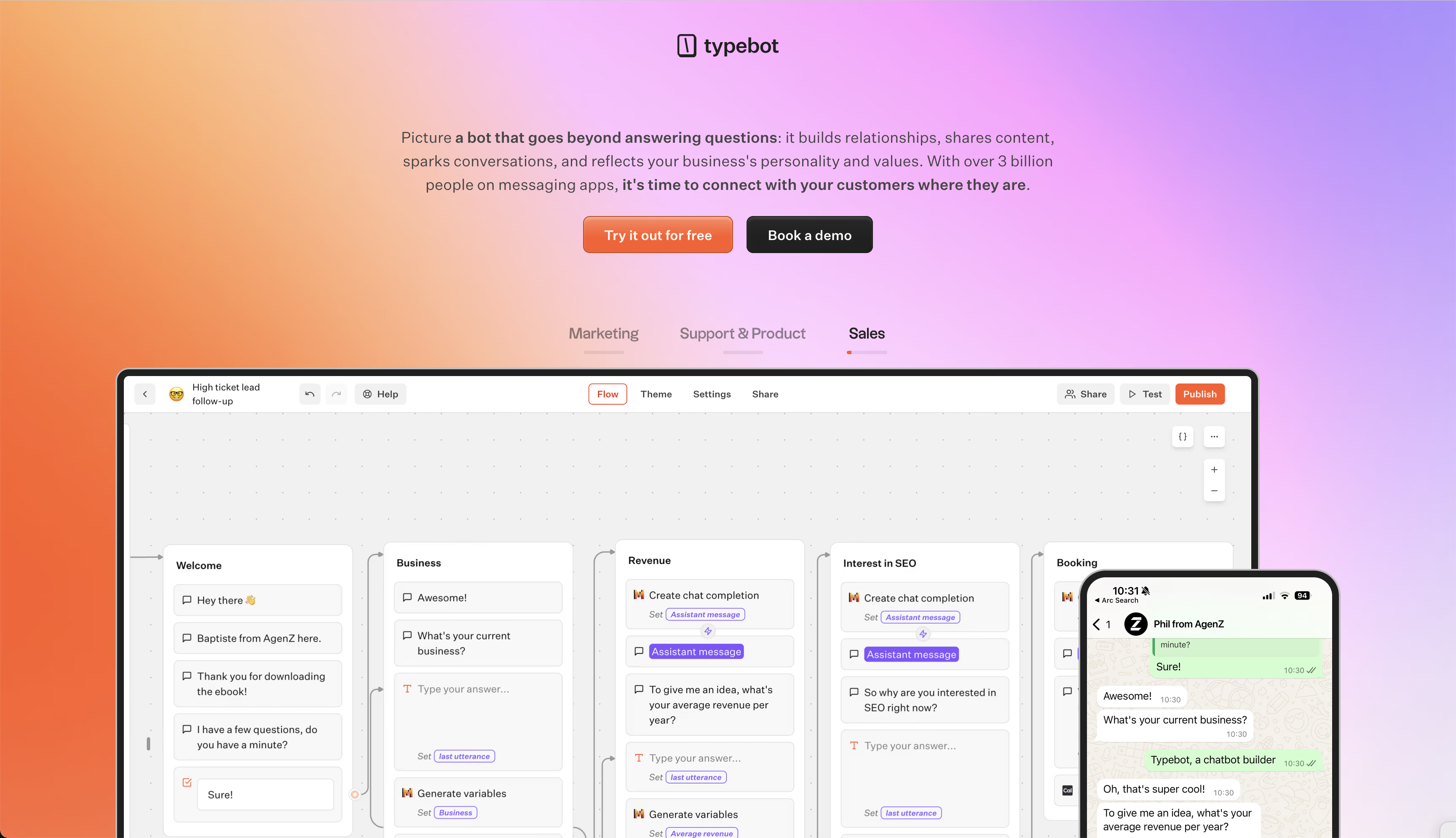
Typebot serves as the chatbot brain for your WhatsApp Business API setup. It connects natively to Meta Cloud API and 360dialog, then lets you control and design the conversation with its no-code builder. Twilio is not a native Typebot provider and requires a separately built adapter.
Once you connect your API credentials, Typebot uses variables such as names and phone numbers to personalize each interaction.
Here's how it works: Meta gets a message, triggers a webhook to Typebot, and then Typebot handles the logic, including optional AI calls or CRM checks, before sending a reply back through the API.
Visual flow builder with multi-LLM support
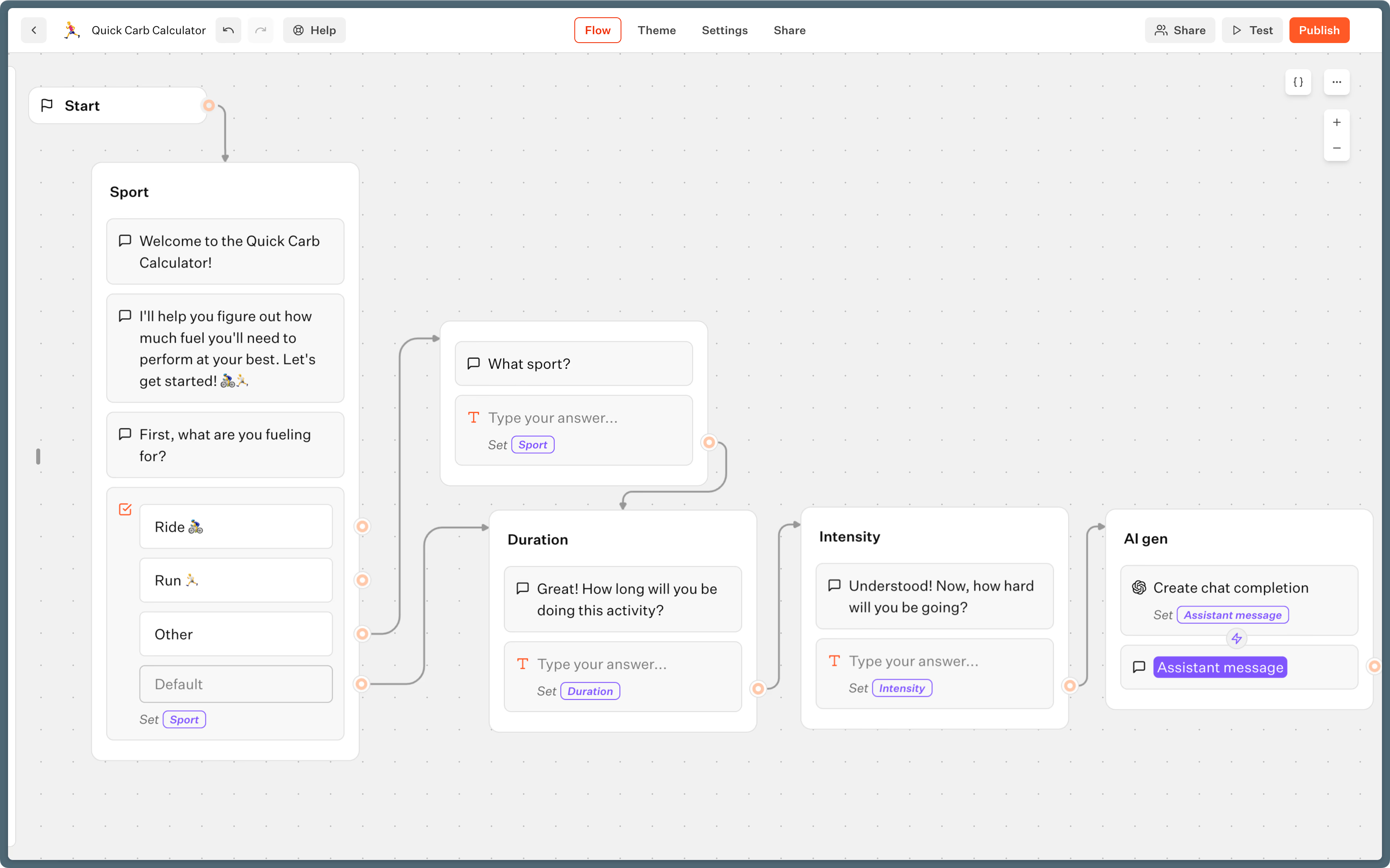
Typebot's editor is built for handling complex flows, but you do not need to write any code. You create branching conversations by arranging blocks for questions, media, and conditions.
One thing that stands out is its vendor-neutral AI integration. You can switch between OpenAI, Anthropic, Mistral, Groq, or OpenRouter, depending on your needs.
Some features worth highlighting:
- RAG support: Build bots that answer questions based on documents you upload.
- Persistent context: Typebot keeps track of the conversation history, so the AI understands the ongoing exchange, not just a single question.
- WhatsApp previews: Check how your bot will look inside WhatsApp before it goes live.
Transparent pricing and self-hosting
Typebot's open-source model puts you in control, both with privacy and how you run things.
You can self-host the platform for free, paying only your own server costs and Meta's message fees. If you would rather not manage hosting yourself, Typebot Cloud is available:
- Free: up to 200 chats each month for testing.
- Starter ($39/month): 2,000 chats monthly.
- Pro ($89/month): 10,000 chats each month.
There is no extra per-message markup from Typebot. Your only additional cost is what Meta charges, so pricing stays predictable and scales as your needs grow.
Advanced logic vs. basic automation
Most all-in-one platforms lock you into basic triggers or fixed templates.
With Typebot, you can set up multi-step journeys like:
- Dynamic qualification: Segment leads on the fly, based on their responses.
- Integrated workflows: Pull data from external APIs to offer personalized product suggestions or schedule appointments.
- Conversational modeling: Move beyond "Press 1 for Sales" using natural language processing and conditional logic to create more fluid interactions.
This level of flexibility transforms WhatsApp from just another notification channel into a real tool for lead generation, onboarding, or automated support.
And since Typebot is platform-agnostic, you can reuse the same logic on your website or other channels. That means your brand experience stays consistent, and you are not stuck inside a single provider's system.

Reach your audience where they are. Integrate Typebot with WhatsApp for seamless, personalized communication.
No trial. Generous free plan.
4. Twilio: Developer-first WhatsApp integration
Core features and programmable API
Twilio is a go-to for engineering teams that want a lot of control and need to connect across channels.
You can integrate with Twilio using REST APIs and SDKs in several languages like Python, Node, and PHP, so it’s flexible for developers. This lets you bring WhatsApp messaging into your stack next to SMS, voice, and email, right where you need it.
But there’s a catch, Twilio doesn’t offer a ready-made UI.
It manages the WhatsApp connection to Meta, but you’re on your own when it comes to building the interfaces. That means creating your own tools, whether that’s for a custom CRM, transactional alerts, or a helpdesk.
And Twilio has the scale and reliability, with a 99.95% SLA, that SaaS platforms and enterprises expect when sending lots of messages.
Pay-as-you-go pricing model
Twilio’s pricing is straightforward.
It’s pay-as-you-go, with no monthly platform fees for core API access. You pay a small charge per message, about $0.005, plus Meta's category- and market-based message fee.
This model works well if you want flexibility and do not want to be locked into contracts or pay for seats you do not use.
If you add more advanced tools like Twilio Flex for contact centers, then there are extra costs.
When Twilio makes sense
Twilio is best suited for businesses where developers are leading the charge.
It stands out in situations like:
- Custom SaaS embeddings: When you want to build messaging right into your own software.
- High-volume notifications: Sending OTPs, alerts, or other transactional messages at scale.
- API consistency: Keeping all your communication channels in one place with a single provider.
The trade-off is simple: Twilio is not plug-and-play.
There’s no shared inbox or visual automation, so your engineers will need to tackle webhooks, build workflows, and design the interfaces themselves. For teams without much technical muscle, or if you need something up and running quickly for marketing or support, Twilio's depth and developer focus can be a real challenge.
| Pros | Cons |
|---|---|
| Tons of API flexibility and global coverage | Needs engineering resources |
| Great docs, reliable performance | No built-in inbox or automation tools |
| Best for custom, integrated projects | Can be tough for non-developers |
5. WATI: User-Friendly Platform for Small Teams
Shared Inbox and No-Code Automation Features
WATI aims to help small teams and small businesses get going with WhatsApp without needing a developer.
Its standout feature is a shared team inbox, which makes it easy for several agents to manage conversations together. Teams can tag chats, leave internal notes, and use canned responses in real time.
For folks who aren’t technical, WATI’s no-code workflow builder lets you set up basic bots for common tasks. It can handle FAQs, qualify leads, and route chats based on keywords.
The dashboard also brings marketing tools together. You can send bulk broadcasts or personalize campaign messages from one place.
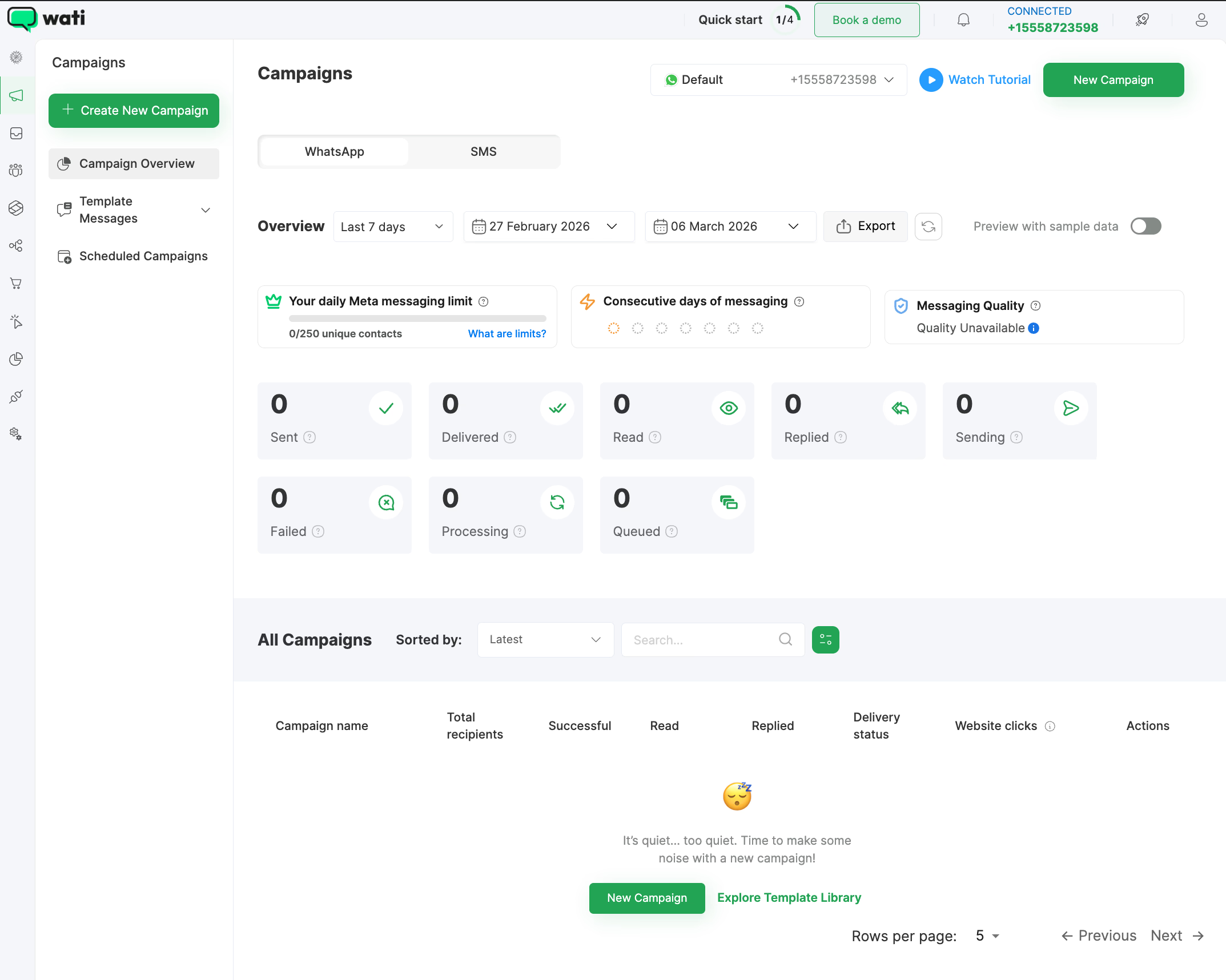
Want to fit WhatsApp neatly into your business workflows? WATI provides built-in integrations for tools like HubSpot, Zapier, Google Sheets, and popular CRMs.
So, it’s useful if you’re looking to make WhatsApp a functional channel for sales and support, without much setup.
Pricing Structure
WATI’s plans cover the dashboard, automation features, and their shared inbox.
Meta’s per-message fees are handled separately.
| Plan | Monthly Price | Key Features |
|---|---|---|
| Growth | $39 | Shared inbox, broadcasts, and verification setup |
| Pro | $79 | More seats and advanced campaign tools |
| Business | $229 | Priority support, access to WhatsApp Pay API |
Pricing and plan details may change, so always check WATI’s official site for updates.
Limitations in Analytics and Advanced Automation
WATI leans toward being accessible, not overly technical.
That means it covers the basics well, but there are some limits as your team or needs grow:
- Basic Analytics: Reporting is straightforward, mostly tagging and broad stats. If you need detailed user journeys or performance breakdowns, it’s not really built for that.
- Simple Automation: The workflow builder sticks to standard rules. It does the job for FAQs, but doesn’t have memory or advanced logic like you’d find in more sophisticated bot platforms.
- Scalability Constraints: As things get more complex, the simple interface can get in the way if your team needs highly customized workflows.
Overall, WATI works well for SMBs that just want a centralized inbox up and running.
If you need deeper bot logic later on, pairing a specialized conversational builder with a standard API provider is probably your best bet.
6. Interakt: Ecommerce-focused WhatsApp solution
Shopify integration and cart recovery workflows
Interakt is built for ecommerce, especially for Shopify stores. It connects your product catalog, orders, and customer data to help automate personalized messaging throughout a buyer’s journey.
Since it handles the technical API connection with Meta, you can focus on growing sales and supporting customers.
Here’s what Interakt offers:
- WhatsApp Commerce: Lets you sell directly in chat, with buyers browsing your product catalog and completing purchases without leaving WhatsApp.
- Abandoned Cart Recovery: Sends reminders automatically to shoppers who left items in their cart.
- COD Confirmation: Checks Cash on Delivery orders to help cut down on failed delivery costs.
- Shared Team Inbox: Gives your support team a collaborative tool, with roles and permissions already built in.
- Green Tick Support: Helps brands get the official WhatsApp verification badge.
Pricing for online stores
Interakt’s pricing is designed for SMB ecommerce, and Meta’s per-message fees are billed separately.
- Starter (~$15/month): Covers 1,000 free service conversations and the main automation tools.
- Growth (~$35/month): Adds WhatsApp Commerce features and lets you dive deeper into analytics.
- Pro (~$45/month): Offers advanced segmentation, agent statistics, and higher messaging limits.
If you pay annually, there’s usually about a 20% discount. This makes it one of the more affordable picks for sellers moving high volumes locally.
Best fit for D2C brands
Interakt tends to work best for D2C brands and Shopify sellers looking to boost conversion recovery and automate marketing. Its specialized ecommerce workflows, like order updates and catalog syncing, stand out compared to broader business solution providers.
A few things to consider: While it’s a strong fit for Indian Shopify brands, global stores might run into limits with support, currency options, or in-depth reporting.
Some users also wish there was more reliable email support or better stability during peak traffic.
But for brands focused on easy commerce setup and cart recovery, Interakt delivers a practical, focused solution.
7. Gupshup: Enterprise-scale transactional messaging
High-volume OTP and BFSI capabilities
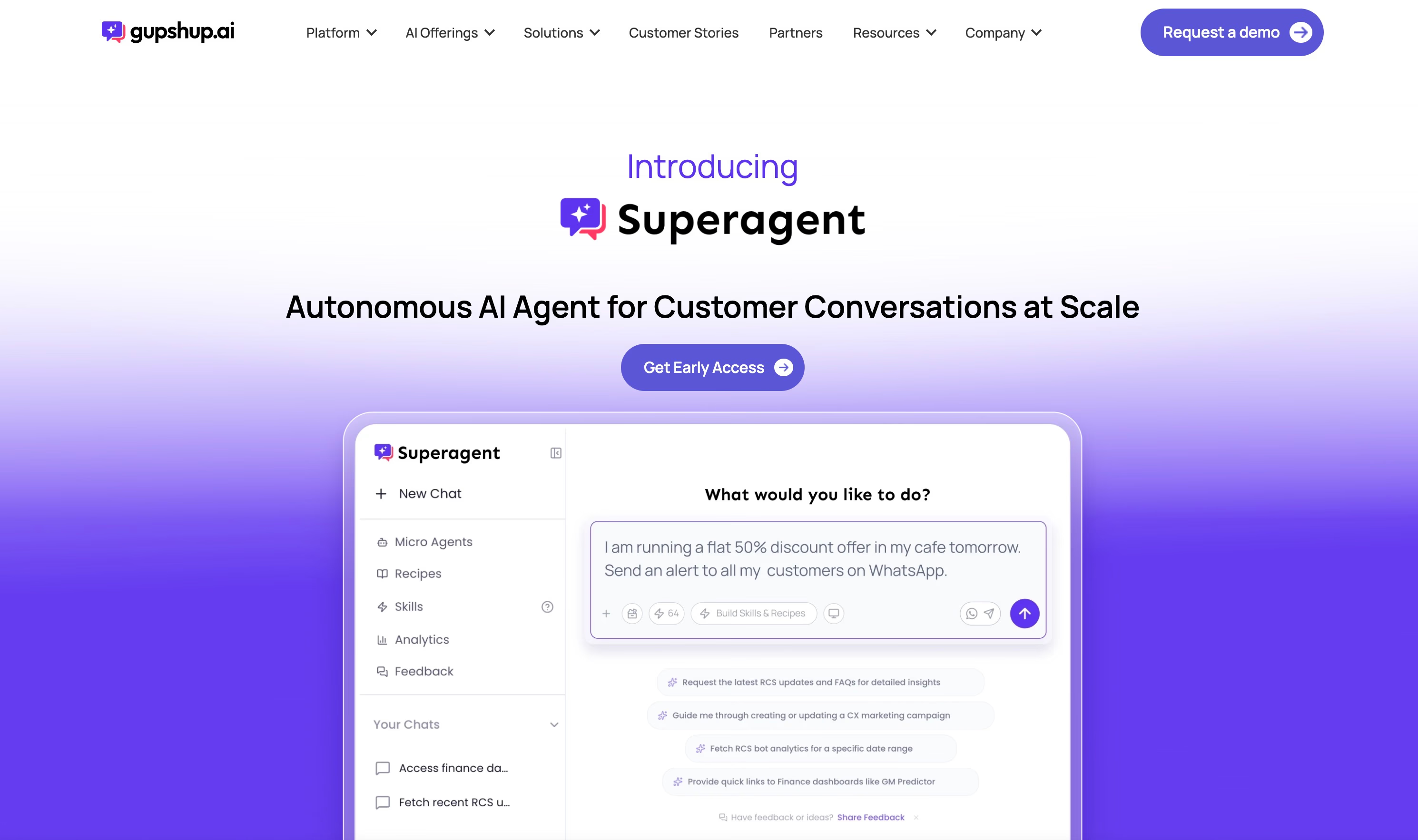
Gupshup is designed for organizations that need to send messages at scale, especially banks, financial service providers, and telecom companies. Some messaging platforms focus on team collaboration or shared inboxes, but Gupshup focuses on what matters most for these industries: speed, compliance, and reliable infrastructure.
Large enterprises rely on Gupshup to send millions of important messages, such as:
- One-time passwords (OTPs)
- Status updates
- Account statements
- Authentication requests
The system is built to handle heavy traffic, even during sudden spikes. It offers the uptime and delivery reliability that regulated industries expect. If your business depends on getting messages out quickly to safeguard accounts and keep transactions moving, Gupshup is likely to be on your shortlist.
8. Infobip: Global Omnichannel Enterprise Platform
Advanced journey automation and AI assistants
Infobip isn’t just for businesses sending occasional messages. It’s designed for companies with complex, multi-stage customer engagement.
It helps manage everything from Click-to-WhatsApp ads and alerts to automated virtual assistants, payment flows, and post-purchase support.
The platform’s AI assistants step in to handle escalations between chatbots and human agents.
They also support rich messaging, such as product catalogs, carousels, and custom flows.
You’ll find unified analytics that track delivery, open, and conversion rates.
That makes it easier to measure performance and fine-tune your approach across the customer lifecycle.
Multi-channel orchestration beyond WhatsApp
Infobip acts as a central hub for multiple channels: WhatsApp, SMS, email, voice, and push notifications.
This opens the door to seamless cross-channel experiences.
For example, you can send an onboarding message on WhatsApp, follow up with SMS, and provide more details by email.
Because the platform has infrastructure in more than 70 countries and offers 24/7 multilingual support, it’s well-suited for global companies and large organizations.
That matters when compliance and reliability can’t be compromised.
Messages reach customers on the channel that makes the most sense for their region, urgency, or personal preferences.
When enterprise features justify premium pricing
Infobip’s pricing is custom and based on how much you use and how complex your needs are.
It’s generally more than most small businesses want or need.
For organizations where omnichannel messaging is core to business operations, the investment can make sense.
Best fit for teams that need:
- Advanced journey mapping with automated triggers.
- AI-driven handoffs between bots and human agents.
- Interactive messaging options like lists, catalogs, and custom flows.
- Global scale with strong security and compliance.
Considerations:
Getting started can be complicated and often requires dedicated training.
Smaller teams will likely find it overwhelming, both in terms of price and technical setup.
But for global enterprises, Infobip is built to bring all your customer communications together in one measurable platform.
| Feature | Infobip |
|---|---|
| Automation | Advanced, journey-based |
| AI Assistants | Yes, with seamless agent handoff |
| Channels | WhatsApp, SMS, email, voice, push |
| Infrastructure | Global, enterprise-grade |
| Pricing | Custom enterprise quotes |
| Best fit | Global organizations and omnichannel enterprises |
| Weakness | High cost for SMBs and complex implementation |
9. AiSensy: Affordable WhatsApp Marketing for Indian Businesses
Broadcast campaigns and chatbot builder
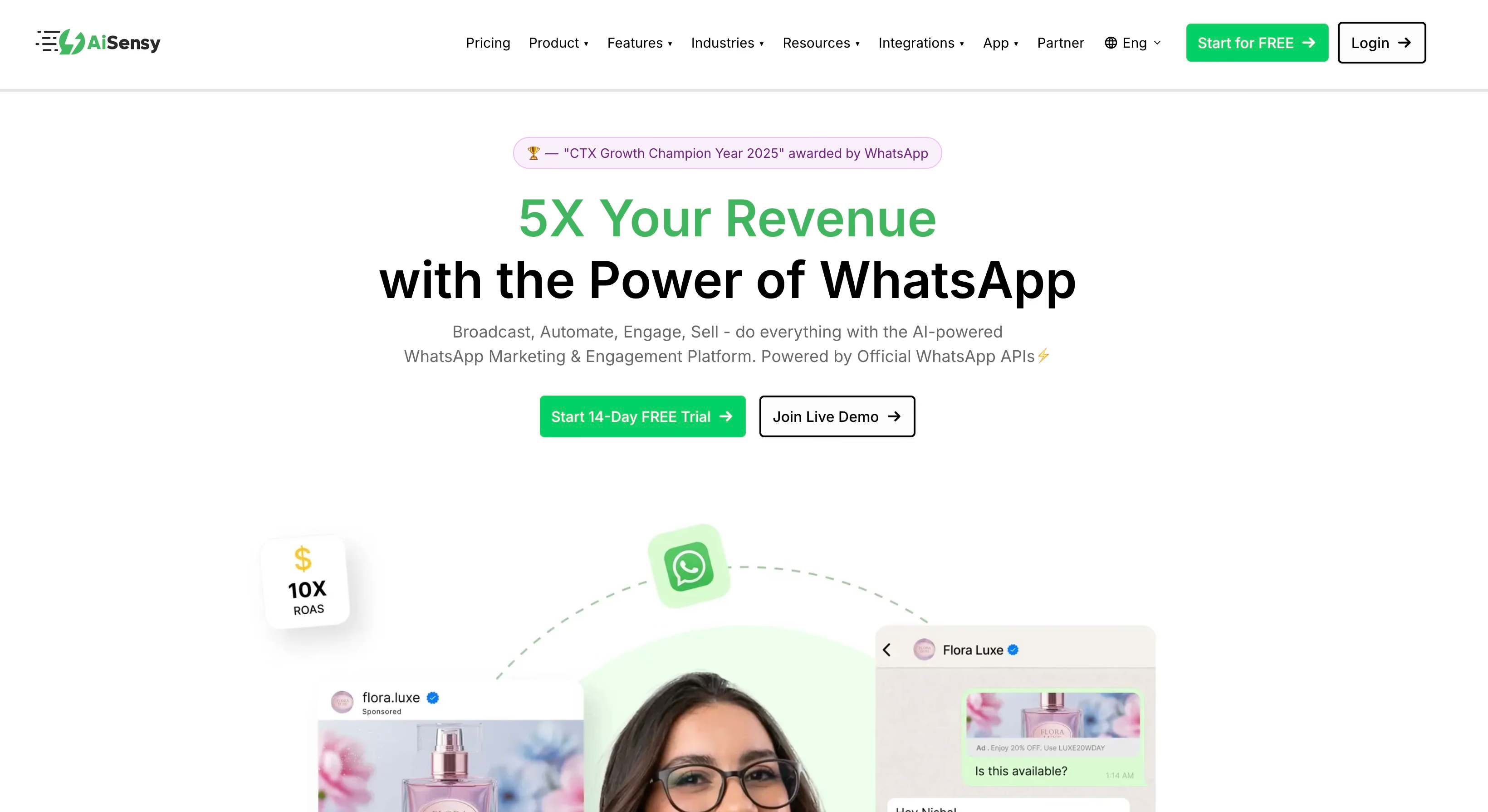
AiSensy is made with Indian startups, freelancers, and small businesses in mind, especially those that want to use WhatsApp for marketing without tech headaches.
Everything is centralized in one dashboard, with broadcast campaigns, rule-driven chatbots, and multi-agent chat management.
Businesses use AiSensy for promotional messages, appointment reminders, and lead capture.
The chatbot builder is easy to use. Most users can map responses and automate FAQs without writing code.
It also includes click-to-chat web widgets and Google Sheets integration for basic CRM tasks.
Pricing structure
Pricing starts at ₹1,500 per month, or around $20. That makes it one of the lowest-cost options for micro-businesses.
| Plan | Price (INR/month) | Main features | Extra agent |
|---|---|---|---|
| Startup | ₹1,500 | Broadcasts, chatbot builder, and chat panel | ₹750/month |
| Growth | ₹4,900 | Advanced automation and CRM integrations | ₹750/month |
| Enterprise | Custom | Priority support and deeper analytics | ₹750/month |
Meta’s usual per-message fees apply for outbound campaigns.
Replies within the 24-hour window do not cost extra, which helps keep monthly spending predictable.
This steady pricing lets local shops and service providers scale marketing without a large upfront investment.
Limitations for ecommerce and global teams
AiSensy focuses on general marketing, not deep ecommerce automation.
- No native ecommerce sync: If you need Shopify or WooCommerce triggers, such as abandoned cart recovery, automated order updates, or product catalog syncing, you will not find them here, unlike with Interakt.
- India-centric: Support and onboarding are tuned for Indian businesses. Teams outside India, or those using non-Indian phone numbers, may face onboarding issues or miss localization options.
- Basic AI: The platform is not built for advanced AI-driven commerce or real-time personalized recommendations.
These limits make AiSensy a weaker fit for ecommerce-heavy teams and global operations.
Best fit
AiSensy is a solid pick for Indian service businesses, schools, and healthcare providers that want affordable broadcasts and basic lead generation.
It works well for teams that do not need complex ecommerce tools or international support.
For local businesses, it offers a simple and budget-friendly way to market on WhatsApp.
How to choose the right WhatsApp API provider
Matching provider type to technical resources
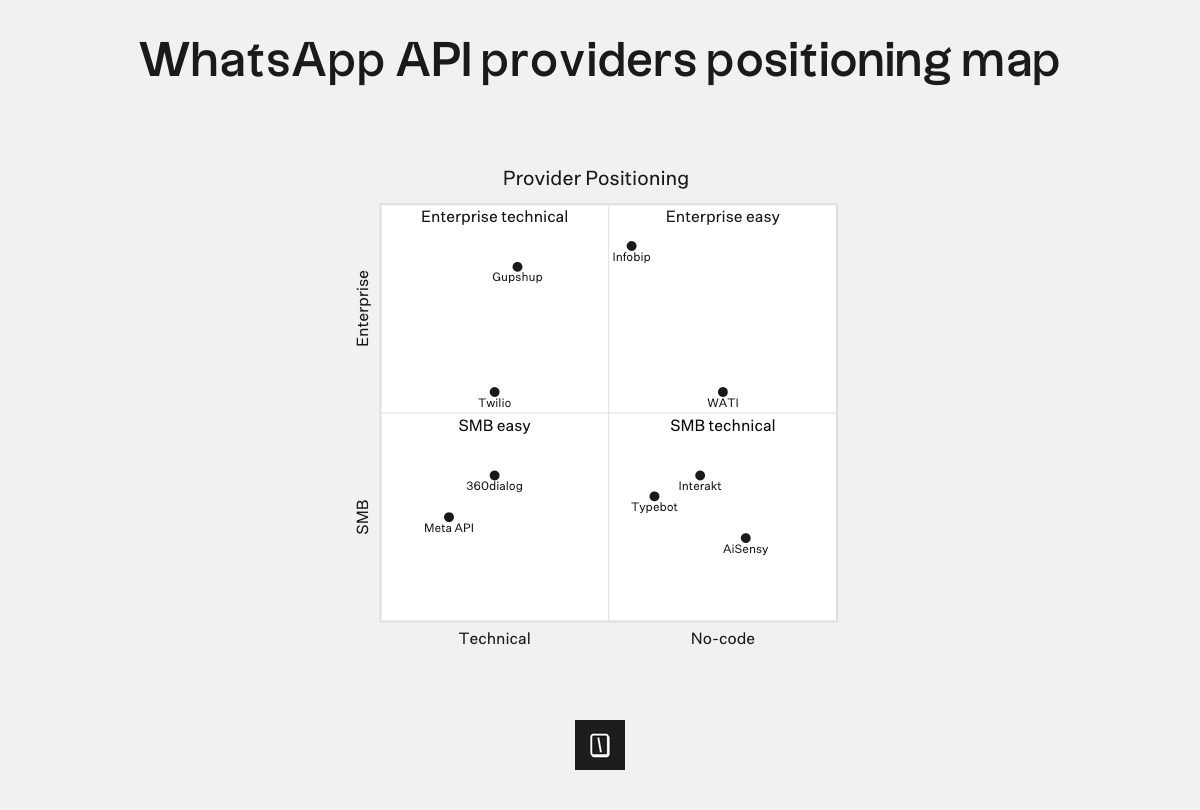
First things first, the right provider depends on your team’s technical skills.
- Technical teams: If you’ve got developers on staff, Meta Cloud API will probably be your best bet. It’s usually the most cost-effective option, since there’s no extra platform fee, just the underlying Meta charges. But you’ll need to handle your own setup for things like inbox management and automation.
- Non-technical teams: If you’re a small business and want to get rolling fast, a BSP such as WATI, Interakt, or AiSensy makes things easy. These come with dashboards, shared inboxes, and plenty of no-code options right out of the box.
- Enterprises: For large organizations and enterprises that need to cover channels like SMS, email, and voice at global scale, Infobip or Gupshup are solid choices. They’re more complex, but they offer the compliance, automation, and infrastructure larger teams need.
Evaluating total cost beyond platform fees
WhatsApp pricing isn’t just what you see on the sticker.
Besides Meta’s required per-message fees, there are a few other potential costs to watch for:
- Flat fees: Some platforms like 360dialog (€49–€99/month) or WATI ($39–$229/month) charge a simple monthly rate.
- Usage-based pricing: Twilio bills per message, and enterprise providers like Infobip use custom contracts based on your messaging volume.
- Expansion costs: Keep an eye out for extra charges tied to things like agent seat limits, the number of chatbot flows, or integrations. These can push you into a pricier tier.
Comparison table:
| Provider | Best For | Pricing Model | Key Strength |
|---|---|---|---|
| Meta Cloud API | Technical teams | Meta fees only | Highest control, lowest cost |
| Twilio | Developers | Per-message + Meta fees | Reliability and SDK flexibility |
| 360dialog | Custom builds | Monthly + Meta fees | Lightweight, no message markup |
| WATI | SMB service teams | Monthly + Meta fees | Easy-to-use shared inbox |
| Interakt | Shopify stores | Monthly + Meta fees | Ecommerce, cart recovery flows |
| AiSensy | Indian SMBs | Monthly + Meta fees | Quick onboarding for marketing |
| Gupshup | Enterprise scale | Custom + Meta fees | High-volume transactional, OTP |
| Infobip | Global omnichannel | Custom + Meta fees | Advanced journey analytics |
Combining API providers with dedicated chatbot tools
Here’s a practical tip, API access alone rarely covers everything you’ll need for engaging conversations. Most built-in BSP automation is pretty basic.
If you want more advanced AI, richer logic, or better data integrations, you can add a dedicated chatbot tool like Typebot on top of any provider.
Let’s break it down:
- Developers can combine Meta Cloud API for messaging and Typebot for visual flow building, which means no need to hand-code every user interface.
- SMBs using WATI or Interakt might use Typebot for lead qualification scenarios, going beyond what those platforms allow.
- Enterprises get the flexibility to orchestrate channels globally with Infobip, while still controlling sophisticated bot logic in Typebot, not being locked into vendor limitations.
Pairing a strong API provider with a flexible, open-source bot builder like Typebot keeps your business nimble. You can scale your workflow and automation independently from your messaging platform, which generally beats being boxed in by whatever your provider offers.
Why API access alone isn't enough for success
The gap between raw API and customer conversations
At its most basic, the WhatsApp Business API is just that, a direct communication pipeline. Whether you’re connecting through Meta Cloud API or developer-focused providers like Twilio and 360dialog, you get the plumbing that moves messages between your backend and WhatsApp’s network.
What you do not get is a ready-to-use interface.
The API itself doesn’t offer an inbox, automation, or anything visual for support teams. It's great if you have an engineering team and want full technical control.
But for most businesses, simply getting messages from point A to point B isn’t enough. They need something that helps them close sales or solve customer issues without reinventing the wheel.
Essential features missing from raw API access
If you rely solely on the API, you miss out on the tools that actually turn messaging into business operations:
- Shared inbox and collaboration: There’s no built-in dashboard to handle, assign, or organize conversations between departments.
- Automation and chatbot flows: The raw API doesn’t offer any visual drag-and-drop logic or rule-based workflows. If you want bots, you’ll need to build the entire engine yourself.
- Broadcasts and campaigns: You won’t find mass-messaging options, template management, or personalization features.
- CRM and workflow integration: Connecting chats to customer records or sales pipelines has to be built manually.
- Reporting and analytics: You’re left without native tools for tracking delivery rates, agent performance, or measuring the ROI of campaigns.
So, teams without a strong technical background, or marketing groups, often find that just having API access isn’t enough for day-to-day operations.
Creating a complete solution with the 3-layer approach
To really make WhatsApp work for your business, you need to layer solutions:
- API access (Layer 1): The foundation is connectivity and message delivery with providers like Meta, Twilio, or 360dialog.
- Conversational logic (Layer 2): Think of this as the brains behind the operation. Tools like Typebot build guided workflows, lead qualification, and AI-powered support right on top of any API. Unlike bundled tools with fixed settings, specialized builders let you tweak logic to fit your needs.
- Operational tools (Layer 3): This is your management layer, where you get shared inboxes, dashboards for campaigns, and CRM integration.
If you only have Layer 1, you’re left to create Layers 2 and 3 from scratch, which can be pretty resource-intensive.
All-in-one solutions like WATI or Interakt bundle all three, but they sometimes limit how much you can automate or integrate.
The best setups combine reliable API access, flexible conversational logic, and solid operational tools. This way, your WhatsApp channel is ready for real sales, support, and genuine customer engagement.
Conclusion: Build Your WhatsApp Stack with Confidence
The WhatsApp Business API is powerful, but it's only one piece of the puzzle. Success depends on choosing the right combination of API provider, chatbot builder, and operational tools tailored to your team's skills and business goals. Remember:
- Technical teams can maximize control and cost-efficiency with Meta Cloud API or Twilio.
- Non-technical teams benefit from all-in-one platforms like WATI, Interakt, or AiSensy.
- Enterprises needing omnichannel reach should explore Infobip or Gupshup.
- Regardless of your choice, adding a flexible conversational layer like Typebot can unlock advanced automation and AI capabilities.
Ready to transform your WhatsApp strategy? Start by assessing your team's technical resources, then map your needs to the 3-layer framework. The right stack will turn WhatsApp from a simple messaging channel into a growth engine for your business.
Learn how Typebot's customization options create memorable user experiences.
No trial. Generous free plan.