
Most teams treat a lead generation form as an afterthought. Just throw a few fields on a page and see what comes in, right?
But the tool you choose directly shapes how many leads you capture and how qualified they are.
A static Google Form and a conversational Typebot flow do not deliver the same results. This guide breaks down the best lead generation form builders of 2026 and shows you exactly how to match the right tool to each campaign.
What a lead generation form builder is and why it matters
A lead generation form builder is software that lets you easily create, publish, and fine-tune forms to capture contact details and gauge interest.
It acts as the middle step between a prospect noticing your business and your sales team getting involved.
Getting these forms right directly affects your lead acquisition costs. Even small hurdles like awkward questions or confusing layouts can drive people away. A thoughtful form, on the other hand, makes things straightforward, sends prospect info quickly to your team, and keeps data organized.
Essential features of high-converting lead generation forms
A high-converting form builder needs to balance a smooth user experience with the data quality your team needs. Here are the features that matter most.
Smart logic and progressive profiling
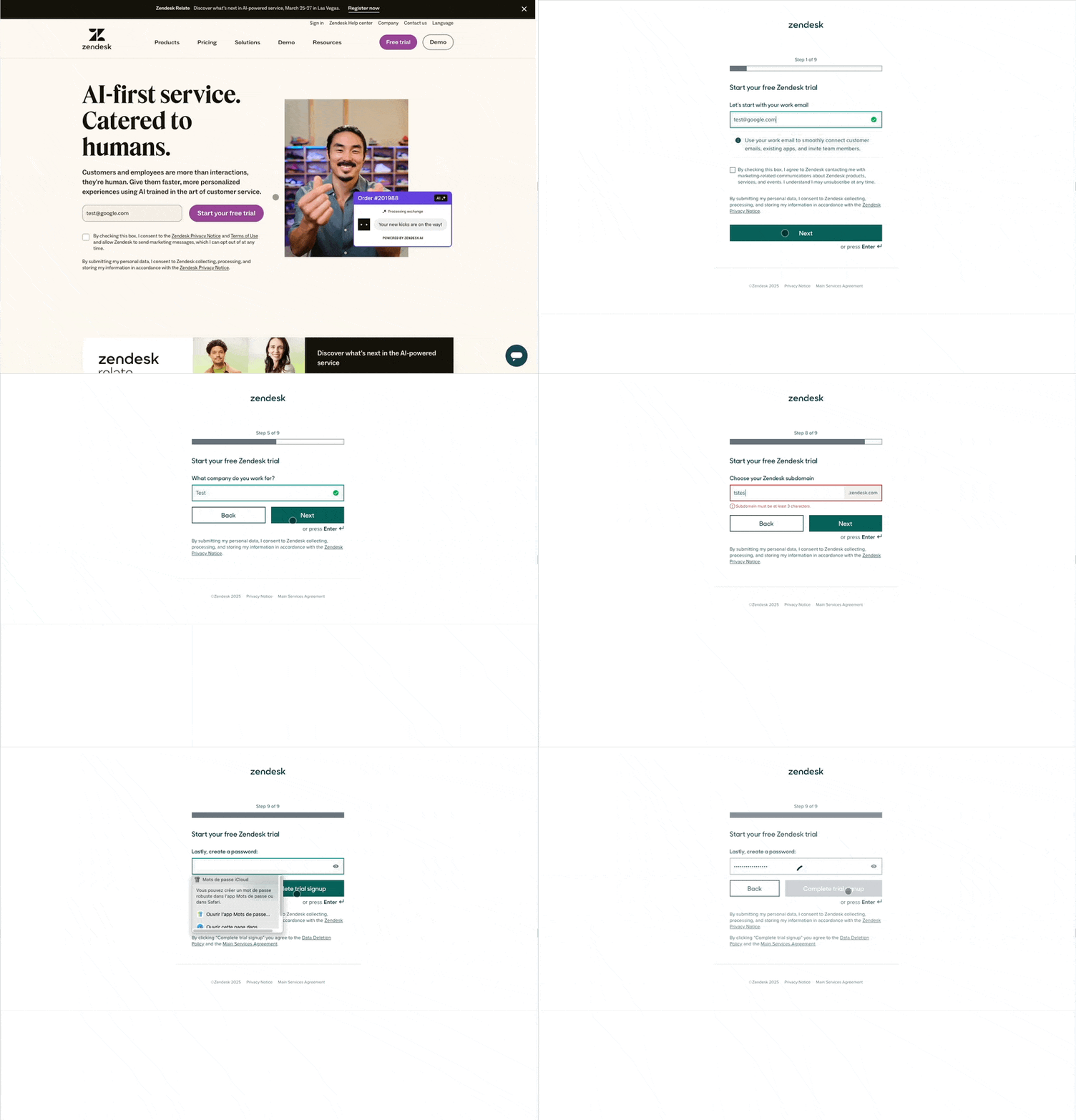
Ask for less upfront. Every field should either qualify the lead or personalize the experience. Use conditional logic to show or hide questions based on previous answers — users only see what's relevant. Progressive profiling spreads data collection across multiple visits, so new visitors aren't hit with a wall of fields.
Built-in validation (email format checks, phone number patterns, required fields) keeps junk data out of your CRM without extra work.
Trust signals, CTAs, and multi-step flows
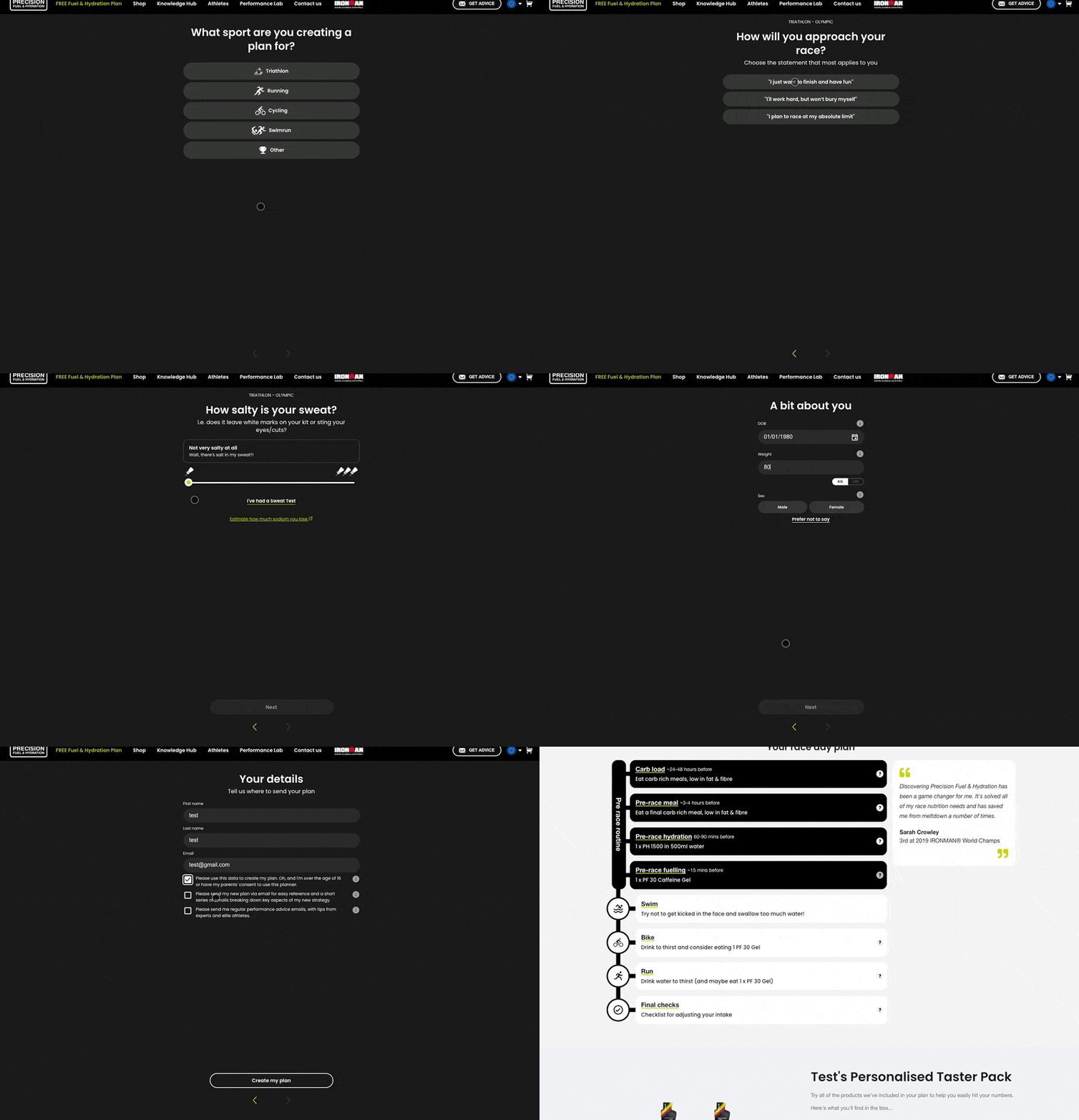
Multi-step or conversational flows break information into smaller chunks, lowering perceived effort and boosting completion rates. Pair this with trust signals — privacy notes, testimonials, and security badges near the form — to reassure hesitant users.
Your CTA should be specific and action-oriented. "Book Free Demo" converts better than "Submit." After submission, always provide a clear next step (download link, calendar invite, thank-you page).
Embedding, integrations, and analytics
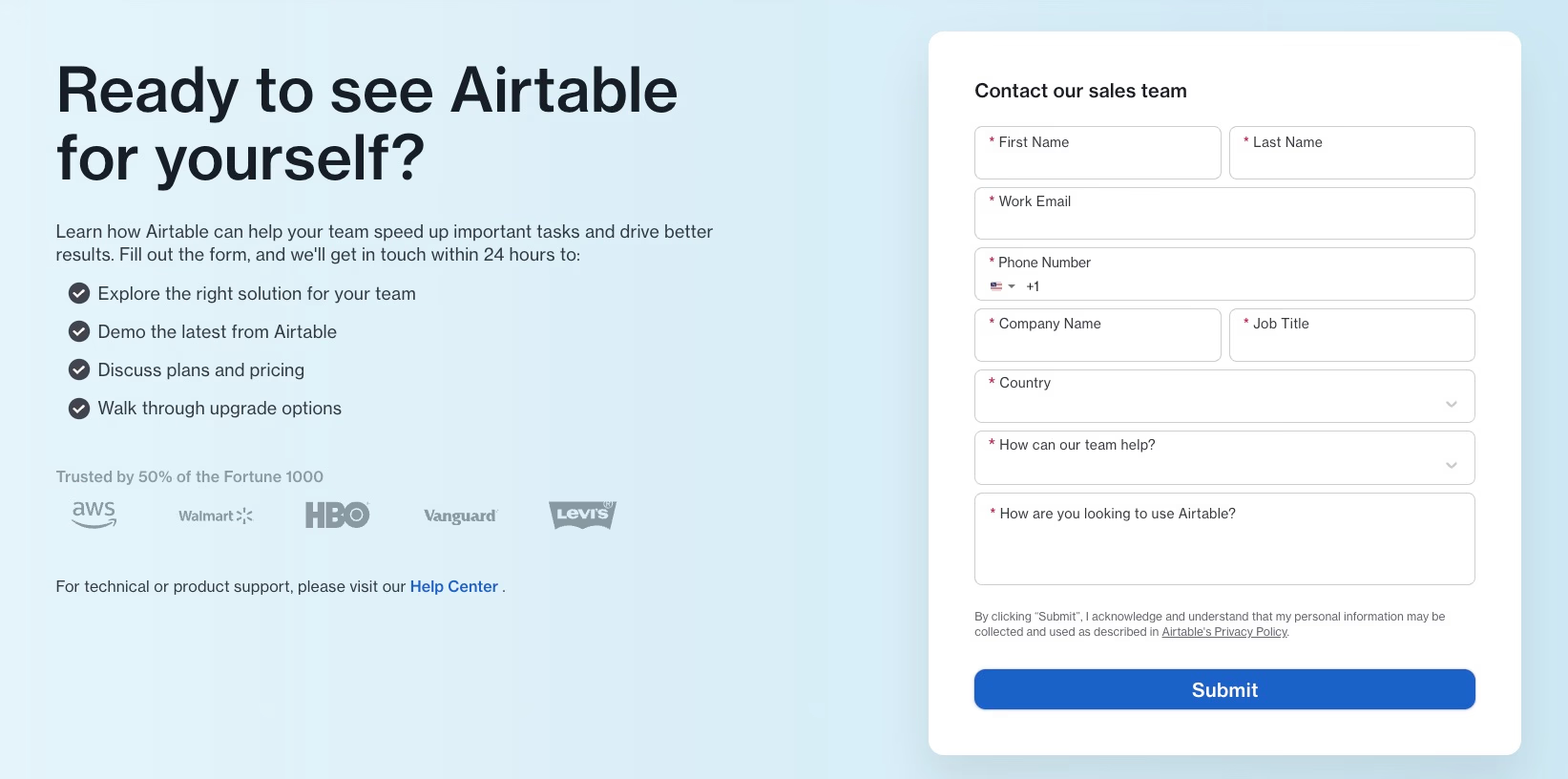
Your form should go wherever your audience is — embed on landing pages, popups, chat bubbles, or shareable links. Native integrations with CRMs (HubSpot, Salesforce), spreadsheets (Google Sheets, Airtable), and automation tools (Zapier) ensure leads are acted on immediately.
Built-in analytics tracking completion rates, drop-off points, and A/B testing helps you iterate and improve over time. For teams with compliance needs, open-source or self-hosted options give you full data ownership.
To see how these strategies come together in practice, explore real lead generation form examples from successful campaigns.
Best lead generation form builders compared
Most popular form builders stick to simple, static layouts. Conversational form builders, on the other hand, focus more on getting users to actually engage.
The better question isn’t “which tool is best overall?” It’s “which tool fits this campaign?” A prepaid form for paid ads is a different job from a CRM form on a pricing page, a newsletter popup, or a multi-step sales funnel.
1. Typeform, Jotform, HubSpot Forms, and polished marketing builders
These are classic options when you want branded, client-ready forms without going fully conversational.
-
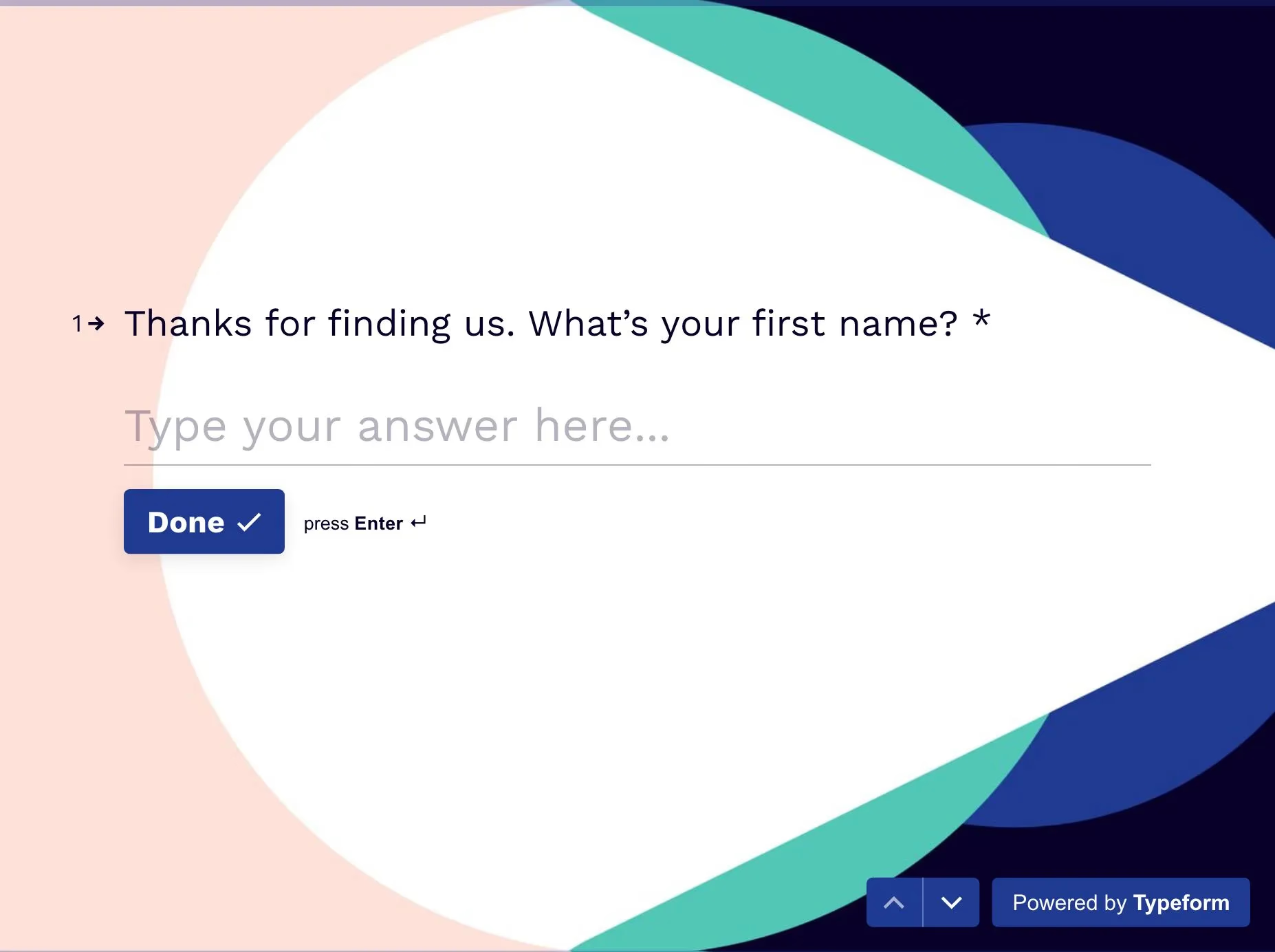
Typeform: Typeform’s “one-question-at-a-time” flow feels sleek and clean. Use it for brand surveys, event registration, and consultation bookings where design quality and response rate matter more than deep CRM automation. Conditional logic is strong enough for light qualification, but costs scale with responses.
Compare the key differences in Typeform vs Google Form.
-
Jotform: With single-page and multi-step forms, a huge template library, and payment fields, Jotform fits broad business needs. Best when you need many form types under one roof: applications, quote requests, order forms, and lead capture with PDFs or approvals mixed in.
-
HubSpot Forms: The standout is seamless CRM sync, contact scoring, and marketing automation. Choose HubSpot when leads must land in HubSpot lists, sequences, and deal pipelines with almost no glue code. The builder itself stays traditional, so the win is ops speed, not form UX.
-
involve.me: Built for interactive marketing experiences more than plain contact forms. Strong when the form is the campaign: branded multi-step funnels, calculators, assessments, and outcome pages that segment leads before sales ever sees them.
2. Google Forms, Tally, Fillout, and lightweight builders
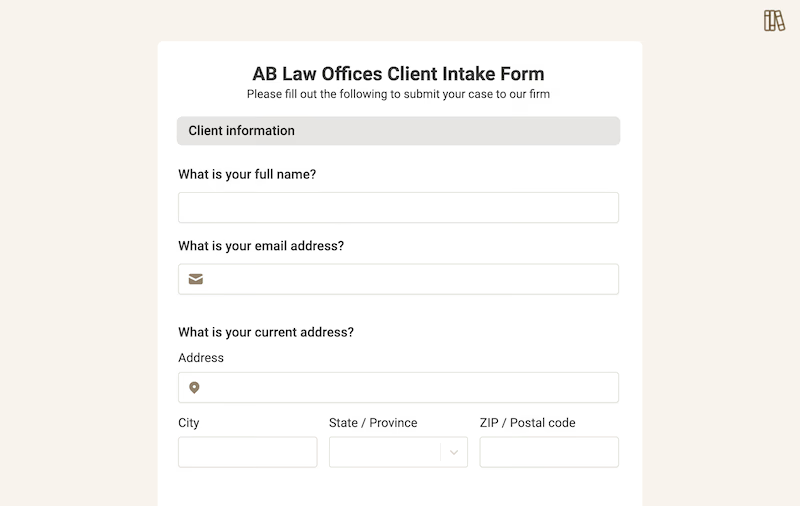
If speed, cost, and simplicity matter most, start here. These tools shine for simple list growth, early experiments, and clean embeds that do not need complex sales logic.
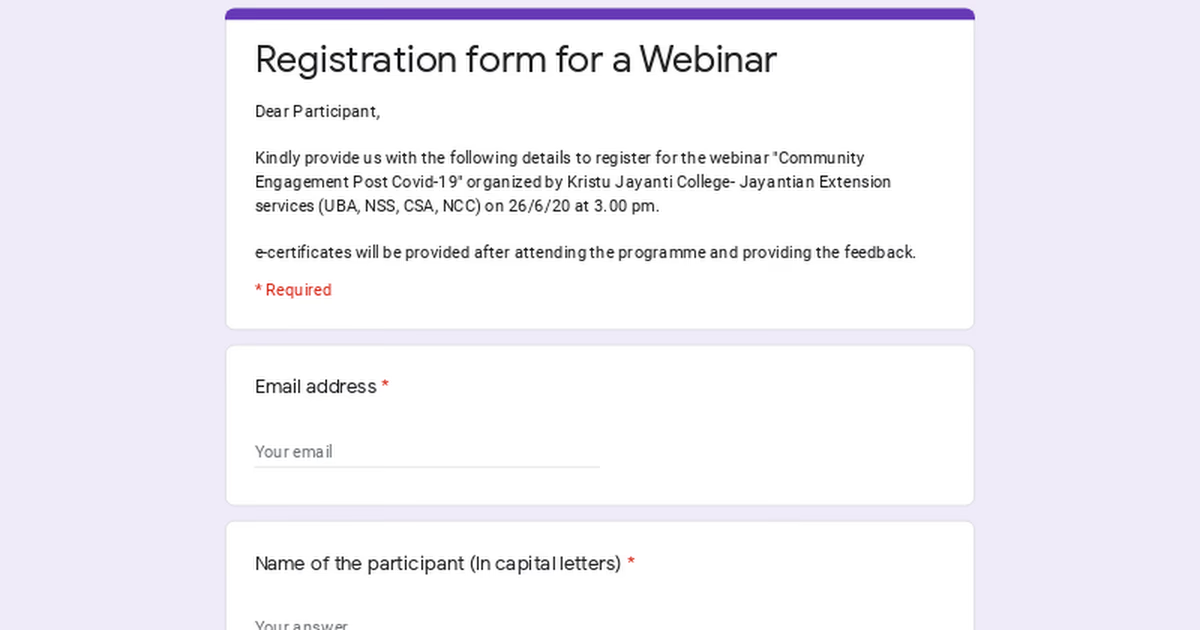
- Google Forms: Free and fast for basic lead collection or internal intake. You lose branding and complex logic, but replies drop straight into Google Sheets. Ideal for MVPs, waitlists, and “we just need emails by Friday” campaigns.
- Tally: Feels like writing a document. Great free tier for startups, newsletter signups, simple onboarding questionnaires, and lightweight product waitlists when you want a clean look without enterprise pricing.
- Fillout: A modern multi-step builder with strong imports and flexible embeds. Use it when you’re migrating off Google Forms or need polished landing-page and ad-destination forms without paying Typeform-level pricing for every response.
These tools are weaker when you need real-time routing, AI qualification, chat bubbles, or messaging-channel deploys. They’re best for volume and speed, not deep funnel logic.
3. Typebot for conversational lead generation
Typebot changes the game by turning static forms into chat-based conversations. That format fits high-intent pages and multi-channel acquisition better than a wall of fields.
- Logic and branching: The visual no-code builder handles variables, conditions, and score-style branching. Use it when replies should change the next question live, such as budget, company size, use case, or urgency.
- Deployment: Embed on web pages, landers, popups, and chat bubbles, or connect messaging surfaces like WhatsApp. One flow can support an ads landing page and an always-on site widget without rebuilding the whole form.
- Integrations: Connect Google Sheets, Slack, and Airtable, plus HTTP requests and Zapier or Make so completed chats create CRM records, email tags, or sales alerts automatically.
- Distinct strengths: Because Typebot is open-source, you can self-host for data control and GDPR-friendly setups. AI blocks (OpenAI, Mistral, and similar) can summarize answers, qualify intent, or personalize replies mid-flow. This conversational format tends to boost completion rates compared to standard forms.
Concrete Typebot use cases that map well:
- Paid ads and landing pages: Keep ad-to-form continuity with one short chat that qualifies and captures contact details before the bounce.
- Sales funnels and demo booking: Path “ready now” leads to a calendar, and send early-stage leads to a resource or nurture track.
- Lead magnets and newsletter growth: Ask 2–3 preference questions before the email field, then tag subscribers by interest instead of dumping everyone into one list.
- Product quizzes and recommendations: Guide users to the right plan, pack, or next step, then capture the lead once value is clear.
- Quote and request flows: Collect scope details conversationally, score fitness, and hand sales a richer brief than a contact form note.
Choosing the right tool
Match the builder to the job, not the other way around. Use this comparison as a shortlist, then decide by campaign type.
| Builder | Logic & branching | Deployment options | Best for |
|---|---|---|---|
| Typeform | Good | Web, link | Brandable surveys, events, polished bookings |
| Jotform | Good | Web, PDF, link | General business forms, payments, applications |
| HubSpot | Moderate | Web | CRM-native capture inside HubSpot |
| involve.me | Strong | Web, embed, campaign pages | Interactive funnels, quizzes, calculators |
| Google Forms | Limited | Web, link | Internal use, MVPs, free Sheet-backed capture |
| Tally | Limited | Web, link | Simple startup forms and newsletter signups |
| Fillout | Good | Web, embed, link | Multi-step ad landers and form migrations |
| Typebot | Advanced | Web, popup, bubble, WhatsApp | Conversational qualification, multi-channel lead gen |
Start with the outcome you need, then pick the tool:
- Newsletter or simple email capture: Tally or Google Forms if you only need the address. Typebot if you also want interest tags and segmentation questions.
- Paid ads landing page: Fillout or Typeform for clean multi-step static forms. Typebot when the ad promise needs live qualification and higher mobile completion.
- Sales funnel, demo request, or quote flow: Typebot when branching and handoff quality matter. HubSpot Forms when everything already lives in HubSpot and you mainly need CRM sync.
- Interactive campaign, calculator, or outcome quiz: involve.me for assessment-style marketing pages; Typebot when the experience should feel like chat and continue into booking or CRM routing.
- Many operational form types (apps, payments, PDFs): Jotform.
- Fast internal test or MVP: Google Forms or Tally.
- Brand-sensitive surveys and event registration: Typeform.
- Same flow across site bubble, popup, and messaging: Typebot.
In short:
- For basic internal needs and quick experiments, Google Forms or Tally make sense.
- For familiar static lead capture with polish or CRM depth, stick with Typeform, Jotform, Fillout, involve.me, or HubSpot.
- If you care about qualifying leads, running multi-step funnels, and connecting across channels, Typebot is worth a look.

Discover how Typebot's drag-and-drop builder can transform your website visitors into loyal customers.
No trial. Generous free plan.
How to build a lead generation form using Typebot
Setting up a lead generation form with Typebot is pretty straightforward. It’s all visual, no coding. You move step by step: sketch out your flow, build the logic, connect your tools, and launch it to your audience.
Map your offer and qualification questions
Start by clarifying the value you’re offering, whether that’s a product demo, a downloadable resource, or a consultation.
Then jot down the questions you’ll need to qualify leads for your pipeline. Begin with easy questions, like intent or name, then save the heavier asks for later.
You’ll probably need a few core data points, such as:
- Intent: "What are you looking to achieve?"
- Contact: "Where should we send this information?"
- Firmographics: Company name, industry, or size of their team.
- Logistics: Timeline or budget range.
And here’s a tip: ask for emails or phone numbers later, when you’ve already shown what’s in it for them.
Build the flow with blocks and logic
Inside the Typebot editor, start by greeting your visitor and use Text bubbles to set the tone.
- Input blocks: Select dedicated blocks for collecting emails, names, or button choices. Each answer gets saved as a variable, so you can re-use it in later steps or send the data to your CRM.
- Condition blocks: Tailor the experience based on responses. For instance, someone who selects "Enterprise" for company size can be sent to a scheduling block, while a "Freelancer" might be offered a self-serve resource.
You can personalize the chat as you go. For example, you can greet the user with their name further down the conversation.
Integrate and automate
So you don't have to chase every lead manually, connect your bot to your favorite business tools:
- AI blocks: Link to services like OpenAI or Mistral for scoring leads or offering custom recommendations based on what a user says.
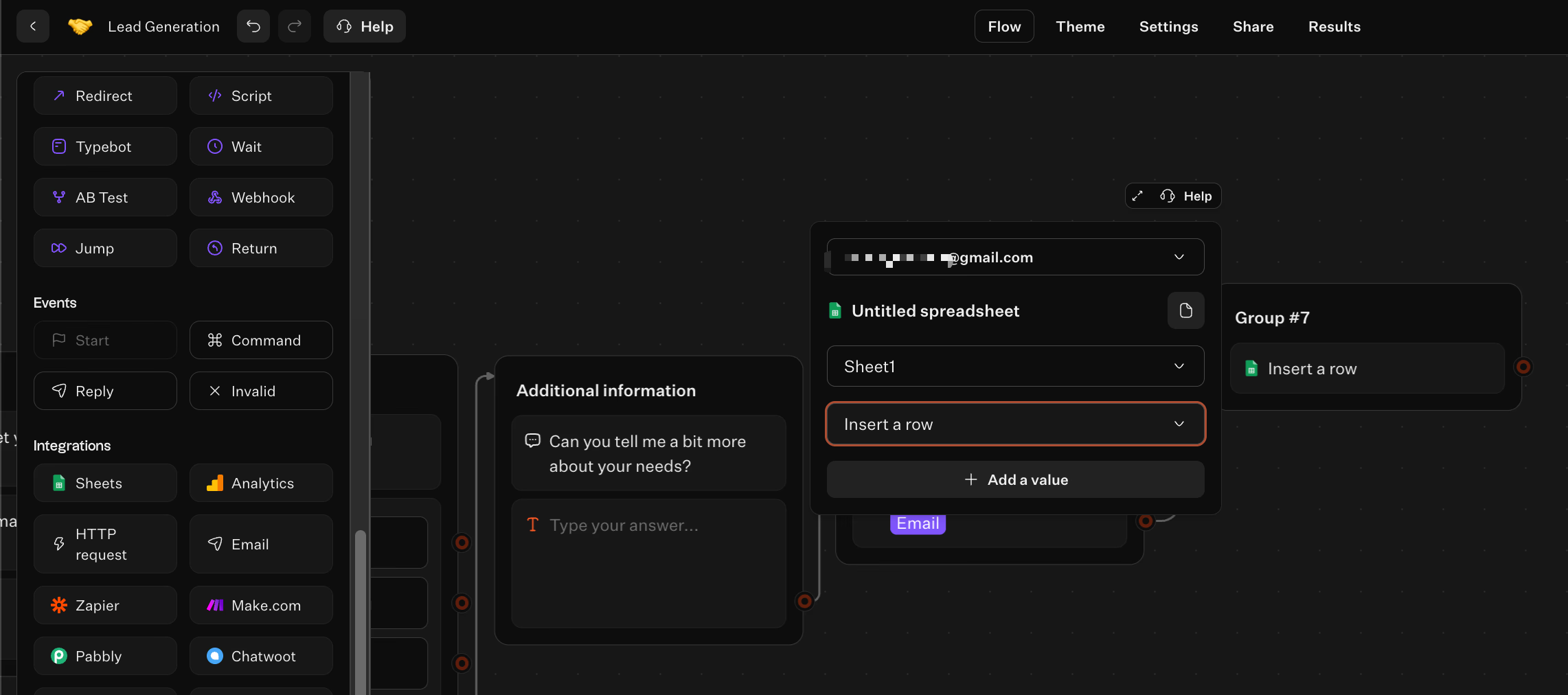
- Direct sync: Use the built-in Google Sheets integration to log answers, or an HTTP Request block to send data to CRMs like HubSpot or Salesforce. Use a Webhook block only when the flow should pause for an authenticated inbound callback.
- Automation platforms: Connect to Zapier or Make for things like internal notifications or adding leads directly to your email campaigns.
- Scheduling: In web deployments, drop in tools like Cal.com or Calendly right inside the chat. In WhatsApp, send a booking link instead: the Cal.com block is skipped, and embedded booking tools are converted to URL messages.
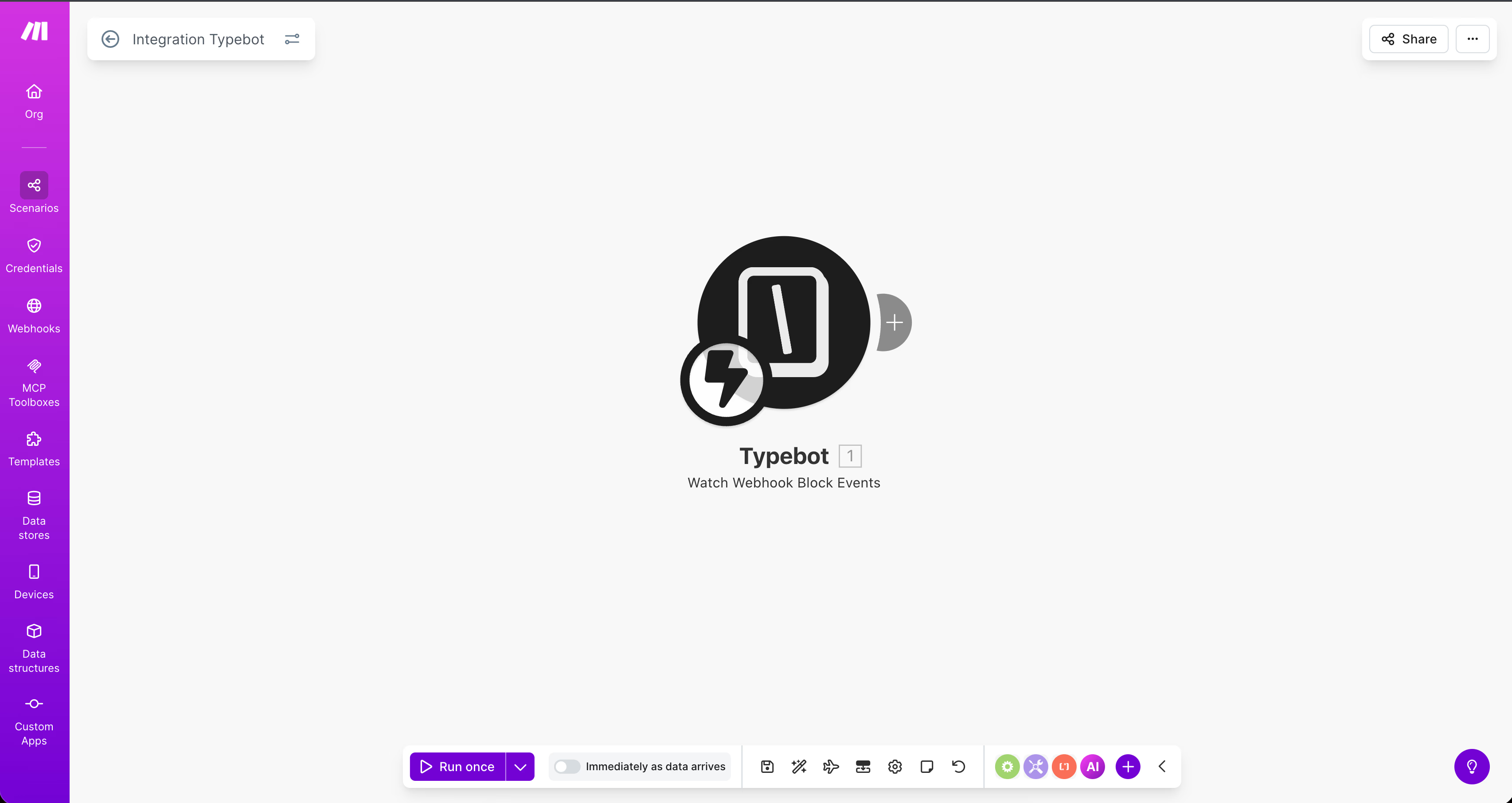
Theme, test, and publish
With the Theme tab, you can pick colors, fonts, and avatars that match your brand.
Before you go live, hit the Test button to try out different paths. This helps you make sure all the logic checks out.
Ready to launch? Go to the Share tab:
- Web deployment: Pick a standard embed, popup, or chat bubble, then copy its code or link into your landing page or ad.
- WhatsApp deployment: Click the WhatsApp integration, create or connect a Meta Business app, and configure the phone-number integration by following the Share tab instructions.
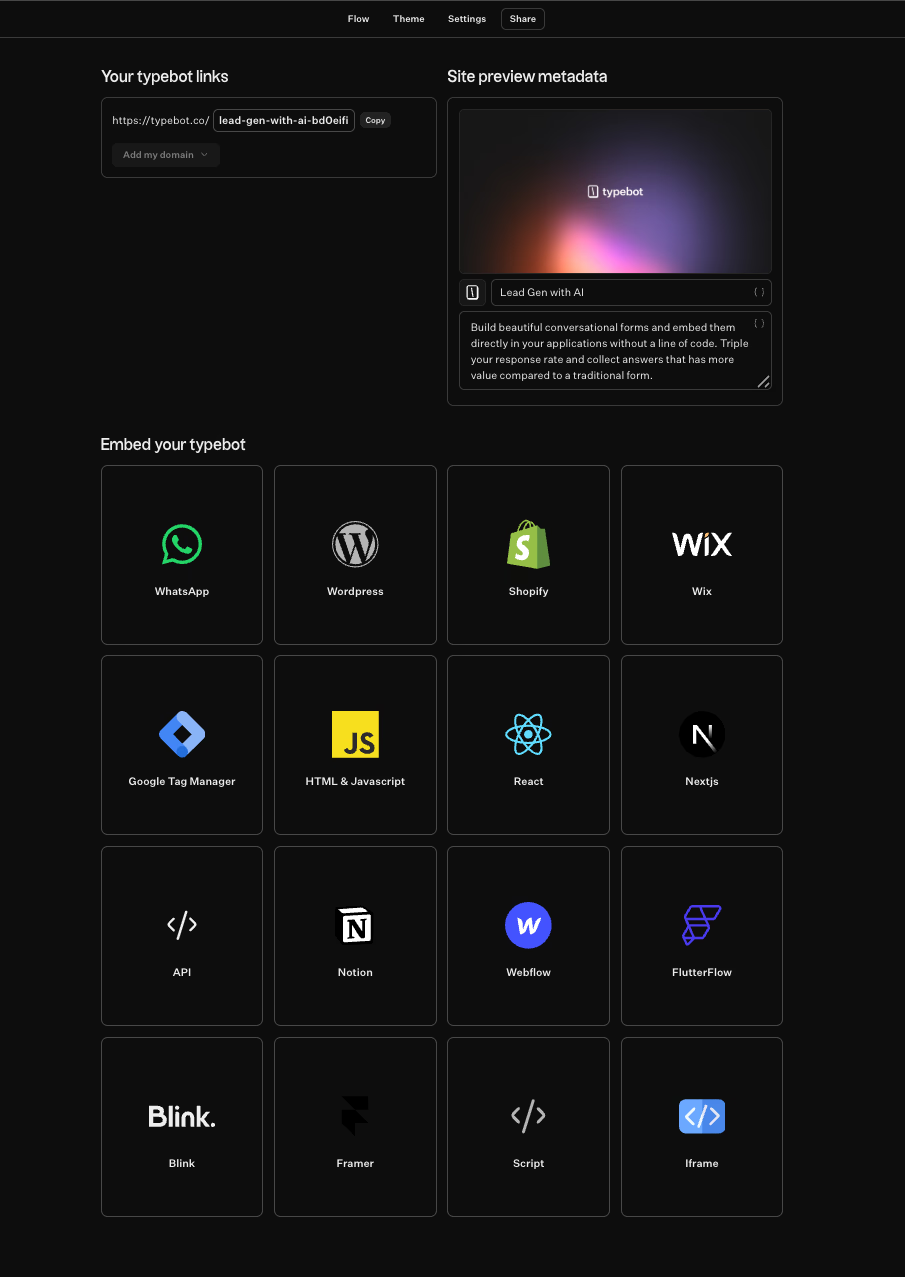
Once your bot is live, watch the built-in analytics to spot where users drop off. Then tweak your questions and flow to keep improving conversions.
Templates, placement, and optimization
Templates and placement strategy
Custom templates and smart placement go a long way in lowering form abandonment. It is not just about sticking a generic form everywhere, it is about segmenting your flows by where users come from.
With Typebot, you can map out these flows visually. There are blocks for contact info, buttons, and file uploads. You can line them up into sequences: welcome, qualification, and handoff.
Conditional logic lets you steer the conversation according to what users need. That way, you are not making everyone follow the same path.
Pick deployment options that line up with what visitors are actually looking for:
- Landing pages: Make the conversational flow the main feature.
- Popups: Use a supported delay or click trigger. Exit-intent and scroll-position triggers require custom JavaScript on the host page to detect the event and call
Typebot.open(). - Chat bubbles: Offer an easy, ongoing entry point for lead capture without pressuring the visitor.
- WhatsApp: Connect with people directly in their messaging app for a seamless experience.
No matter where you place the flow, keep things straightforward. Start with a clear headline and spell out the value, like a quote or download, in the opening block.
Always close with a definite success signal. This can be a confirmation note, a redirect, or an automated booking.
Analytics and iterative optimization
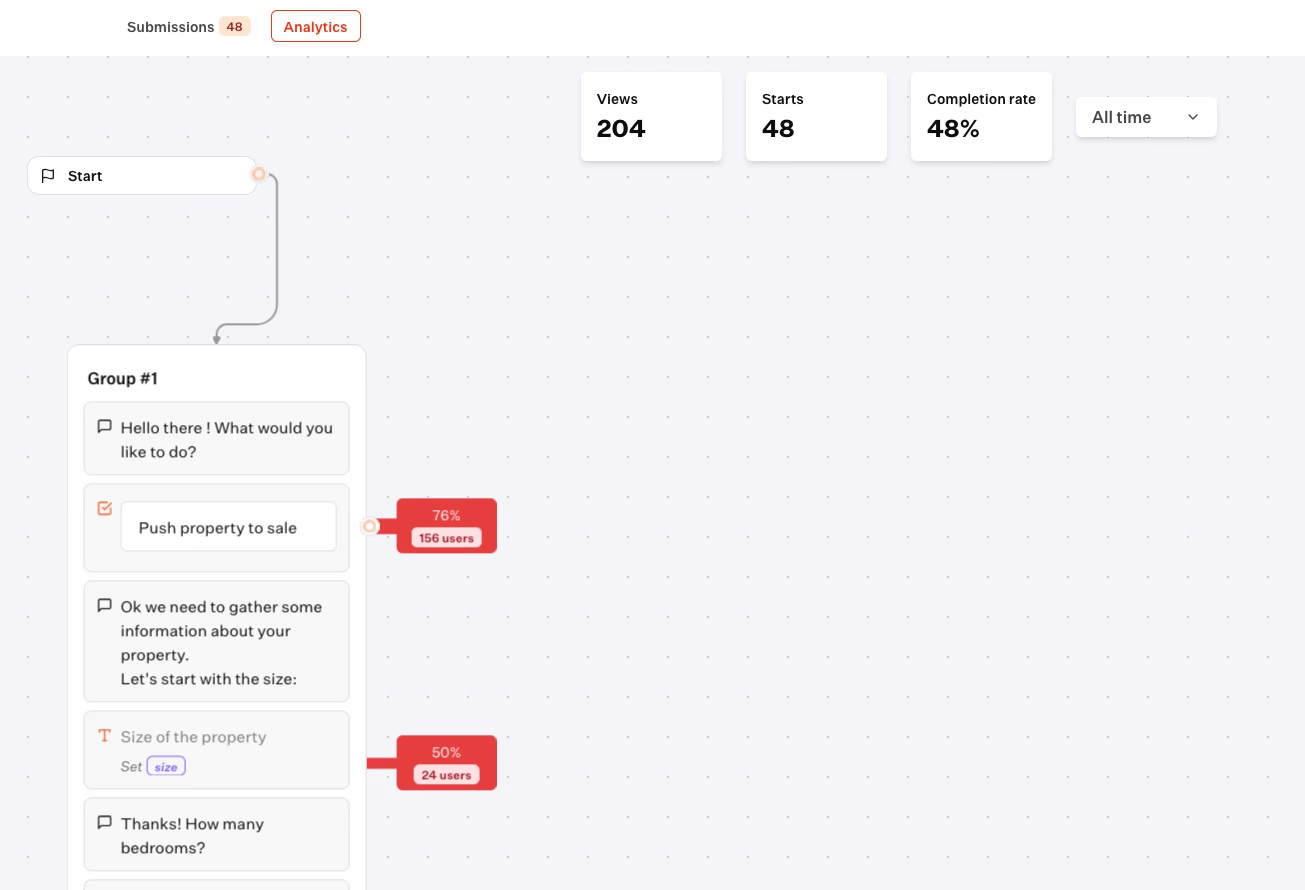
Improving your flows is not about gut feelings. It is about watching what actually happens.
Typebot comes with built-in analytics so you can see:
- Completion rate: How many users finish the flow.
- Drop-off points (Pro): Exactly where people abandon the process, shown as a rate beside each input block on the Pro plan.
- Submissions: All the data collected, ready for export to CSV if you want to dig in elsewhere.
For deeper insights on web deployments, hook Typebot up with Google Analytics or Meta Pixel. Those browser-based blocks are skipped on WhatsApp; use the server-side PostHog block there, or send results to another supported reporting system. This lets you track events alongside your broader marketing efforts.
The optimization cycle:
- Identify friction: On Pro, spot input blocks with high abandonment. On any plan, compare completion and submission data for signs of friction.
- Iterate: Tweak the field order, tighten up your copy, or shift tough questions later using the visual editor.
- A/B test: Try different headlines, calls to action, or value props with the A/B block to see what works.
- Refine placement: If a placement, like an exit popup, is not performing, switch it up. Try a persistent bubble or an inline embed.
- Mobile review: Check that everything works smoothly on phones, since mobile users often drop off at different points than desktop users.
When you blend targeted templates with steady, informed tweaks, you can boost both lead quality and quantity, while keeping acquisition costs in check.
Choose the right form builder, and conversions follow
A lead generation form builder is not a one-size-fits-all tool. The best choice depends on your campaign goals, your audience, and the depth of qualification you need. Whether you go conversational with Typebot, polished with Typeform, or lightweight with Tally, the real win comes from testing and iterating. Pick a builder that fits your funnel, measure what happens, and keep improving. That is how you turn a simple form into a reliable growth engine.
Use Typebot's conversational forms to simplify data collection and boost engagement.
No trial. Generous free plan.