
Most businesses believe they collect enough customer feedback. The reality tells a different story. 63% of startups fail precisely because they lack strong feedback systems. And here is the worst part: only 1 in 26 unhappy customers will ever tell you something is wrong. The rest simply vanish.
So how do you build a feedback system that actually works? One that catches problems before customers leave and turns their voice into real action. In this guide, you will learn the most effective ways to collect customer feedback, how to choose the right method for your business, and how to set up a conversational bot that gets 70-80% completion rates with zero coding.
Why collecting customer feedback is critical in 2026
The cost of ignoring the customer voice: 63% of startups fail due to poor feedback practices
It’s easy to blame failed startups on a weak product or poor technical choices. But more often than not, the real reason is a lack of customer insight.
Between 2024 and 2025, about 63% of software startups shut down mainly because they didn’t have strong systems for collecting customer feedback.
When you aren’t hearing directly from your customers, you miss major mismatches between your product and what people actually want. Critical issues go unnoticed. Only 1 in 26 unhappy customers will ever tell you what went wrong. The rest just disappear. By the time you notice customers leaving in your numbers, it is usually too late to turn things around.
Traditional surveys vs. conversational chatbots: 40-55% abandonment vs. 70-80% completion
Traditional surveys, think long email forms or web questionnaires, often see a lot of people drop out before finishing. About 40-55% give up halfway. These surveys tend to show up at bad times, or they just feel too impersonal.
On the other hand, AI-powered conversational chatbots tend to do much better, with completion rates between 70-80%. Because the chatbot adapts to what the user says and keeps things interactive, people stick with it longer and don’t get as tired filling it out.
| Feedback Method | Average Completion Rate |
|---|---|
| Traditional Email/Web Surveys | 45% |
| Conversational Chatbots (AI) | 75% |
| Asking for feedback during moments that make sense, like during onboarding or right after a purchase, tends to get you better responses. You get more replies, and the quality is usually better too. |
How fragmented feedback hurts CX leaders: 93% struggle with siloed data
But collecting feedback is only part of the puzzle. About 93% of customer experience leaders say they’re wrestling with fragmented feedback scattered across different tools and platforms.
Insights get stuck in separate places, maybe in-app widgets, NPS emails, or support tickets, and it becomes hard to see the big picture or spot trends.
Siloed feedback means teams miss out on understanding the full customer journey. It is also tough to break down insights by persona or segment. Companies that pull all this data together automatically, in real time, are far better positioned to keep customers and find new opportunities to improve.
Understanding the main types of customer feedback
Solicited vs. unsolicited feedback
Customer feedback tends to fall into two camps: what you ask for, and what shows up on its own.
- Solicited feedback comes from asking directly, for example, through surveys, interviews, or Net Promoter Score (NPS) questionnaires. These methods give you focused answers, but they might miss insights users do not think to share unless prompted.
- Unsolicited feedback turns up without you asking. Think social media posts, public reviews, or support ticket comments. You’ll often find more unfiltered, honest reactions here, including pain points that might not come up in a standard survey.
Structured vs. unstructured data
Feedback can look very different depending on how it’s collected, and how easy it is to sort through.
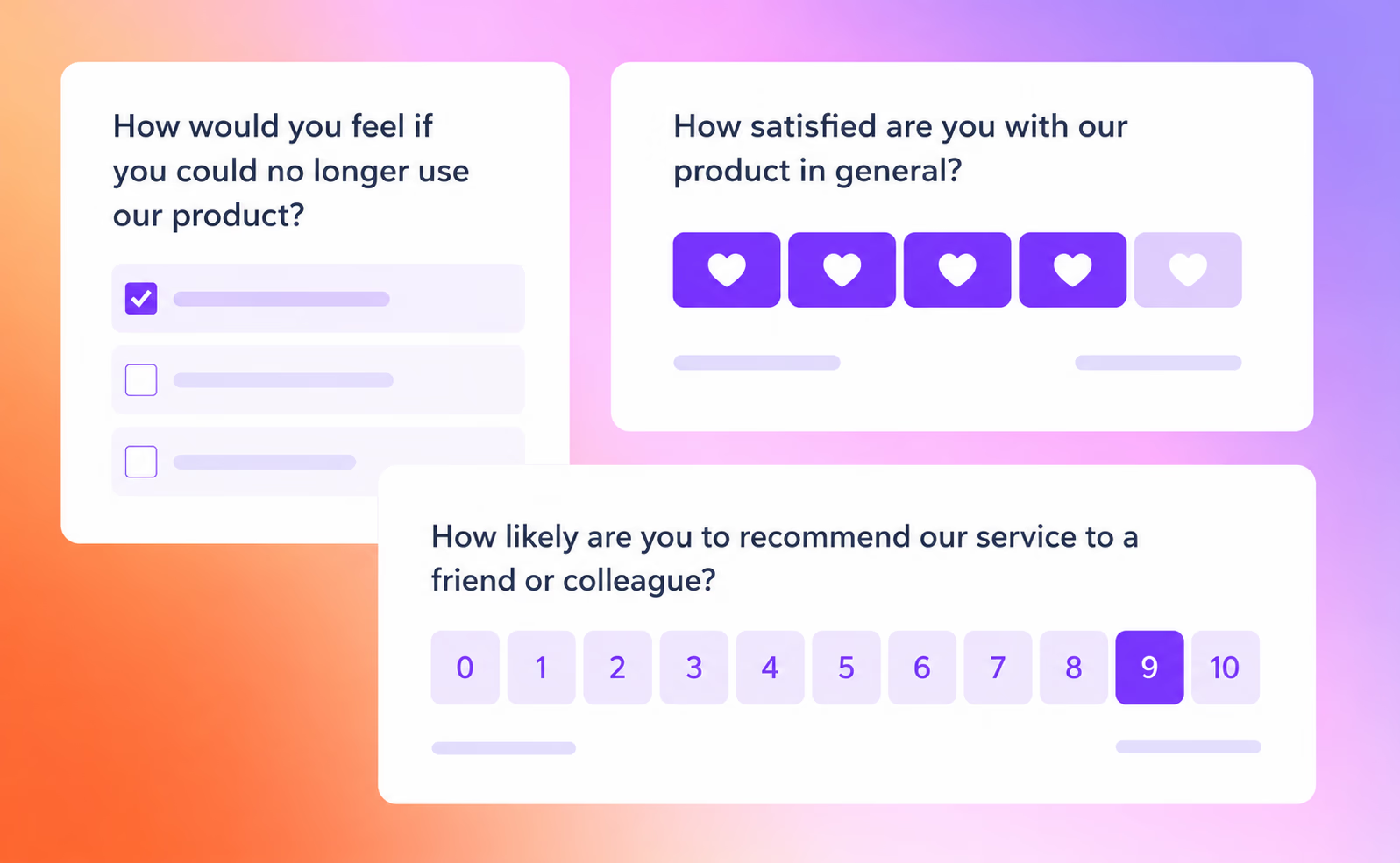
- Structured data means feedback that’s organized and easy to measure, like ratings, multiple-choice responses, or Customer Satisfaction (CSAT) scores. This type is great for dashboards and benchmarking whether things are getting better or worse.
- Unstructured data is everything else: open-ended comments, free-text fields, or snippets from conversations. Here is where you find personal stories and emotional context you cannot get from numbers alone. Historically, this has been tough to analyze at scale, but newer AI tools can now sift through thousands of comments to spot patterns and overall sentiment.
Real-time vs. post-interaction feedback
How quickly you collect feedback is just as important as how you do it.
- Real-time feedback pops up during or right after an interaction, like an in-app survey after a user tries a new feature, or a chatbot following a customer support session. These catch people’s immediate reactions, which tend to be more genuine because their experience is still fresh.
- Post-interaction feedback arrives later, often through email surveys or follow-up interviews. These allow people to reflect, but some details may get lost as time goes by.
The most effective feedback programs use a mix of all these approaches, so you gather insights at the crucial moments throughout the customer journey.
Want to dive deeper into how conversational surveys work in practice? Check out collecting customer feedback methods to see real examples of chatbot implementations across different touchpoints.
The most effective methods to collect customer feedback
Conversational chatbot surveys
Chatbot surveys have become a common way to collect feedback. Instead of a bland form, these tools use short dialogues. They adjust questions based on what users say, so people are much more likely to finish them.
Some key benefits:
- Engagement: Chat interfaces feel like a back-and-forth conversation. They guide people one step at a time instead of throwing a big list of questions at them.
- Personalization: Questions change depending on previous answers, so you are not asking everyone the same thing whether it makes sense or not.
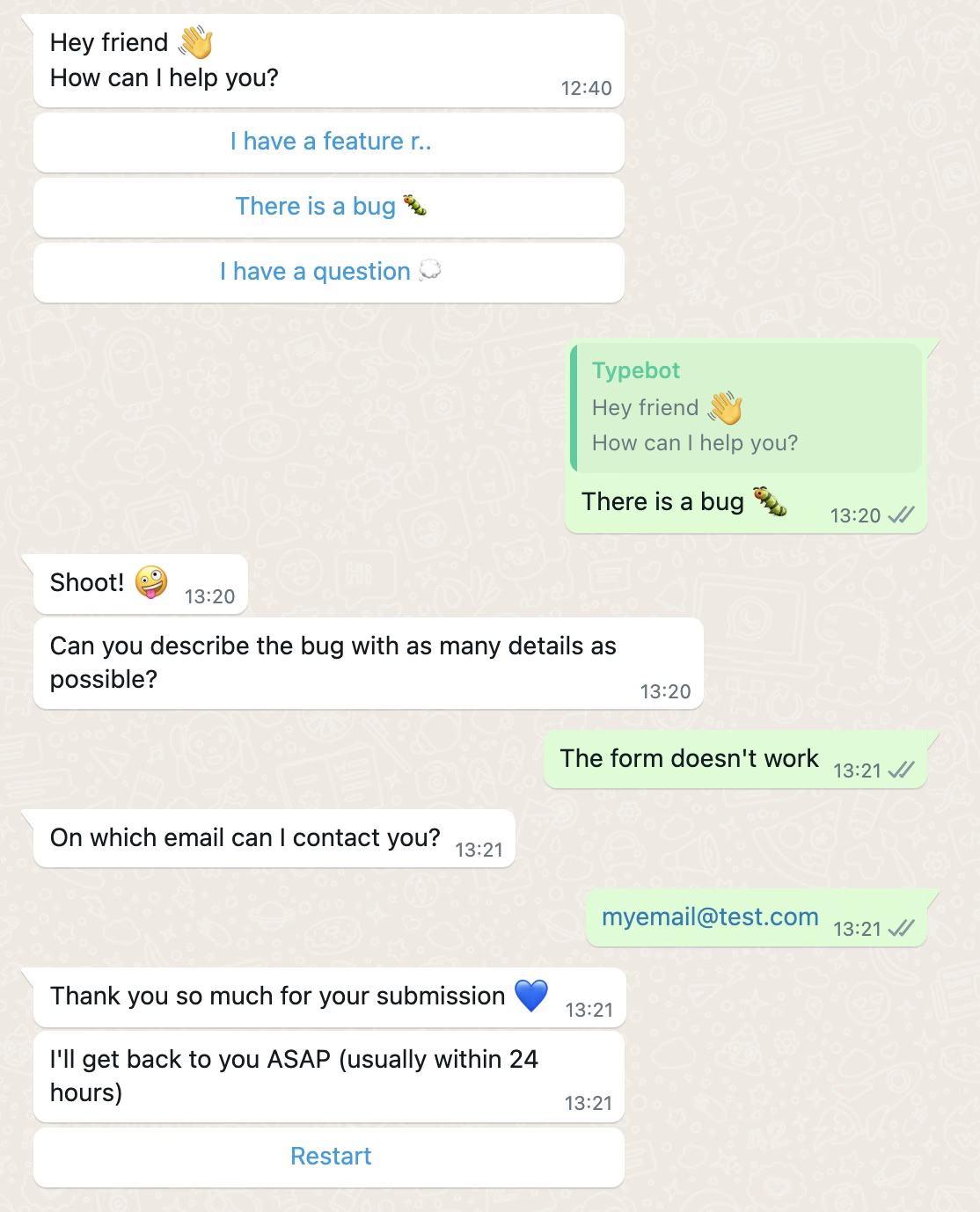
- Multi-channel reach: You can deploy these bots on your website, in your SaaS product, or even in messaging apps like WhatsApp.
Say a customer gives a new feature a low rating. Right away, the chatbot can follow up and ask specific questions. This helps you figure out exactly what went wrong.
When to use: After a purchase, support interaction, completing onboarding, or for in-app product feedback. You can also deploy these surveys via WhatsApp to reach customers where they already chat.
If you're planning to deploy chatbots across multiple channels, you might also want to explore how to structure them effectively—check out our guide on how to build a FAQ chatbot to learn best practices for organizing bot conversations.
Email surveys
Email is still one of the go-to channels for surveying users, even if average response rates are on the lower end, usually between 5–15%.
To make the most of email surveys:
- Timing: Schedule them right after important moments, like when a support ticket closes or a user hits a new milestone.
- Segmentation: Change your survey prompts depending on user behavior or account type.
- Automation: Trigger emails through your CRM or helpdesk so they go out and follow up right when they should.
When to use: For things like regular NPS tracking, quarterly check-ins, or when users need a nudge outside your product.
In-app feedback widgets
These widgets live directly in your app or software, collecting feedback right when someone is actually using the product. That means less memory bias, and overall response rates typically land in the 10–30% range.
- Contextual accuracy: The feedback you get is closely tied to what the person is doing in the moment.
- Low friction: Ask for feedback after someone tries a new feature or runs into an error, without getting in their way.
When to use: After releasing new features or if users run into bumps inside your platform.
Customer interviews

Sometimes, you need to go deep, and that is where interviews help. Yes, they take more effort, but they let you dig into why customers do what they do. They can uncover things surveys often miss.
When to use: Big product shifts, digging into churn, or making sure your most important customers are happy.
Social media monitoring and review platforms
Keeping an eye on social media and review platforms goes beyond what people tell you directly. These channels give you raw, unfiltered feedback and let you see how you compare to others in your space.
When to use: To manage your reputation, handle crises, or gather market insights.
Support ticket analysis and behavioral analytics
Not all feedback is given directly. Analyzing support tickets and how users navigate your product can reveal pain points nobody bothers to mention in a survey.
- Support ticket analysis: Helps highlight those recurring issues or confusing steps in your process.
- Behavioral analytics: Watching session replays shows you exactly where people get stuck or drop off.
When to use: For surfacing hidden friction points or finding broader product issues users are not reporting outright.
How to choose the right feedback collection method for your business
Choosing the right way to gather feedback means finding an approach that fits your goals, your customers’ key touchpoints, and the resources you have available.
Matching method to business goal
Pick your collection technique based on the kind of insight you need:
- Net Promoter Score (NPS): Good for measuring overall loyalty and predicting future growth. Usually sent as a quick 0 to 10 question through email or in-app right after milestone moments, like renewals or big updates.
- Customer Satisfaction Score (CSAT): Best for checking customer sentiment immediately following critical moments. Drop a short question at the end of a support chat or through a quick in-app survey.
- Customer Effort Score (CES): Great for finding out how smooth your processes are. Send it after a support ticket is closed, either by email or chatbot, to see how easy it was for customers to get help.
- Feature discovery and product feedback: Use in-app widgets or chatbot microsurveys right after someone tries a feature to guide your roadmap with fresh, specific insights.
- Uncovering pain points: Analyze support tickets and review passive channels like social media or app reviews to spot patterns in what’s frustrating people, especially issues that may not show up in a structured survey.
The best method is the one that matches the insight you need most. If you want loyalty data, use NPS. If you want immediate sentiment, use CSAT. If you want process friction, use CES.
NPS measures loyalty, CSAT measures satisfaction with a specific interaction, and CES measures how easy a task felt. Using the wrong metric can give you feedback that’s accurate but not useful.
Considering the customer lifecycle stage
Which tool you use often depends on where someone is in their journey:
- Onboarding: Send short, real-time surveys through chatbots or in-app popups to catch problems right as new users set things up.
- Active use: Keep feedback widgets open or run periodic in-app popups so you get a read on how everyone’s feeling as they use your product day-to-day.
- Support interactions: Ask for CSAT or CES feedback right after support conversations, while details are still top of mind.
- Churn risk: Rely on behavioral analytics to catch warning signs early. When someone is leaving, use an automated chatbot interview so you can find out the “why” before they are gone for good.
Match the feedback method to the moment in the customer journey. The closer the question is to the experience, the more accurate and useful the response usually is.
Balancing resources and scalability
Your business size will shape what’s practical and scalable:
| Business stage | Recommended methods | Benefits | Trade-offs |
|---|---|---|---|
| Startup | Chatbot surveys, free widgets, manual social monitoring, direct interviews | Affordable, easy to get started | Handles less volume, takes more manual work |
| SMB | Automated email, scalable chatbot flows, NPS/CSAT triggers | Efficient, supports company growth | May need new tool integrations |
| Enterprise | Multi-channel orchestration, AI-powered analysis, behavioral tools | Provides richer insight, scales with you | Greater cost and more complexity |
- Startups: Keep it simple. Use tools with drag-and-drop setup and talk to your customers yourself to build early insight.
- SMBs: Set up automated emails and scalable chatbot surveys to gather feedback after key events, so you get actionable data without chasing responses all day.
- Enterprises: Combine multiple sources and consider AI-powered platforms if you need to process big volumes of feedback and want to avoid data silos.
Bottom line: choose feedback practices your team can actually handle right now. There is no point in building an elaborate system if you do not have the time or people to act on what you learn.
How to Set Up a Conversational Feedback Bot with Typebot
Building your first feedback flow with rating and buttons blocks
Typebot's visual builder makes it easy to create feedback flows by connecting different blocks, all starting from a Start event.
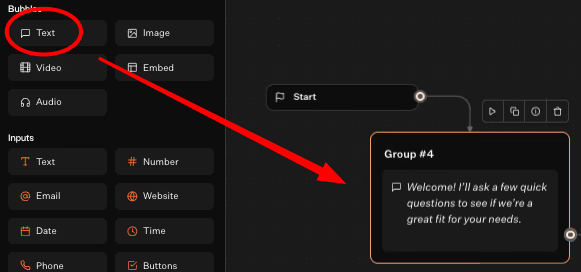
To get going, start with a Text bubble. This gives users a heads-up about what to expect.
Then add a Rating block to collect things like CSAT, NPS, or CES scores. Setting up a 0-10 scale takes just a few clicks.
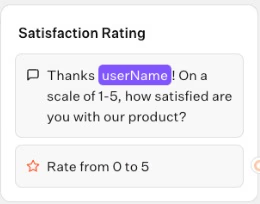
Next, use a Buttons block to let users categorize their experience. Options like "Excellent" or "Needs Improvement" work well.
Want more detailed input? Drop in a Text input block so people can explain their answers in their own words.
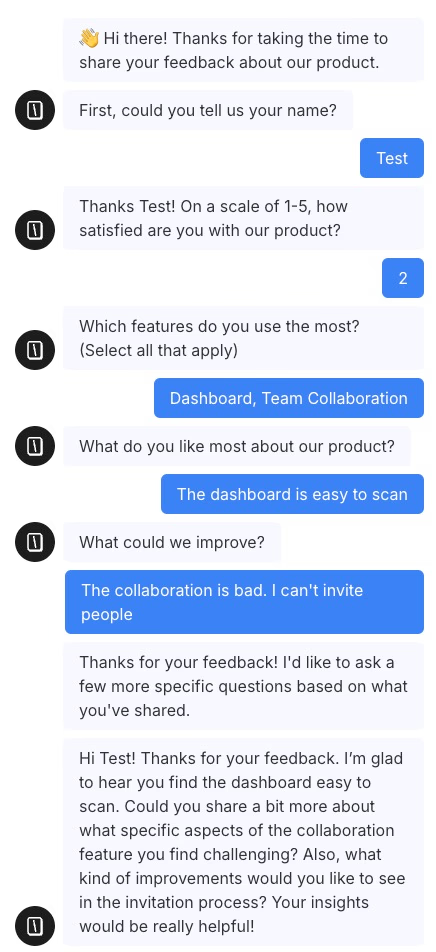
Typebot automatically stores all responses in variables. You get concrete numbers and open-ended feedback without any friction for the user.
Using conditional logic to adapt questions based on scores
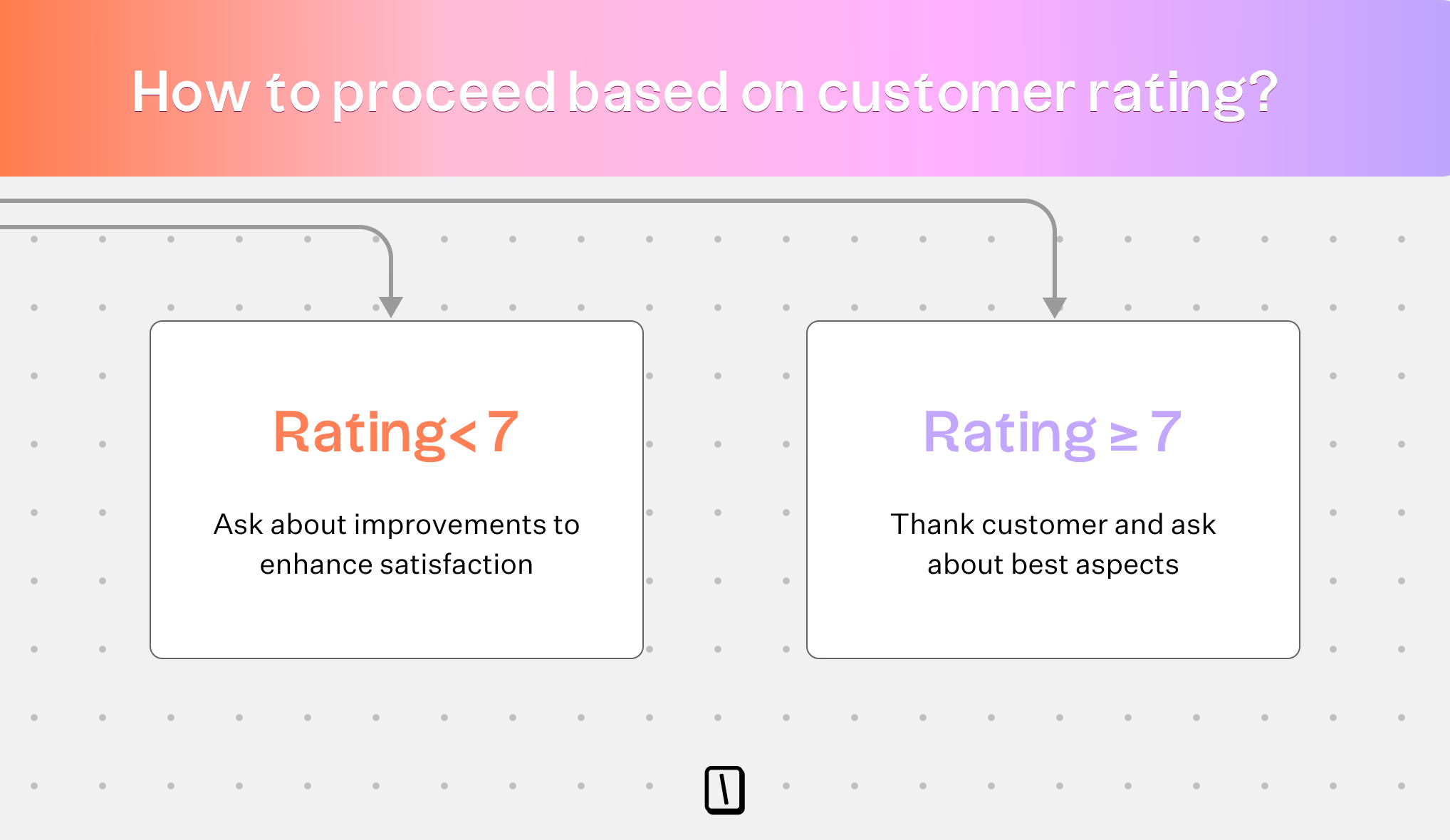
Here’s where Typebot’s conditional branching comes in handy.
Add a Condition block to tailor the flow based on how someone scores:
- Promoters (9-10): Ask if they’d be willing to leave a public review.
- Detractors (0-6): Follow up with a text input: "Sorry to hear that. What could we improve?"
- Passives (7-8): Route them to questions about specific features or areas.
With this setup, each user only sees questions relevant to their experience.
That keeps responses focused and boosts the quality of your feedback, without touching a line of code.
Deploying your feedback bot on website, WhatsApp, and popups
Once your bot is built, you can launch it pretty much anywhere your customers are:
- Website Embed: Add it to your site as an in-line element, popup, or chat bubble, maybe right after a purchase or support chat.
- WhatsApp: Meet people where they already chat. Just connect your Meta Business account for smooth handoffs.
- Direct Links: Drop a link into an email, SMS, or even a social post to collect feedback after campaigns.
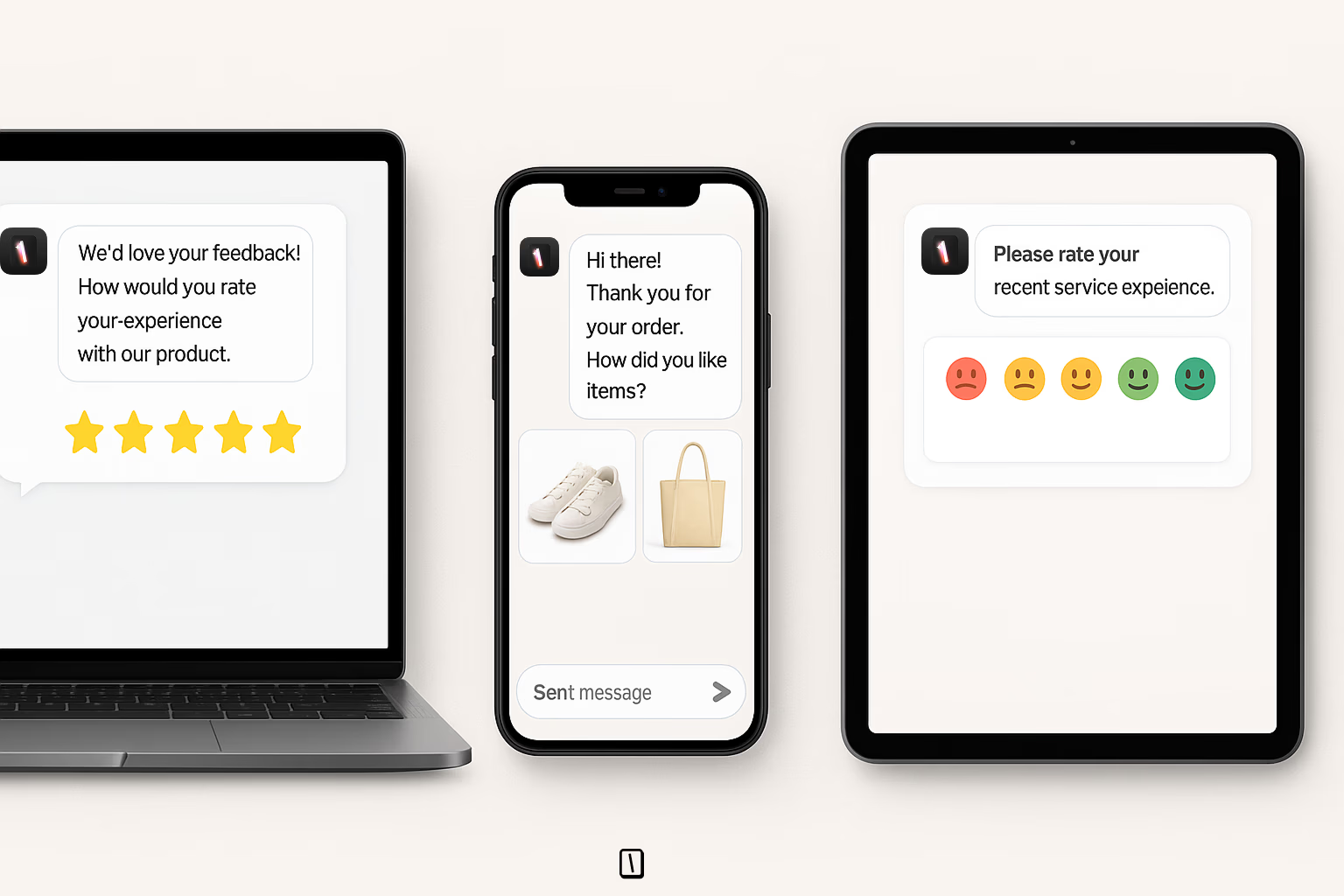
You can personalize the bot by passing user data in hidden fields or through the URL.
This helps you avoid asking questions you’ve already answered elsewhere.
Integrating with Google Sheets, Slack, and webhooks for real-time alerts
If you want feedback to be useful right away, Typebot connects directly with the tools you already use:
- Google Sheets: Every response lands in your spreadsheet instantly for easy tracking.
- Webhooks/HTTP Requests: Urgent feedback? Push it straight into your CRM or ticketing tool, no extra steps.
- Slack/Email Alerts: Your team gets notified immediately if a bad score or urgent comment comes in.
By sending variables straight to these systems, you skip the headaches of manual exports.
It also makes it easier for your team to jump on customer needs fast.

Add pre-built interactive components to your chatbot with ease.
No trial. Generous free plan.
Best practices for collecting customer feedback that drives action
Timing your feedback requests at natural interaction endpoints
The best feedback usually comes right after the customer’s experience, when details are still fresh. Prompting a conversational bot at checkout confirmation or after a support chat feels timely and relevant, not random or annoying.
Real-time requests tend to get more detailed answers and higher response rates than surveys sent later.
For example, using Typebot as a popup at the end of onboarding, or sending a quick WhatsApp message right after delivery, lets customers share exactly how they feel in the moment.
Keeping surveys short and conversational (3-5 questions max)
Survey fatigue is real, and it is one of the main reasons people bail halfway through. For quick, transactional feedback, stick to a handful of questions, three to five is usually plenty.
Conversational bots can help by presenting questions one at a time. That feels more like a chat than a chore.
A good approach is to start with something simple, like an NPS or CSAT rating. Then use conditional logic to tailor follow-ups.
Got a high score? Skip the “what went wrong” and go straight to a thank you or review request. This short, targeted format often bumps completion rates by around 40% compared with longer, static forms.
Closing the loop: thanking respondents and communicating changes
Recognizing feedback is critical for building trust. At the very least, add a final message in your flow to thank the customer and explain that their comments will help you improve.
For more urgent feedback, tools like Slack or email integrations make it easier to respond to people directly.
Over the long run, let customers know what changed because of their feedback. Updates like “You asked, we listened” in your newsletters or product roadmaps make it clear their input matters.
This kind of follow-up turns feedback collection into an ongoing relationship and helps prevent customers from quietly slipping away.
Turn customer feedback into your competitive advantage
Collecting customer feedback is not about sending more surveys. It is about creating a system that captures the right insights at the right moment and acts on them fast.
In this guide, we covered why feedback matters, the different types you should track, and the best methods to collect them from traditional email to conversational chatbots. You also learned how to choose the right approach for your business, set up a feedback bot with Typebot, and follow best practices that drive real results.
The companies that win are the ones that listen actively and close the loop. They ask at the right time. They keep it short. And they show customers their voice made a difference.
Start small. Pick one method from this guide and put it into action this week. Your customers are already trying to tell you what they need. Are you ready to hear it?
Use Typebot's conversational forms to simplify data collection and boost engagement.
No trial. Generous free plan.