
The average employee loses 26 minutes per day just searching for information. Meanwhile, most companies pour resources into customer-facing chatbots while their own staff navigate outdated intranets and overflowing inboxes.
Internal employee chatbots fix this imbalance. This guide covers six proven use cases and shows how to build your own without code.
Why internal employee chatbots are transforming workplace efficiency
What is an internal employee chatbot
An internal employee chatbot is a digital assistant that supports staff inside an organization. Unlike customer-facing bots, these assistants work behind the firewall and handle HR queries, IT issues, onboarding tasks, and knowledge searches.
The most advanced chatbots connect to enterprise systems such as HRIS, IT ticketing platforms, and intranets. They can automate tasks like time-off requests and password resets.
Employees use familiar channels like Slack or Teams. This makes it easier to reach workplace resources quickly.
Rule-based vs AI-powered: understanding the difference
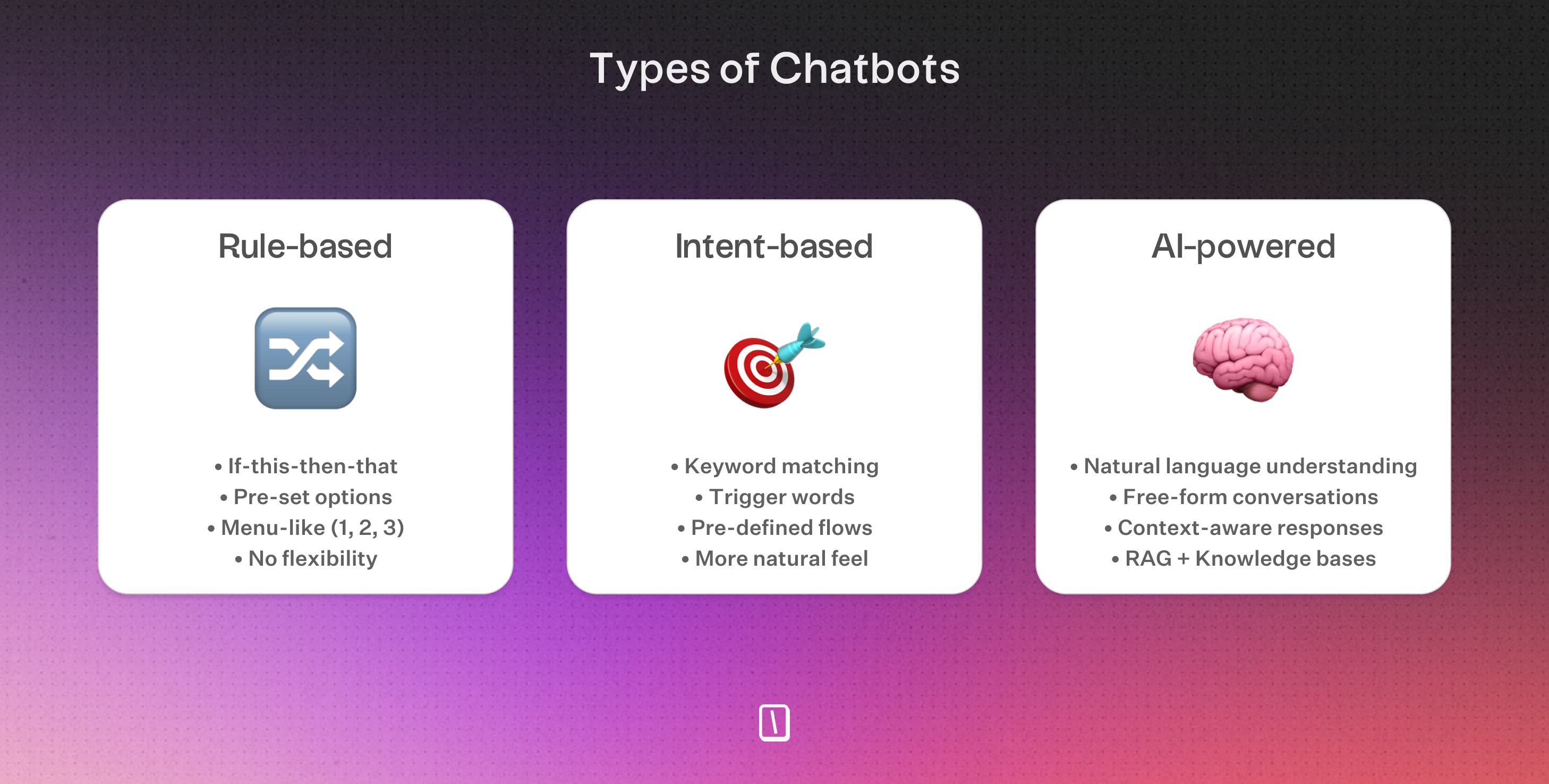
Rule-based bots follow decision trees. Great for simple, predictable tasks like booking a room or resetting a password, but they hit a wall when questions get messy.
AI-powered chatbots understand natural language, adapt to different phrasings, and handle the kind of complex requests that used to require a human. Microsoft found that GPT-based bots cut IT escalation rates by 53.8% compared to traditional flowchart logic.
Employees who use AI assistants across 7 or more task types report up to 5x more time saved than those who use them for only 4 tasks. Expanding beyond a single HR or IT use case can materially increase productivity gains.
Key statistics on ROI and time savings
The impact is hard to ignore. Companies deploying AI assistants are seeing a 116% return on investment over three years, and employees are getting back 26 to 60 minutes every day—time that used to disappear into searching for answers, waiting on support, or navigating clunky systems.
IT teams feel it most. Chatbots now handle up to 80% of Tier-1 requests without human help, slashing support costs by 40% to 60%. And adoption is accelerating fast: weekly active users of enterprise AI chatbots grew 19-fold in 2025, with thousands of non-technical employees building their own bots.
1. HR support chatbot: answering benefits, leave requests, and policy questions
Common HR queries a chatbot handles
An HR support chatbot answers routine but important employee questions. It gives immediate responses without making employees wait.
Typical interactions include:
- Benefits verification: Employees get real-time details about health insurance coverage, PTO balances, and retirement plan contributions.
- Payroll inquiries: The bot shares payroll schedules, tax document locations, and direct deposit change support.
- Policy questions: Staff can quickly look up company handbook sections, leave policies, or remote work guidelines.
- Time-off requests: Vacation, sick leave, and holiday calendar queries are processed, often with automated vacation approval and sick leave tracking.
- Employee lifecycle queries: From promotions and transfers to exit processes, employees learn what documents or actions they need.
Try the chatbot above to see this in action. It uses choice inputs and text fields to guide users, then returns them to the main menu after each completed task. If an employee asks, "What's my PTO balance?" the bot provides details plus a link to the HR portal. For "How do I request a transfer?" it offers step-by-step guidance or forwards complex questions to HR.
Integration with HRIS systems
Effective HR chatbots do not work in isolation. By connecting directly with HRIS tools like BambooHR, Workday, or ADP, they pull accurate data and trigger workflows. These integrations help the chatbot return current answers and reduce manual HR work.
Typical integrations include:
- Benefits databases: The bot verifies coverage by querying the HRIS instead of relying on static answers.
- Payroll updates: Employees request changes or access tax documents through secure integration.
- Automated time-off: Approved requests update the HRIS and sync calendars and leave balances.
- Documentation management: New hire paperwork and onboarding tasks appear directly from the HR system.
Using these integrations, the chatbot keeps answers aligned with current policies and employee records. It also reduces manual HR workload and errors while supporting data privacy standards like GDPR and ISO 27001.
2. IT helpdesk chatbot: resolving password resets, VPN issues, and software requests
Automating Tier-1 support requests
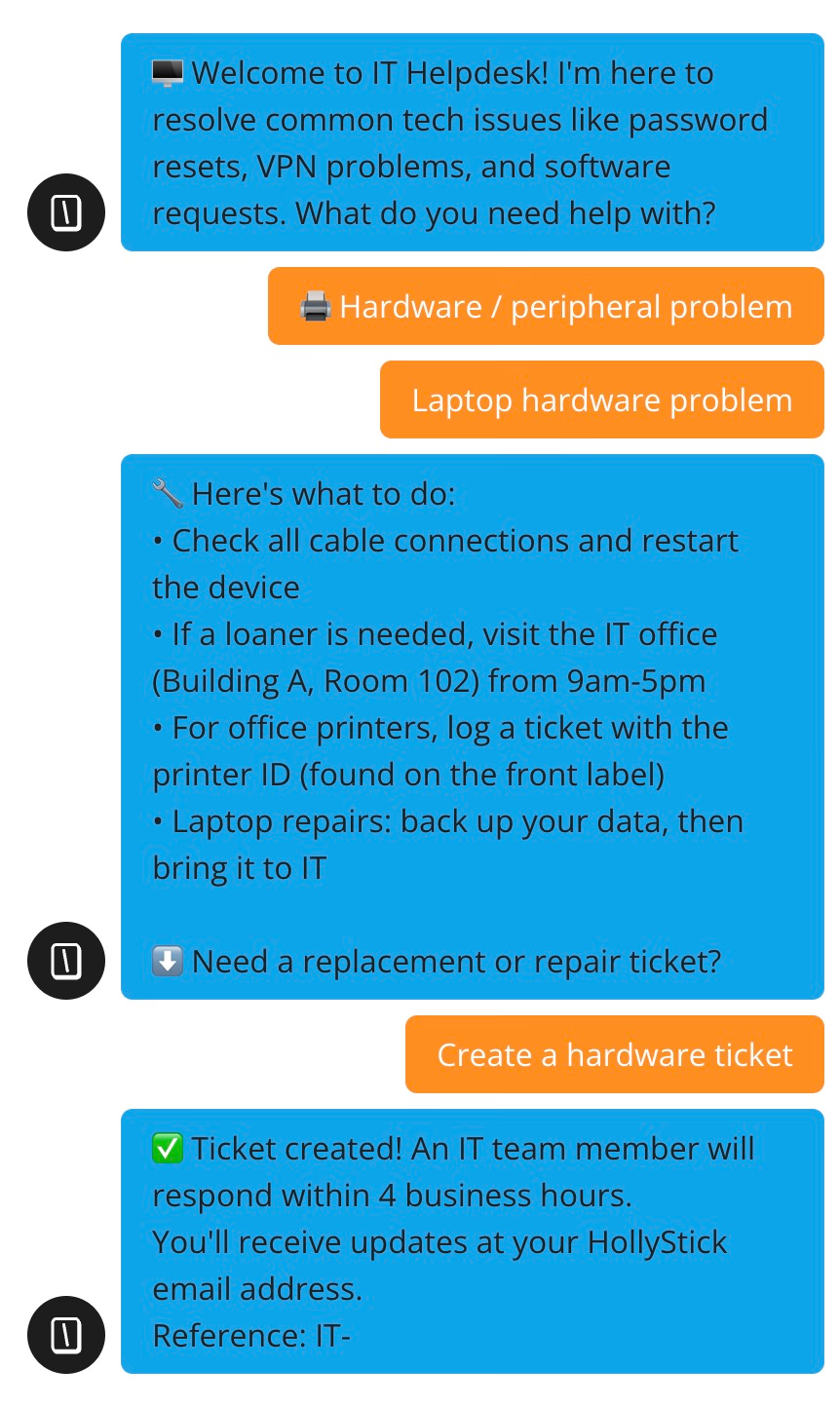
An IT helpdesk chatbot handles the recurring issues that slow down tech teams: password resets, VPN troubleshooting, and software installation requests.
A well-structured chatbot can deflect up to 80% of Tier-1 helpdesk tickets. It does this by guiding employees through credential recovery, identifying VPN problems such as expired certificates or connectivity errors, and handling software install requests with links or portal access for approved applications.
When self-service cannot solve the issue, the bot escalates automatically and creates a ticket with a reference like IT-\{\{ticket_number\}\}. That gives employees a clear way to track progress or continue with human support.
Connecting to ticketing systems like Zendesk
To handle more complex requests, IT helpdesk chatbots need direct integration with ticketing and asset management platforms.
This includes tools like Zendesk, Freshservice, and ServiceNow.
When escalation is needed, the chatbot collects the key details, such as issue type, urgency, affected system, and employee contact information. It then sends that data through an API to create a ticket in the company workflow system.
This integration speeds up ticket creation and removes manual work from routine support steps.
For organizations using Typebot, the platform supports webhook integrations and triggered flows. That lets no-code builders connect bot actions directly to ticket creation or updates in tools like Zendesk.
Additional layered benefits: hardware, account, and distribution list requests
Beyond password resets and VPN issues, IT bots can also manage equipment requests.
They let employees order replacements or report hardware issues, then route those requests by device type and location.
They also support account provisioning for new hires and distribution list management. Employees can add or remove themselves from email groups without contacting the helpdesk.
Status checks for system outages and maintenance schedules can also appear in real time. That keeps employees informed and reduces the number of live IT support requests.
With these capabilities, IT helpdesk chatbots can reduce support costs by 40% to 60% and achieve a 200% ROI within six months.
3. Employee onboarding chatbot: guiding orientation, paperwork, and training
Streamlining the new hire experience
When a new employee joins the company, or signs in remotely for the first time, they often face a long to-do list. They need to complete forms, set up accounts, meet people, and absorb a lot of information about culture and processes.
An employee onboarding chatbot reduces that load by guiding each step in order.
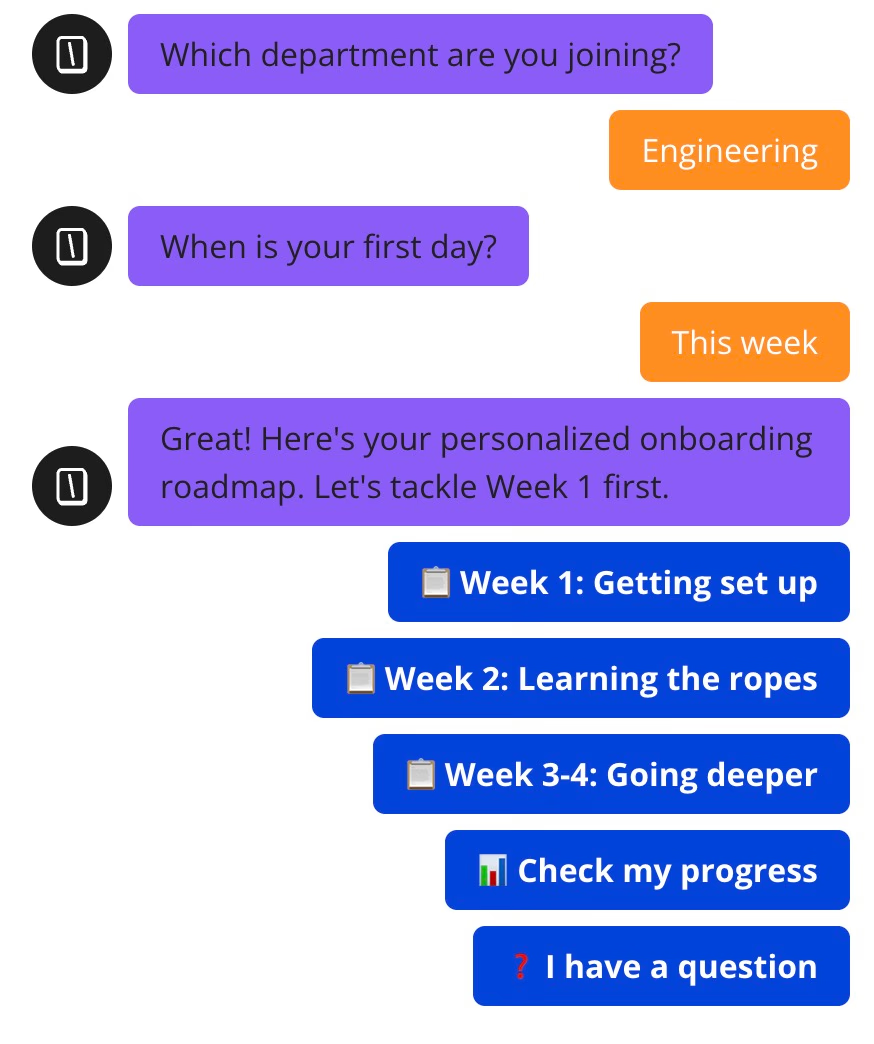
The Typebot employee onboarding chatbot above is structured to deliver a week-by-week checklist:
- Week 1: Paperwork, laptop pickup, orientation sessions
- Week 2: First 1:1s, basic training modules, team introductions
- Weeks 3 to 4: Participate in meetings, such as a first product review or town hall, and complete checkpoints like the 30/60/90-day plan
At each stage, the employee can mark a step as done, request help, or return to a previous step. This conversational flow helps people move at their own pace while giving HR clear visibility into progress.
Delivering consistent onboarding across locations
Every company claims to offer onboarding, but a checklist loses value if the Paris office handles things differently from New York. An onboarding chatbot creates standardization.
No matter the location, job function, or remote status, the same bot delivers up-to-date policies, required forms, and mandatory content:
- Ensures mandatory training, such as security and compliance, is never skipped, even across distributed teams.
- Shares local details, like where to find the printer or how to book a meeting room, based on department and region, using branching logic.
Because every interaction is logged, HR can spot gaps quickly and fix them before they create confusion or compliance issues.
Tracking completion and next steps
By letting new hires confirm when tasks are complete, HR and managers get a live dashboard showing who has submitted payroll info, who has watched compliance training, and who needs a reminder or extra support.
The onboarding chatbot structure lets new hires check off each step and creates a timestamped trail of progress. This supports compliance audits and helps managers provide targeted support to employees who are falling behind.
Add pre-built interactive components to your chatbot with ease.
No trial. Generous free plan.
4. Facilities and administrative request chatbot: Handling everyday workplace needs
Equipment orders and workspace booking
Facilities and admin chatbots streamline requests that often bog down office managers and IT teams.
For equipment orders, the bot guides employees through a structured flow. They choose the equipment type, select a location, and receive a confirmation with a reference code.
Workspace booking follows a similar step-by-step process. Staff can reserve meeting rooms or desks without long email threads or manual spreadsheets.
This automation reduces response times and keeps every request documented and routed correctly.
Building maintenance and supply requests
Routine maintenance issues, such as broken printers, HVAC disruptions, or lighting faults, use multi-step flows.
Employees select the issue type, location, and urgency.
The chatbot then creates maintenance tickets with SLA messaging matched to urgency levels:
- Emergency
- High
- Medium
- Low
This helps the facilities team respond to the right issue with the right priority.
Routing requests to the right department
Administrative chatbots can direct tickets to IT, facilities, or HR based on issue type. This reduces manual triage and speeds up resolution.
When integrated with communication tools like Slack and Teams, plus enterprise systems like ServiceNow and Zendesk, the bot supports compliance and traceability.
5. Internal knowledge base chatbot: Answering questions from company documentation
Solving content chaos with AI-powered search
Most companies store information across multiple systems: Confluence, Notion, Google Docs, SharePoint, and scattered PDF files. Employees waste time hunting for answers across these silos.
An internal knowledge base chatbot uses Retrieval-Augmented Generation (RAG) to search your documentation and deliver accurate answers instantly. Instead of browsing wikis or pinging colleagues, staff ask the bot and get sourced responses in seconds.
This addresses what many organizations call "content chaos"—the fragmented state of internal knowledge that slows down decision-making.
How RAG keeps answers accurate and grounded
RAG-powered chatbots work differently from basic AI assistants.
When an employee asks a question, the bot:
- Searches your connected knowledge sources (Confluence, Notion, internal docs)
- Retrieves the most relevant content snippets
- Uses an LLM to generate an answer based only on that retrieved context
- Cites the source so employees can verify and explore further
This approach prevents hallucinations because the AI answers from your actual documentation, not from general training data.
For sensitive topics like compliance policies or security procedures, grounded answers with citations build trust and reduce risk.
Want to learn how your chatbot can ground answers in actual data sources? Check out our guide on how to build a RAG chatbot to ensure project data stays accurate and traceable.
6. Project status and workflow chatbot: keeping teams aligned
Automating status updates and check-ins
A project status and workflow chatbot helps teams stay informed without manual check-ins or status emails.
In the chatbot above, employees can query mock Jira data for sprint progress, story points, and velocity metrics.
The bot also guides daily standup check-ins in a structured way:
- what each employee finished yesterday
- what they plan to do today
- what blockers they need to raise
These entries get confirmed and sent to tools like Slack or Notion.
This reduces repetition and keeps every update captured in the same format.
This automation replaces inconsistent verbal check-ins. It reduces information gaps and frees managers to focus on real bottlenecks, not status chasing.
Integrating with project management tools
They get instant access to:
- sprint summaries
- team workload, such as story points per person
- personal task lists, organized by priority, with P0 for urgent work and P1 or P2 for less critical items
- blocker reports that can be escalated directly in the conversation
This closes the gap between project management tools and team communication.
Leverage the power of OpenAI and Anthropic to create smarter, more human-like conversations.
No trial. Generous free plan.
How to build an internal chatbot with Typebot without coding
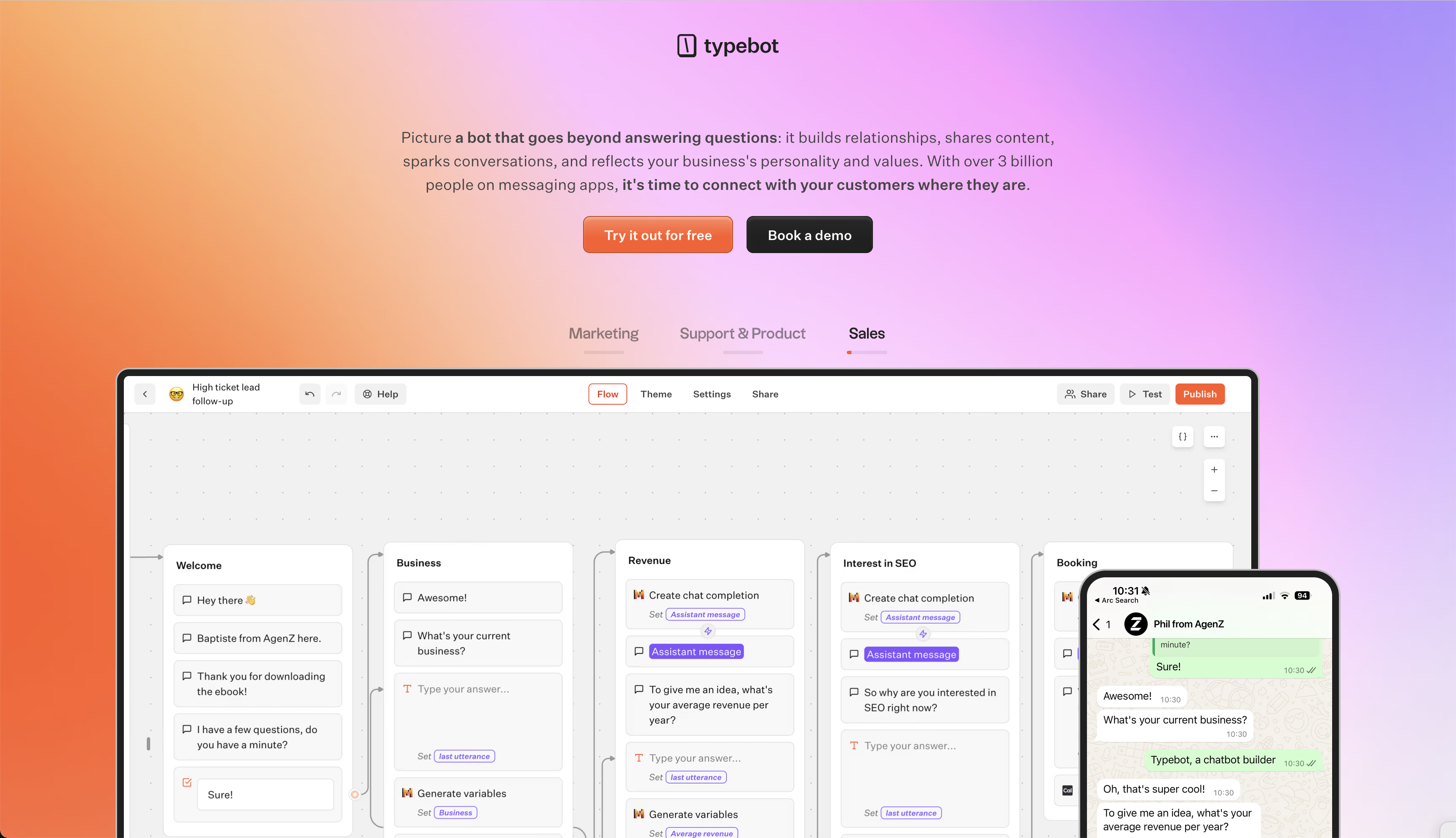
Why open-source and self-hosting matters for employee data
Sensitive HR and IT conversations often need more than standard SaaS privacy guarantees.
With Typebot’s open-source architecture and self-hosting support, organizations control every byte of employee data.
Hosting internally helps prevent leaks of HR forms, password reset flows, and policy lookup conversations.
Nothing leaves your secure environment.
This setup supports strict security and compliance requirements.
It also lets you deploy on custom domains for fully branded internal tools.
Setting up your first internal bot with the visual builder
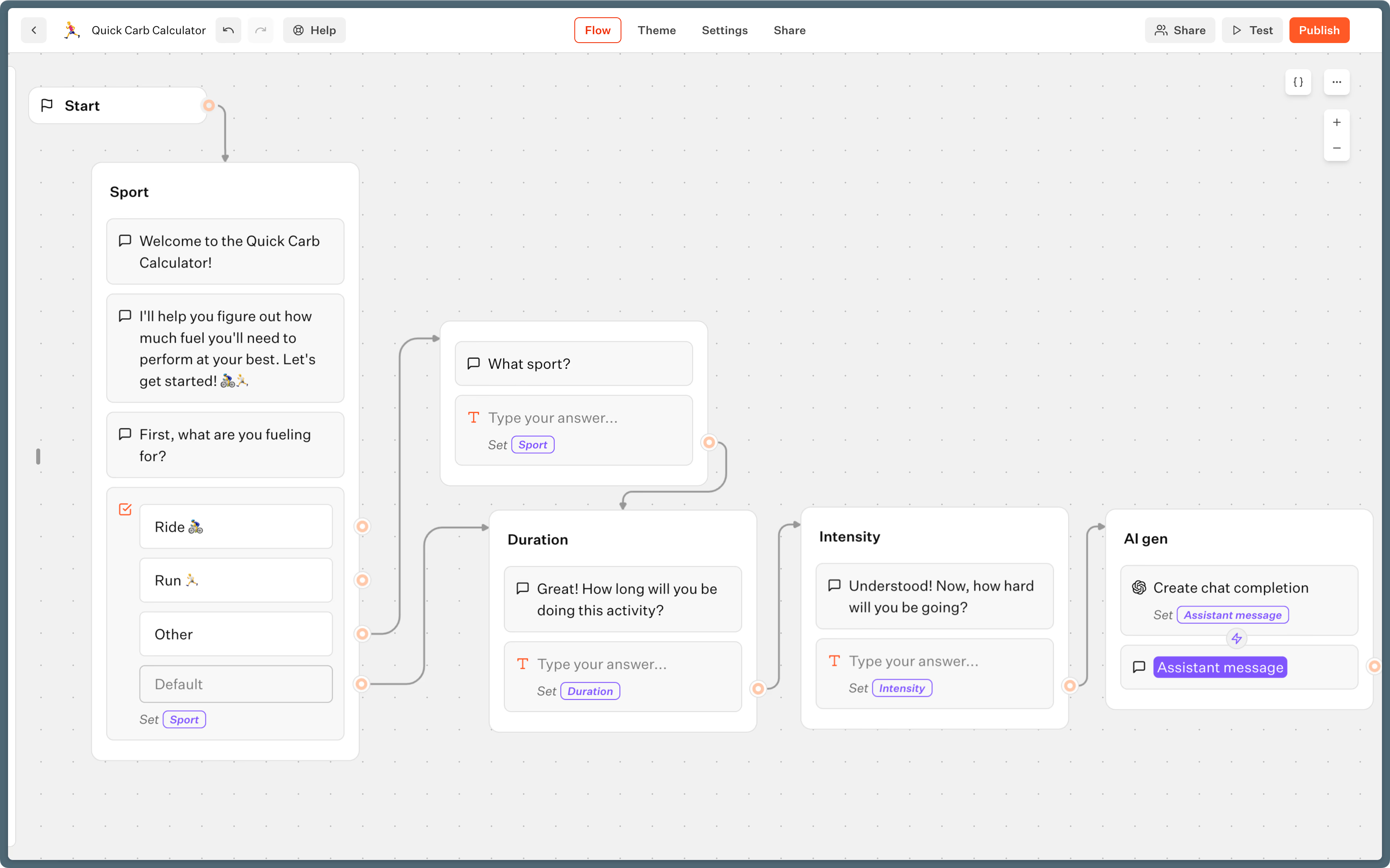
Typebot works as a conversational flow designer, not a rigid form builder.
Each bot starts with a Start event and can introduce itself with Text bubbles.
Input blocks, like email, phone, or custom questions, capture employee requests or information.
Responses save in variables.
Variables form the base for personalization, context, and process routing.
Visual drag-and-drop lets you arrange groups and blocks for content display, input collection, and branching logic.
A Condition block can send IT tickets to support or route benefit questions to HR, depending on employee input.
For more advanced scenarios, Script blocks let you add custom JavaScript for integrations or browser interactions.
Set Variable blocks handle data transformation, list appends, and user session context.
Connecting to your knowledge base and workplace tools
Connecting Typebot to an LLM, such as OpenAI, Anthropic, or Mistral, enables AI-powered policy lookups, onboarding guides, and troubleshooting walkthroughs.
The bot still relies on your actual documentation, not made-up responses.
For workflow automation, you can embed Zendesk for ticketing, Cal.com for scheduling HR meetings, or NocoDB for fetching employee records.
Webhook and HTTP request blocks connect directly to your HRIS, IT ticketing, or supply request systems.
Typebot’s logic blocks, Conditions, Set Variable, and Webhook, handle routing, data enrichment, and waits for external confirmations.
You can also reuse frequently asked question templates, onboarding modules, or feedback surveys across internal departments by linking sub-typebots.
Deploying on your intranet, Slack, or WhatsApp
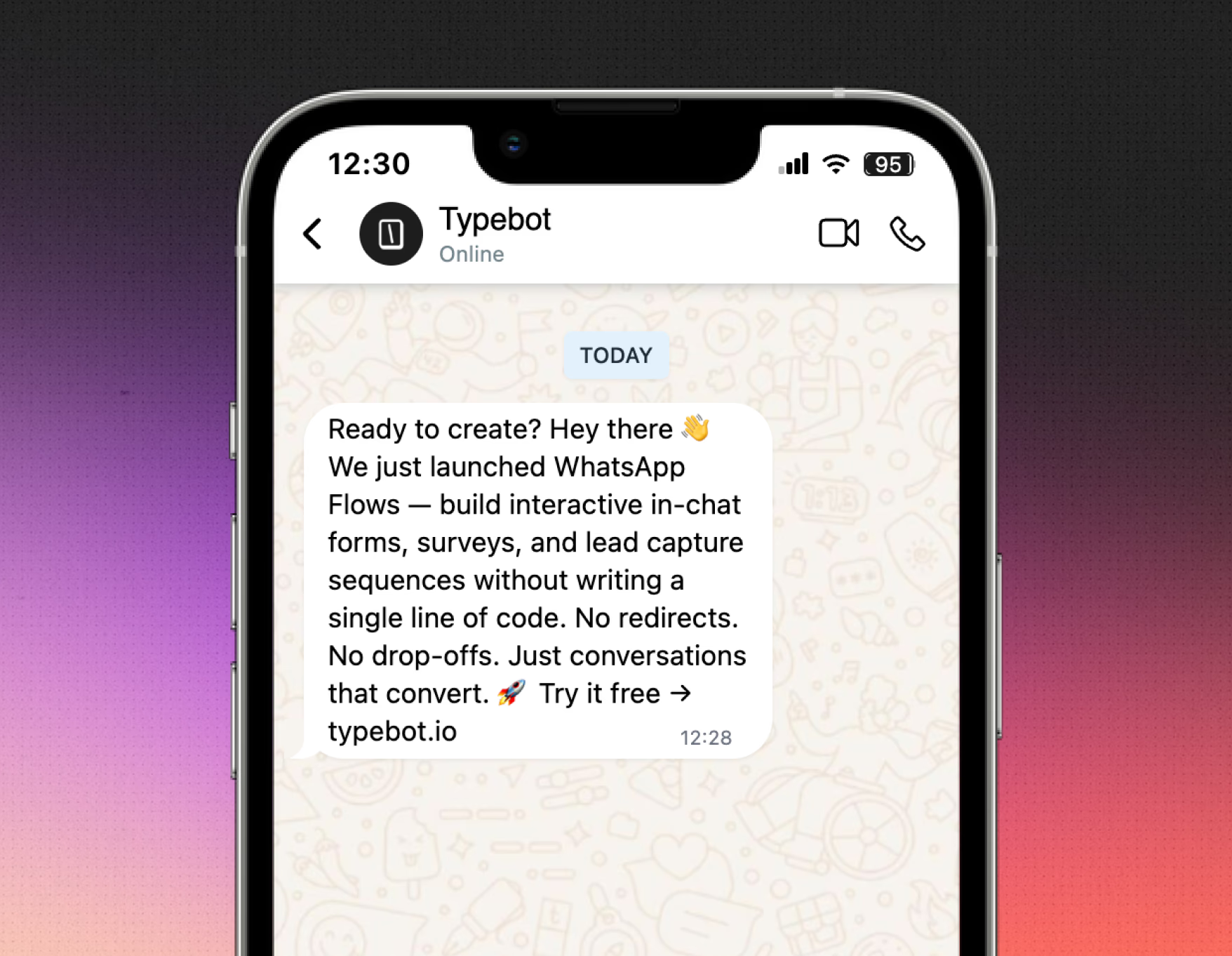
Deployment adapts to your organization’s workflow.
Embed bots in your intranet, launch them as popups on employee portals, host them as chat bubbles for easy access, or push them to WhatsApp for mobile teams.
Typebot's Share panel provides integrations for WordPress, Shopify, Wix, and many more, along with API support for deeper custom connections.
With team collaboration features, you can share access or invite colleagues as co-creators.
Analytics tools track completion and drop-off rates for continuous improvement.
You can start with 200 chats per month on the free plan, then move to Starter or Pro as usage grows, or self-host for unlimited internal sessions at infrastructure-only cost.
Every flow is built visually, with no coding required.
You still keep the flexibility for custom logic, advanced integrations, and tailored user experiences for every department.
Getting started with your internal chatbot
Internal chatbots handle the repetitive questions that drain HR, IT, and operations teams. The ROI is proven: 116% returns over three years and employees reclaiming up to an hour daily.
Start with one high-volume use case. Measure the impact. Then expand from there.
Create, customize, and deploy your first Typebot today. No coding required.
No trial. Generous free plan.