
A single support agent can handle about 50 conversations per day. Your website gets 500 visitors asking the same five questions. The math doesn't work.
This is why chatbot automation has become essential for growing businesses. Not as a futuristic experiment, but as a practical solution to a real bottleneck. The good news? You no longer need developers or complex infrastructure to build one.
This guide walks you through the different types of chatbot automation, when to use each, and how to build both rule-based and AI-powered bots without writing code.
The chatbot automation problem: why manual handling doesn't scale
Every support team eventually faces the same challenge. Tickets pile up with repetitive questions: "What's your refund policy?", "How do I reset my password?", "Where's my order?" As your business grows, hiring more agents only delays the problem, and static FAQ pages fail because users ignore them.
This is the core issue chatbot automation solves: it changes how businesses communicate at scale.
Building a chatbot once required coding and infrastructure. Now, visual builders let marketers, support leads, and business owners create complex conversation flows without coding. The bottleneck has shifted from "Can we build this?" to "What should we automate?"
Types of chatbot automation explained
Rule based chatbots
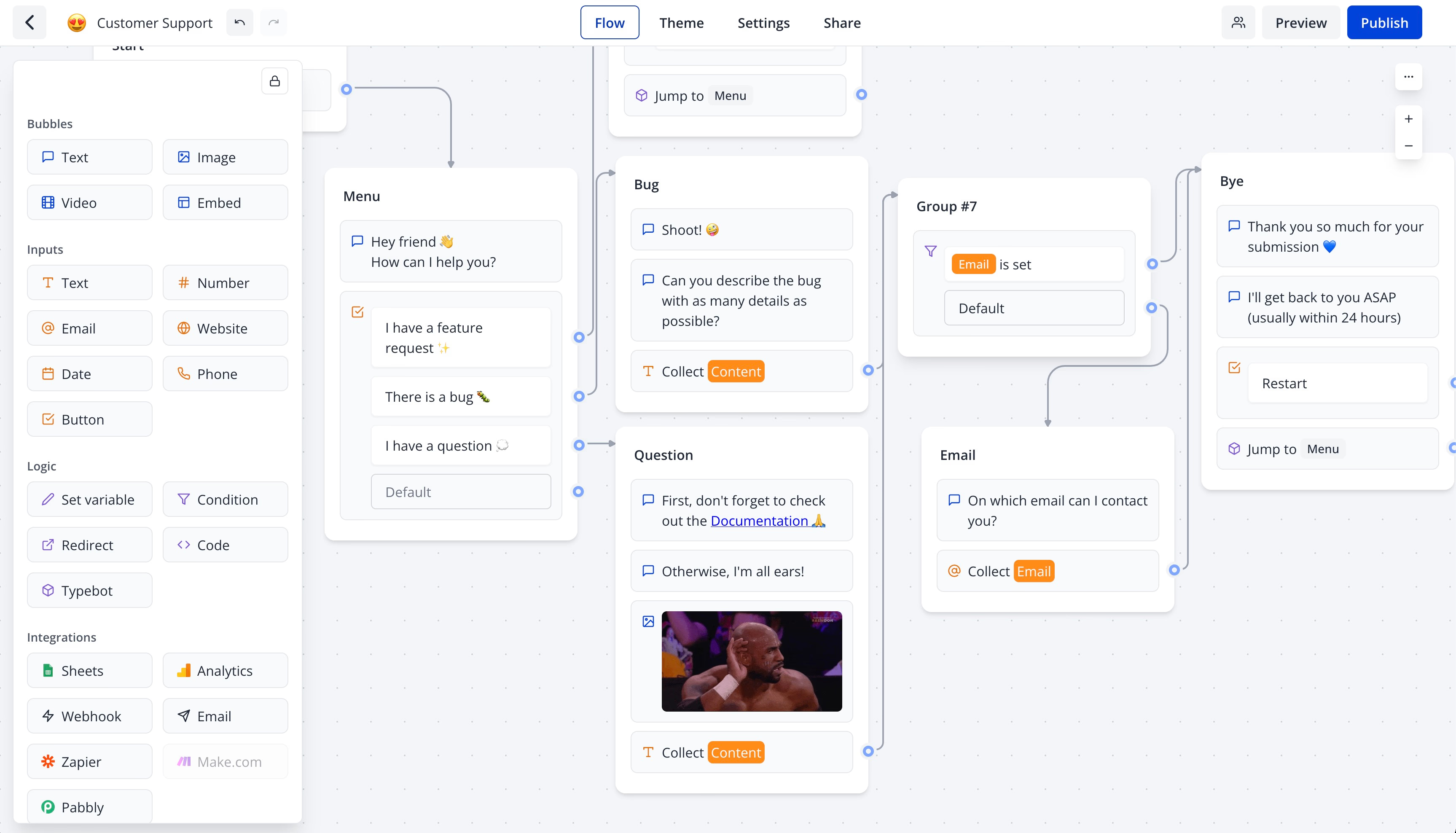
Rule-based chatbots follow clear, predefined paths. Each possible question has a mapped answer, and each user action triggers a specific branch. Nothing happens outside these set boundaries, functioning like a flowchart in a chat window.
The strength of this approach is control. You know exactly what users will see. These bots suit structured tasks such as:
- Collecting contact form submissions
- Routing support tickets by category
- Walking users through fixed onboarding checklists
They avoid unpredictability, hallucinated answers, and irrelevant detours. When conversations must remain precise and results reliable, rule-based bots excel.
However, their scope is limited. If a user asks something unexpected, the bot either fails silently or gives a generic fallback. Handling edge cases requires manual updates, and as conversations grow, the flowchart can become complex and hard to maintain.
LLM powered chatbots

Instead of matching messages to predefined options, these bots send inputs to models like GPT or Claude and generate responses.
Users can express themselves freely, and the bot interprets intent autonomously.
This makes LLM-powered bots very flexible for open-ended conversations, such as:
- Technical support with unpredictable problems
- Product discovery when users are unsure what they want
- Wide-ranging Q&A that’s hard to map manually
You trade strict control for greater capability. Without careful prompt design and guardrails, these bots risk going off-topic, giving inconsistent answers, or confidently providing incorrect information.
The main challenge is crafting the system prompt that defines the bot’s role, tone, scope, and limits. Teams build trust in the bot’s responses gradually through testing.
RAG chatbots for knowledge driven responses
Retrieval-augmented generation (RAG) chatbots combine an LLM with a specific knowledge base, such as documentation, product databases, or help centers.
Unlike plain LLM bots, RAG bots retrieve relevant information from your content before generating an answer. This approach reduces hallucination risks and ensures responses are tied to accurate source material.
RAG is ideal for situations where accuracy is crucial:
- Documentation assistants
- Internal knowledge bots
- Customer support tools
Setting up a RAG chatbot requires preparing, chunking, and indexing your source content. But the result is a bot that handles detailed, specific questions without fabricating information.
Learn how to build one with our guide on how to build a RAG chatbot.
Human in the loop hybrid approaches
These chatbot types are not mutually exclusive. The most effective bots often combine them.
A common method lets the bot manage initial interactions autonomously by:
- Collecting information
- Answering common questions
- Qualifying user intent
The bot escalates to a human agent when it detects uncertainty, frustration, or queries outside its scope.
This hybrid approach leverages automation where it works best and defers complex cases to humans. For example, a support bot might resolve 70% of requests alone. The remaining 30% pass to agents with the full context already gathered, speeding up resolution and reducing repetitive explanations.
Building this system requires defining clear escalation triggers such as:
- Specific keywords
- Low-confidence bot responses
- Repeated failed attempts
The goal is a smooth handoff that avoids making users repeat information, ensuring automation reduces friction rather than adding it.
Chatbot automation use cases that actually save time
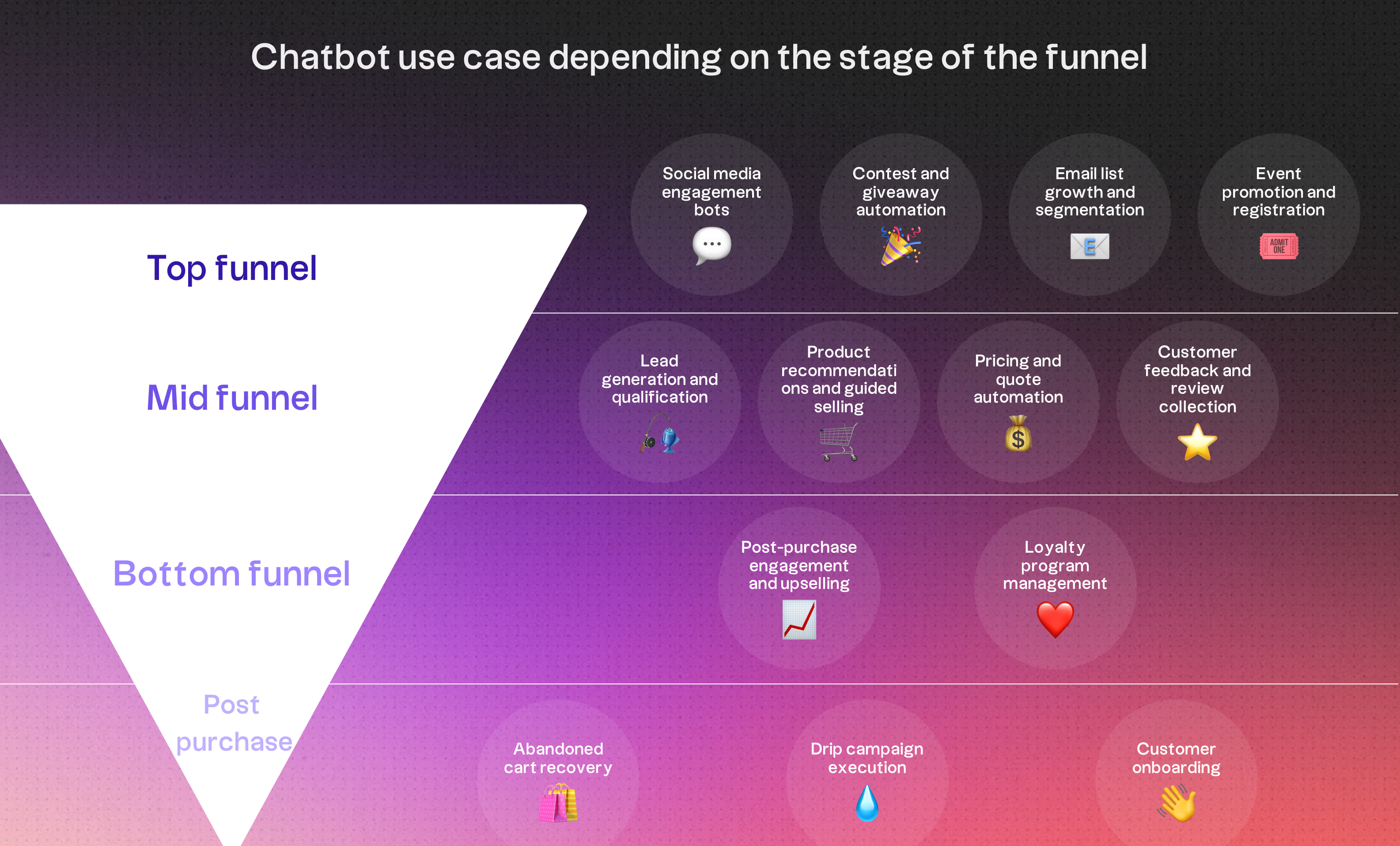
Customer support and FAQ handling
Support is the obvious starting point: ROI is immediate. Questions like "What's your return policy?" repeat endlessly and are perfect for automation.
The key is connecting the bot to your actual systems. When it can check subscription status, pull order data, or process refunds. It stops deflecting and starts resolving.
AI-powered bots handle messy inputs. "Where is my stuff?" works just as well as "order tracking", the bot understands intent, not just keywords.
Lead qualification and sales routing
Contact forms tell you nothing. Someone submits an email, but you don't know what they want or if they're worth pursuing.
A chatbot asks the right questions upfront: company size, problem, timeline. Then routes automatically:
- Enterprise-level prospects get sent directly to sales reps
- Early-stage prospects enter nurturing sequences
No manual review needed. Conditional branching handles it in real time.
The result: personalized qualification. SEO prospects get different questions than paid ads prospects. Relevant conversations convert better than generic forms.
Appointment booking and scheduling
Scheduling emails waste everyone's time. A chatbot synced with your calendar (like Cal.com) handles it in one conversation:
- The bot qualifies the user
- Confirms appointment type
- Displays available time slots pulled from a live calendar
- Books the meeting within the same chat
No emails, no waiting, no double bookings. Done in under two minutes.
This fits any business that needs to "find a time": service providers, B2B sales, healthcare, agencies, SaaS.
The key is direct calendar integration.
Discover how Typebot's drag-and-drop builder can transform your website visitors into loyal customers.
No trial. Generous free plan.
How to automate a rule-based chatbot with Typebot
Building conversation flows with the visual editor
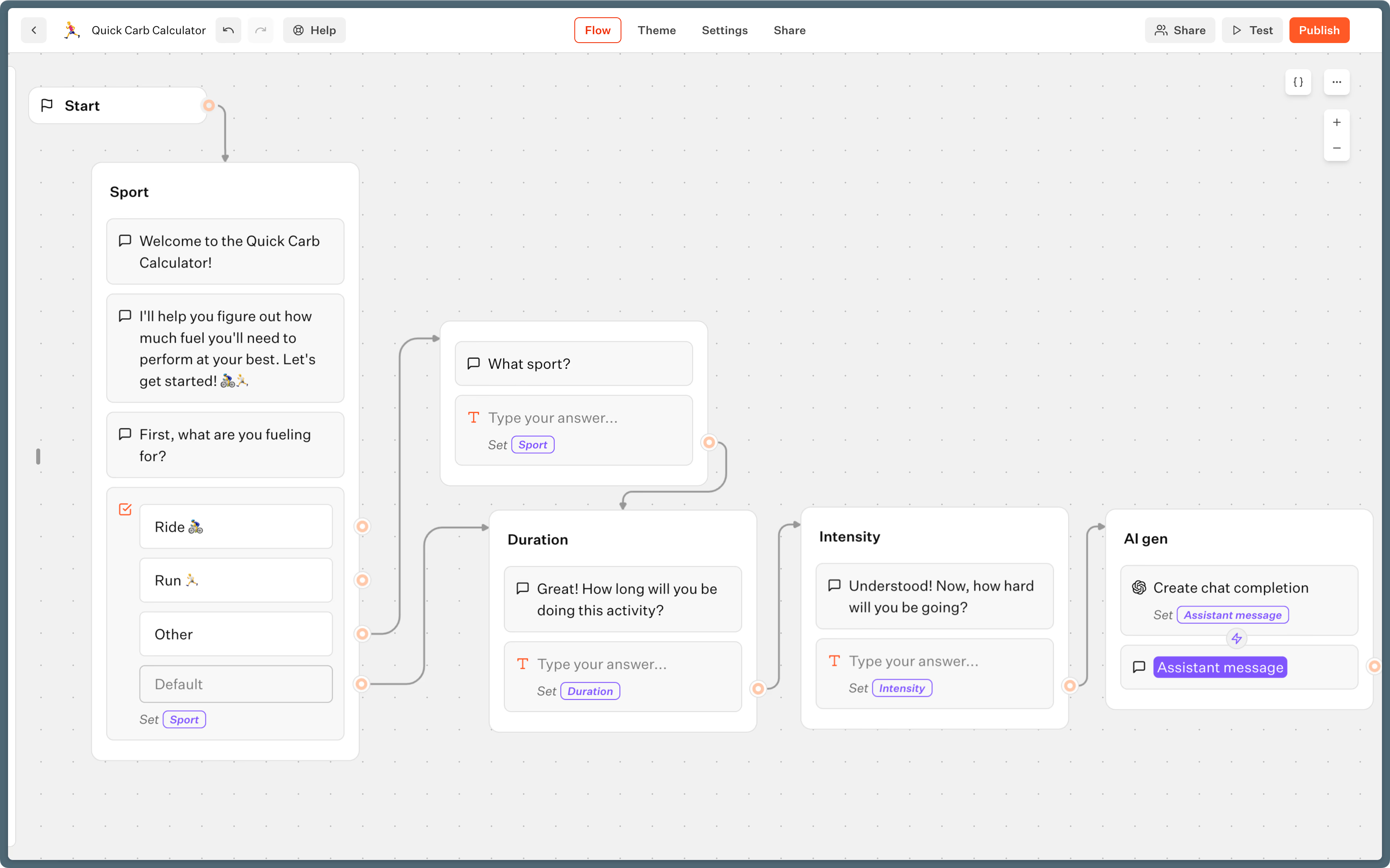
Typebot's editor uses a clear mental model: a bot consists of connected groups, and each group contains blocks. Some blocks display content, some collect input, some make decisions, and others call external services. You connect these blocks on a canvas, creating a visual map of your conversation.
A typical Typebot rule-based chatbot follows this pattern: introduce the bot, ask a question, store the answer in a variable, evaluate the answer, and then display a relevant response.
This cycle repeats for as many steps as needed. The visual editor helps you quickly see where the flow branches, ends, or needs adjustment.
This visual approach simplifies spotting errors and organizing complex conversations effectively.
Using buttons and input types for structured responses
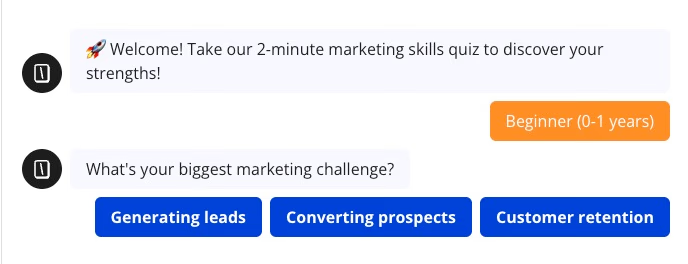
Limiting free-form input helps keep rule-based chatbots predictable. Typebot offers many input types, such as Text, Number, Email, Phone, Date, Time, Website, Rating, File, and Cards. Among these, Buttons and Pic choice blocks are especially effective for rule-based logic.
- The
Buttonsblock presents users with fixed clickable options. Instead of relying on users to type "billing issue," you provide clear choices like Billing, Technical Support, and General Inquiry. - The
Pic choiceblock works similarly but allows adding images to options, making it ideal for product selectors or category pickers.
For open-ended inputs such as names, emails, or problem descriptions, Typebot uses Text or Email blocks to capture and store responses in variables, then continues the flow.
Using buttons and visual choices reduces errors and ensures clean, usable user input.
Setting up conditions and branching logic
Variables enable rule-based behavior in a chatbot. Each input block stores its response in a variable you define. A Condition block then evaluates that variable and branches the conversation accordingly.
For example, if a user selects "Billing" from Buttons, the choice is stored in a variable called Support Category. A Condition block checks the value:
- If
Support Categoryequals "Billing," go to the billing flow. - If it equals "Technical Support," follow the support flow.
- Otherwise, take a fallback path.
You can include multiple conditions in one block and connect each branch to different group sequences.
How to automate an AI-powered chatbot with Typebot
Integrating OpenAI or Anthropic for natural language responses
The key difference between a rule-based chatbot and an AI-powered one is this: can the bot handle requests it wasn't explicitly programmed to manage? Rule-based flows work for specific tasks but break easily with unexpected inputs. Using a language model changes that completely.
Typebot integrates directly with OpenAI, Anthropic, Mistral AI, Groq, and OpenRouter from its visual editor. You don't need to write API code.
Adding an AI block, like OpenAI’s Create chat completion, allows you to configure a system prompt that defines the bot's role, tone, and scope. This prompt tells the model if it acts as a billing support agent, product advisor limited to your catalog, or an onboarding assistant that stays on topic.
Storing conversation context with variables
Many people build AI chatbots that treat each message independently. The model answers one question, forgets it, and then responds to the next without context. This makes conversations feel robotic and frustrating.
To fix this, Typebot uses a variable called Dialogue history to manage conversation context. You start by creating three variables:
QuestionDialogue historyAssistant reply
Each time a user sends a message, a Set variable block appends the content of \{\{Question\}\} to Dialogue history. After the AI block generates a response, you append \{\{Assistant reply\}\} to the same variable.
Passing this accumulated Dialogue history into the language model allows it to see the full conversation thread. The model remembers earlier questions, references past details, and handles follow-ups naturally.
While language models have limits on how much context they can process, this approach works well for most support, sales, or onboarding scenarios.
Creating conversation loops for follow-up questions
To make conversations feel continuous, you need to create a loop for follow-up questions. Without this, the chatbot answers once and then stops, suitable for forms, but not for AI assistants.
In Typebot, a loop connects the end of one exchange back to its start. After displaying \{\{Assistant reply\}\}, you add another Text input block. This input stores the next user message into Question. Then a Set variable block appends it to Dialogue history. Finally, you link back to the same AI block, so the model processes the follow-up with the entire conversation context.
This creates a cycle on your flow canvas:
- User input
- Append to history
- AI block processes
- Append reply to history
- Display response
- Repeat input
This loop can handle unlimited back-and-forth exchanges without extra setup for each turn.
For more advanced use cases, Typebot supports custom JavaScript with Script blocks. You can use these to call external APIs mid-conversation, run calculations, or format data before sending it to the model. This lets your AI fetch live data like current pricing, inventory, or account details that it cannot otherwise access.
Overall, the architecture is simple:- A few variables- One AI block- Two to three Set variable blocks- One loop connectionThis setup creates a functional, context-aware AI chatbot without requiring a backend.
Chatbot automation channels: where to deploy
Website embeds and popups
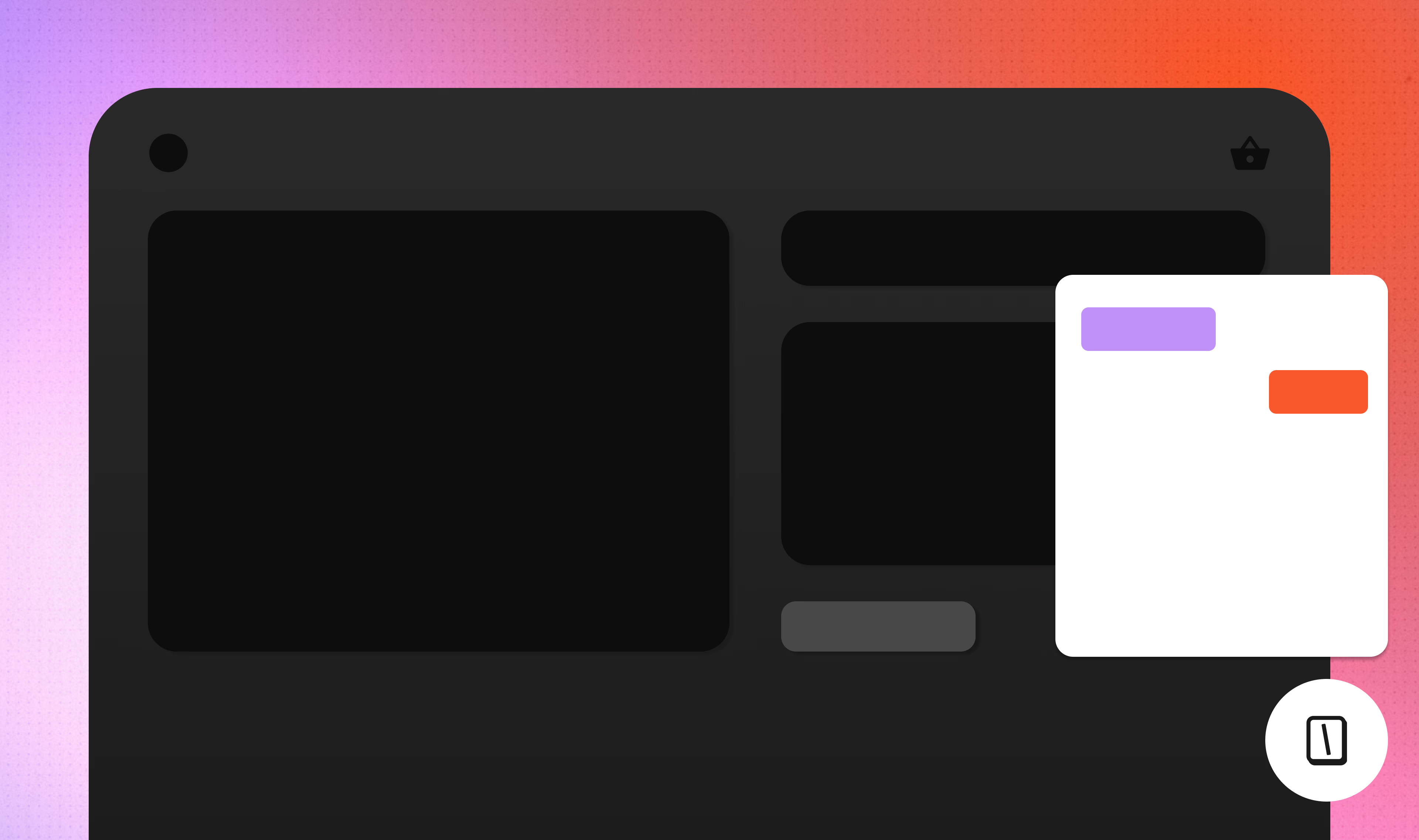
Where you place your chatbot affects its performance almost as much as what it says. A well-built bot placed in the wrong spot will underperform. Users might not find it, or it may interrupt them at the wrong moment and get dismissed immediately.
You can pass contextual data into any of these formats. Using hidden fields and URL parameters, you can preload the bot with details like the user’s name, plan, or the page they arrived from.
This makes the conversation feel relevant before the user types anything. For example, a visitor on your pricing page could trigger a bubble configured to discuss plans instead of a generic greeting.
WhatsApp automation
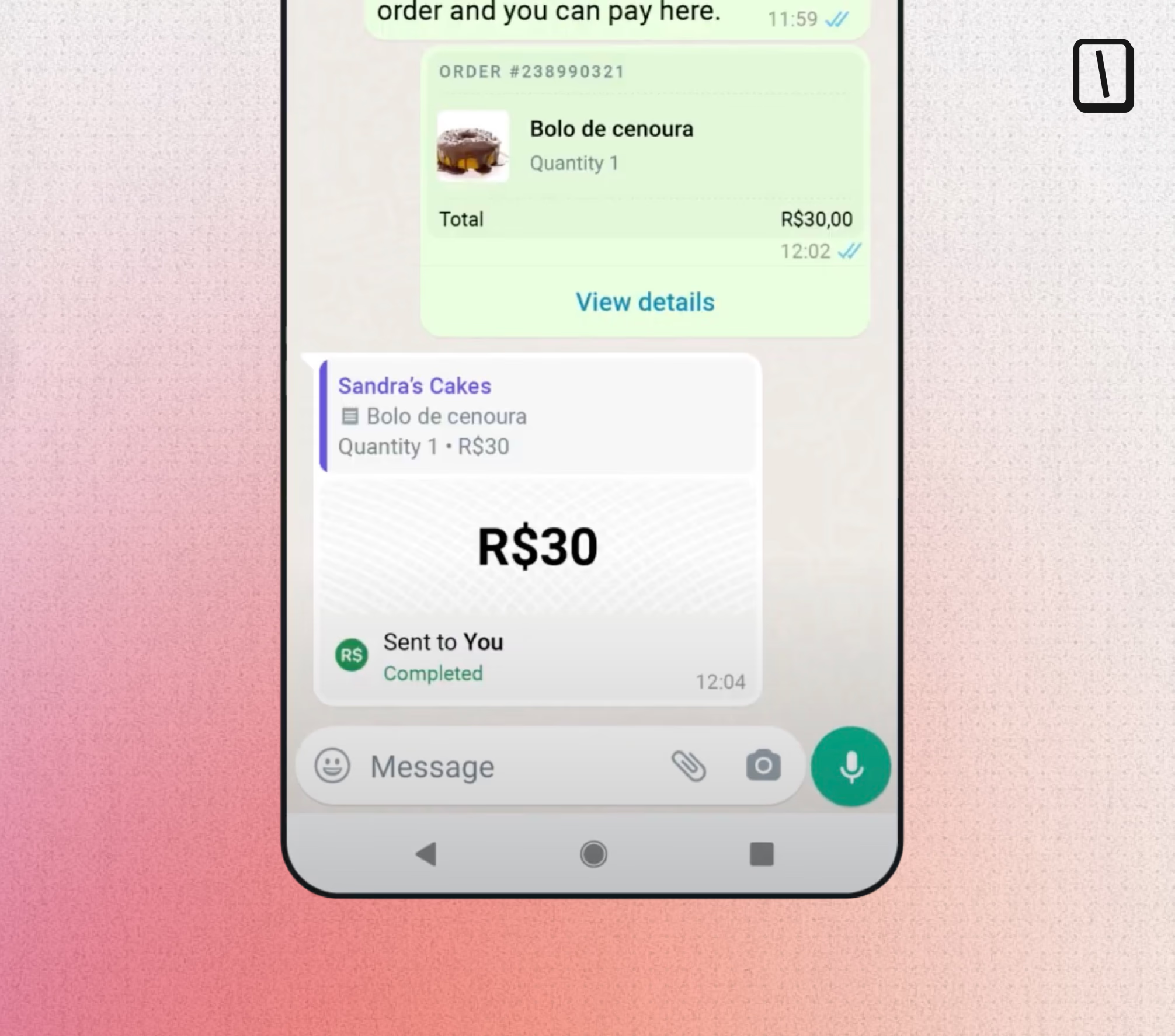
WhatsApp is a distinct channel. It is not a website chat but a place for personal conversations with friends and family, so the standards for relevance and tone are much higher than on a B2B landing page chat widget.
However, its reach is undeniable. For businesses whose audiences already use WhatsApp, automating there often outperforms email or onsite chat significantly.
If you're considering WhatsApp as a channel, WhatsApp AI agents can take automation further by handling open-ended conversations that rule-based bots would struggle with.
Measuring chatbot automation performance
Drop-off and completion rate tracking
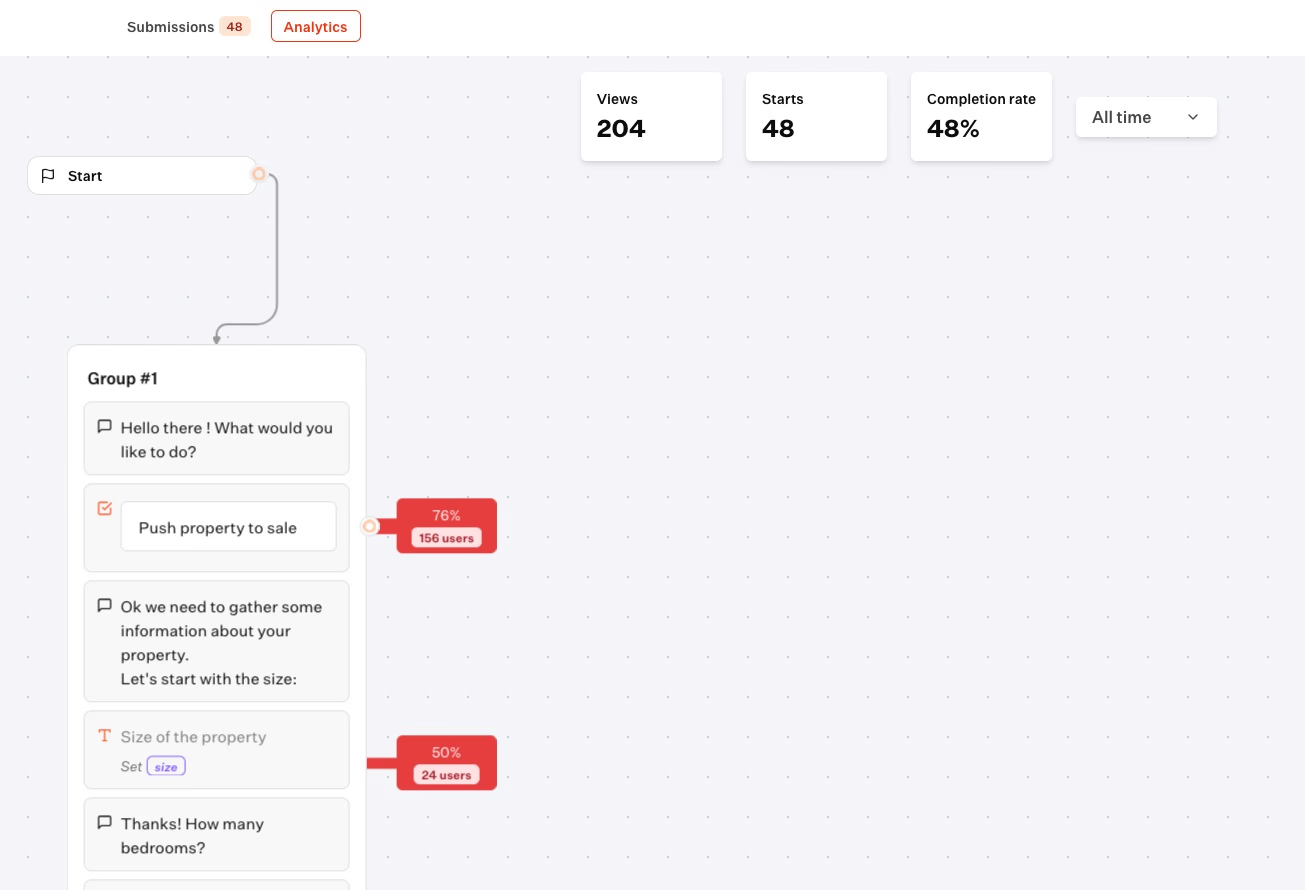
A chatbot running without monitoring is one you cannot improve. Simply knowing a bot is live provides no useful information. What matters is understanding where conversations succeed, stall, or where users quietly leave.
Typebot's built-in analytics offer clear visibility into drop-off and completion rates at the flow level for every published bot. This means you see not only whether users finish the conversation but also the exact step at which they leave.
A spike in drop-offs at a specific question signals a potential issue. It could indicate a confusing question, an incorrect input type, or that the flow asks for too much too soon.
Completion rate remains a key metric. For example, if your support bot completes 80% of conversations without human handoff, that’s a strong benchmark. On the other hand, if 60% of users drop off before the third question in a lead qualification bot, that points to a problem at a specific step.
Exporting data for deeper analysis
Built-in analytics cover the basics, but sometimes you need more detail. Typebot lets you export conversation data as CSV files, enabling analysis in tools you already use, such as spreadsheets, BI dashboards, or data warehouses.
You can even give this file to ChatGPT or Claude and it will analyze it for you.
For example, you can determine whether leads captured through the bot actually convert or identify which responses correlate with higher-quality prospects. These insights require moving data outside the bot.
Create fully customizable chatbots without writing a single line of code.
No trial. Generous free plan.
FAQ
How does chatbot automation work?
Chatbot automation replaces human-handled conversations with a programmed flow that receives input, processes it, and responds automatically.
Processing can be as simple as matching a keyword to a preset answer or as advanced as using a large language model to generate responses in real time.
Most automated chatbots follow a clear structure. They:
- Greet the user
- Ask questions
- Store answers in variables
- Branch the conversation based on those answers
- Display a result or hand the data to an external system
Every step runs without human intervention, making the process fully automated.
What are the four types of chatbots?
The main chatbot types include:
- Rule-based chatbots
- LLM-powered chatbots
- Retrieval-augmented generation (RAG) chatbots
- Human-in-the-loop hybrid chatbots
Rule-based bots use fixed decision trees with specific inputs and predefined outputs. LLM-powered bots generate flexible, free-form responses using language models, though they can be harder to control.
RAG chatbots combine language models with knowledge bases, grounding responses in actual documents or data. Hybrid bots mostly automate conversations but escalate to human agents when needed.
Each type balances flexibility and control in different ways.
What is the difference between rule-based and AI chatbots?
The key difference is predictability versus flexibility.
Rule-based chatbots follow exact paths based on user input, making them reliable for structured tasks like lead qualification or appointment booking. They fail if users say something unexpected.
AI chatbots, powered by language models, generate responses to open-ended questions. This works well for support or unpredictable conversations but requires careful prompt design, testing, and guardrails to ensure relevant answers.
Choosing between them depends on how structured your use case is. Neither is universally better.
Can I automate a chatbot without coding?
Yes. Tools like Typebot let you design chatbot flows visually, connecting blocks and setting logic via dropdowns and forms instead of code.
Input blocks collect data, condition blocks manage branching, and native integrations link to services like Google Sheets, OpenAI, or Cal.com, all without writing code.
If needed, you can add custom JavaScript or external API calls through webhooks. No-code solutions cover most needs, while coding adds advanced capabilities.
Start Automating Your Conversations Today
Chatbot automation is no longer reserved for enterprise teams with dedicated developers. Visual builders have made it accessible to anyone willing to map out their conversations.
The key is starting simple. Pick one repetitive task: answering FAQs, qualifying leads, or booking appointments. Build a focused bot that handles it well. Measure results, then expand.
Rule-based bots give you control. AI-powered bots give you flexibility. Hybrid approaches give you both. The right choice depends on your use case, not on what sounds most impressive.
As AI models improve, chatbots will handle increasingly complex conversations. Businesses that build this capability now will have a significant advantage when automation becomes the standard, not the exception.