
Here's a scenario most teams know too well: you sign up for Voiceflow, excited to build a simple lead capture bot. Then you spend three days navigating enterprise workflows, agent orchestration, and compliance features you never needed.
You wanted a chatbot. You got an agentic AI platform built for call centers.
Voiceflow is powerful, but that power comes with complexity and cost that don't make sense for most small teams, marketers, or founders. If you just need a conversational form, FAQ bot, or WhatsApp automation, simpler alternatives exist.
This guide breaks down seven Voiceflow alternatives. You'll find tools built for speed, simplicity, and real-world chatbot use cases, without the enterprise overhead.
Why Voiceflow might be overkill for your use case
Enterprise AI agent platform vs. simple chatbot builder
Voiceflow stands out as an enterprise-grade AI agent platform with features for large organizations.
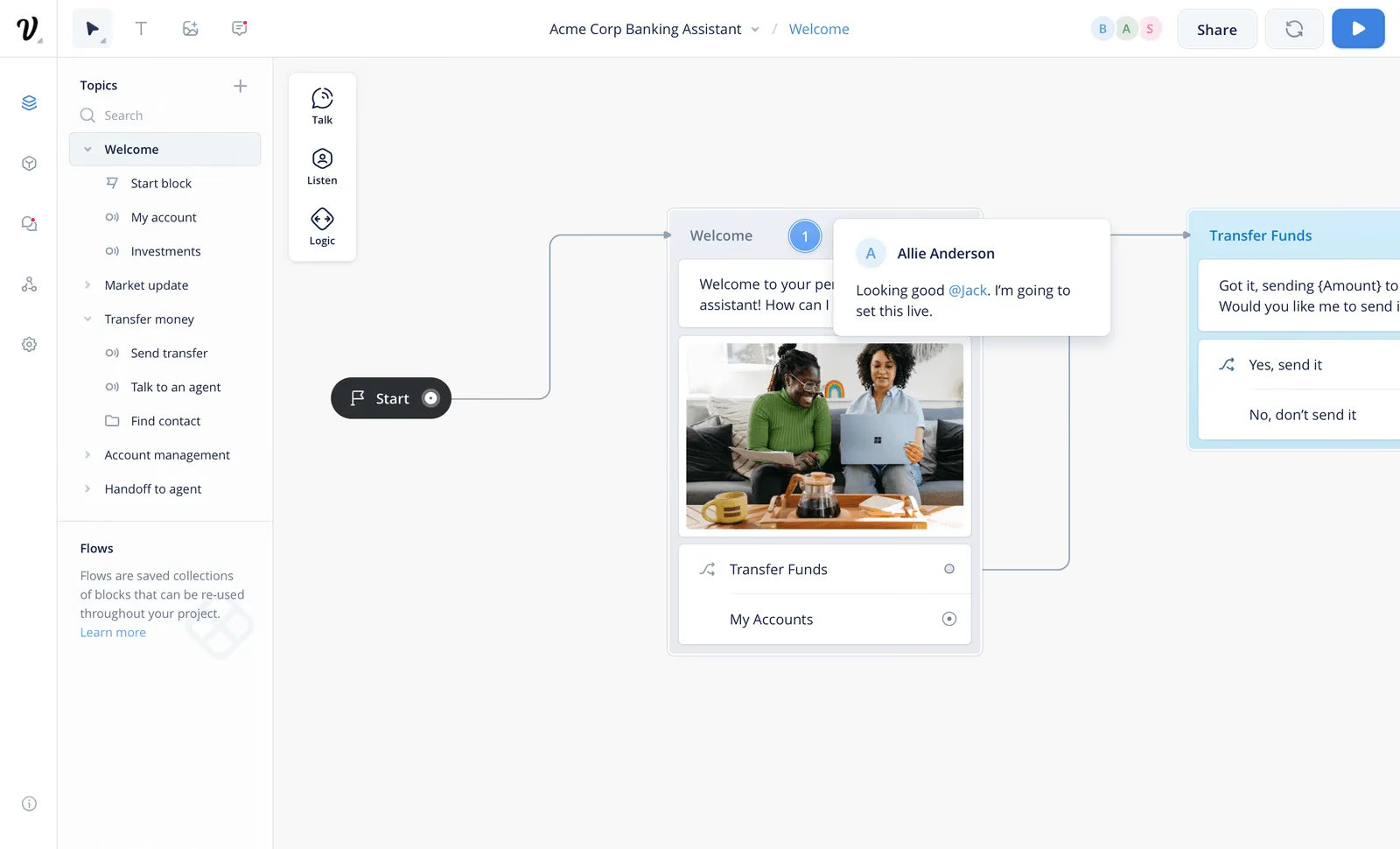
It offers a visual workflow builder, LLM flexibility, omnichannel deployment, including telephony for call centers, and strong security and compliance certifications. Its multi-client workspace management, white-labeling, and advanced collaboration tools help teams running complex enterprise CX operations.
However, for smaller teams or businesses that need a lead generation bot, a website FAQ chatbot, or simple form automation, that power adds unnecessary complexity.
Most building blocks serve workflows that need multiple conditional layers, agent hand-off logic, or enterprise-level data governance.
Pricing that doesn't make sense for small teams and startups
Voiceflow uses per-editor pricing: $60/month for a Pro seat, $150/month for Business, and more for Enterprise.
Voiceflow has historically used per-editor pricing: $60/month for a Pro seat, $150/month for Business, and more for Enterprise.
As of 2026, these subscription prices are no longer listed publicly on Voiceflow's website. Voiceflow now operates on a credit-based billing model where costs are consumed through chat interactions, voice minutes, and LLM usage (tokens). Business pricing requires contacting sales for a custom quote.
Many alternatives, including Typebot and Chatbase, offer flat-rate pricing, more generous chat allowances, and no per-editor tax.
That makes testing and scaling easier for SMBs.
Steep learning curve for straightforward use cases
Voiceflow's feature set creates a steeper learning curve than visual chatbot builders designed for simplicity.
Teams that want a drag-and-drop experience face onboarding steps, advanced documentation, and workflow complexity that favors technical stakeholders or CX architects. The platform's production pipeline, with environment controls, advanced roles and permissions, and multi-stage deployments, makes sense at scale. It also slows down teams that need to ship conversational forms or collect basic customer data quickly.
Voiceflow also leans toward AI agents that drive complex, task-based conversation design.
That approach differs from the simpler Q&A, lead qualification, or FAQ automation most SMBs and digital marketers need.
When you need a chatbot, not an agentic AI platform
Voiceflow's core strengths, agentic design, LLM-agnostic setup, production scalability, and compliance, make it hard to justify for text-based web or WhatsApp bots that handle simple workflows.
It does not offer native WhatsApp deployment, and adding new channels often requires custom API integrations. That extra setup creates more work for teams that only need a straightforward chatbot.
Voiceflow is best for:
- Enterprise customer support teams that need multi-channel automation across web, voice, and phone
- Highly regulated industries that require SOC 2, HIPAA, ISO, and GDPR compliance
- Organizations building advanced AI assistants with knowledge bases, RAG, or custom LLMs
If instead you need:
- A marketing chatbot for capturing leads
- A conversational form for onboarding
- Automated follow-ups on WhatsApp or simple website support
Voiceflow's platform becomes overwhelming and cost-ineffective.
Simpler, more affordable tools offer faster deployment, a smoother learning curve, and enough flexibility for small teams without enterprise overhead.
Voiceflow alternatives comparison table
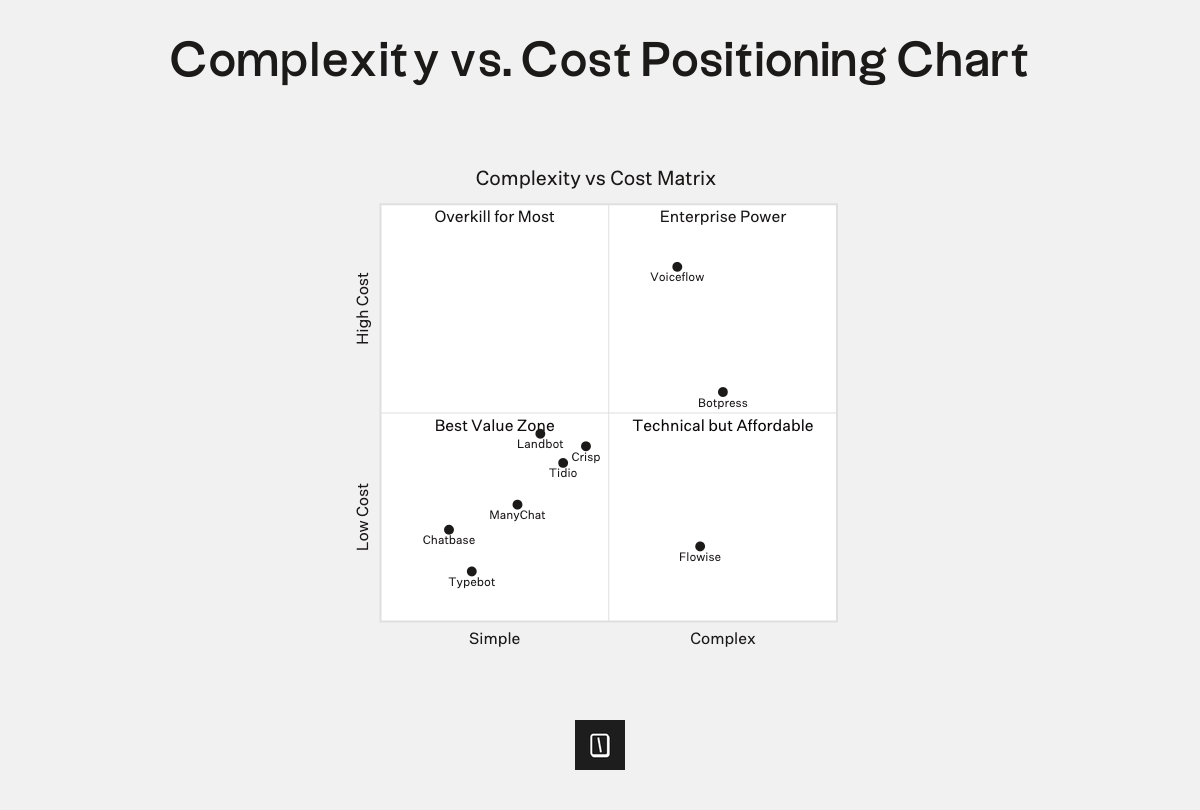
When you compare Voiceflow alternatives, focus on pricing transparency, technical complexity, deployment channels, open source or self-hosting, AI flexibility, WhatsApp and web support, and whether non-developers can use the builder.
Below is a side-by-side look at the most relevant platforms based on these factors.
| Platform | Pricing and seats | Open source | Self-hosting | Web and other channels | Builder simplicity | AI capabilities | Target user | |
|---|---|---|---|---|---|---|---|---|
| Typebot | Free, 200 chats; $39 for 2 seats and 2k chats; $89 for 5 seats and 10k chats | Yes | Yes | Native | Embed, popup, API, WhatsApp | Drag-and-drop, no-code | OpenAI, flows, logic, webhooks | SMBs, agencies, growth teams |
| Voiceflow | $60 to $150 per seat per month, usage-based, limited free plan | No | No | Custom API | Web, voice, chat | Steep learning curve | Enterprise-grade orchestration, multiple LLMs | Enterprise, CX and support |
| Landbot | Free, 100 chats and limited features; paid tiers available | No | No | Native | Web, WhatsApp, Messenger | Visual builder | AI agents, flows, CRM integration | Marketing, SMBs, non-technical teams |
| Tidio | Free, paid plans start around $29 per month | No | No | Via integration | Web widget, Facebook, Instagram | Drag-and-drop | Template AI bots, Lyro AI | E-commerce, SMB support, live chat teams |
| ManyChat | Free, 1k contacts; Pro plans start at $15 per month | No | No | Native | Instagram, Facebook, WhatsApp, SMS, TikTok | Visual builder | AI replies, broadcasts | Social marketing, creators |
| Chatbase | Free, 1 bot and 100 messages; paid plans from $19 to $40 per month | No | No | No | Web, Slack, Zendesk, others | Very simple, no flows | RAG, GPT-powered answers | Support, lead gen, beginners |
| Botpress | Free, paid plans start at $89 per month | Partially | Proof of concept only | Custom | Web, API, voice | For developers, low-code | LLM agents, orchestration | Developer teams, enterprise |
| Chatfuel | Entry plan at $19.99 per month, higher pricing for enterprise | No | No | Native | Messenger, Instagram, WhatsApp, web | Drag-and-drop | GPT integration | SMBs, e-commerce, marketers |
1. Typebot: the ideal choice for simple, visual chatbot building
Built for conversational forms and lead generation
Typebot is designed for users who need their chatbot to do more than collect data. It drives engagement, captures leads, and qualifies prospects in real time.
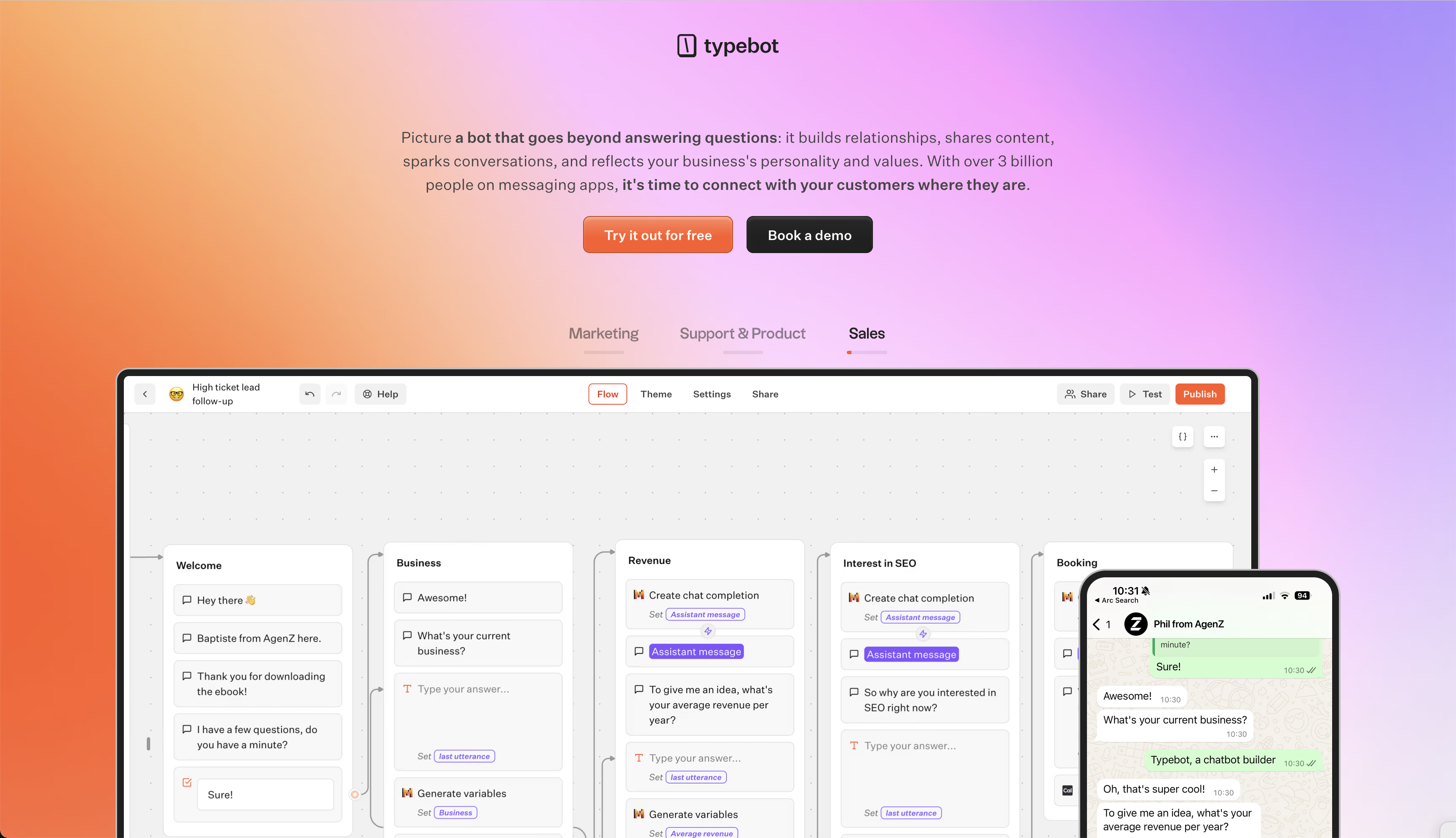
The core mental model is a visual, block-based flow. Every bot starts with a welcome message, asks tailored questions with dynamic variables, and branches based on user input. Variables make the conversation contextual. That helps with segmentation, product quizzes, and qualification scenarios.
For example, a Typebot lead gen flow might greet users by name, ask a few qualifying questions, such as “What’s your company size?” or “Interested in a demo?”, then route engaged prospects to calendar booking or a CRM integration automatically.
Intuitive drag-and-drop builder without enterprise complexity
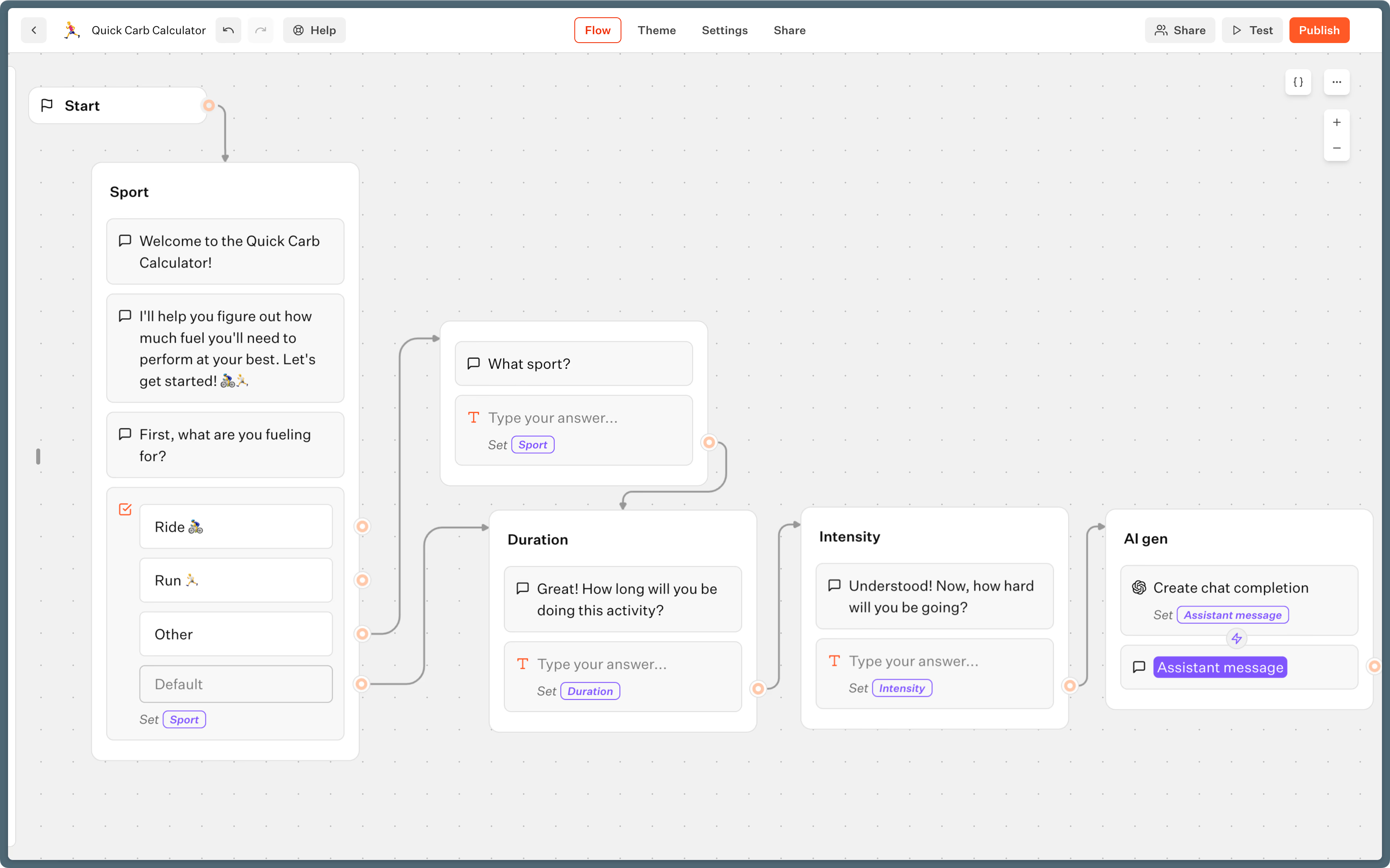
The entire Typebot experience runs on a visual drag-and-drop interface. Users can add text, images, videos, conditional logic, and AI integrations without code. Blocks and groups keep everything organized and reusable.
Unlike enterprise agent platforms, which often require weeks of training, Typebot’s flow builder is approachable. Most bots can be set up and tested the same day, even with advanced features like conditional logic or API calls.
Simple customer support chatbots in minutes
Typebot’s structure works well for FAQ bots, onboarding assistants, and NPS or feedback collectors. Use Condition blocks to handle different user types, such as prospect, customer, or new sign-up, and send collected responses to tools like Zendesk, Google Sheets, or email.
Common support scenarios include:
- Embedded help-page bots that handle Tier 1 questions and escalate complex issues by branch or condition.
- WhatsApp bots for after-hours support, with auto-replies, FAQs, and support request routing.
- Automated user onboarding for SaaS products and internal tools.
OpenAI integration for smart responses without the overhead
Typebot natively connects to OpenAI, Anthropic, Mistral, and Groq. That lets you place LLM-powered blocks directly inside your bot. The setup is simple: collect the user’s question, append it to the dialogue history, send it to OpenAI, and show the reply in chat with a few visual blocks. You do not need JSON wrangling, CLI work, or external orchestration.
You can use RAG for knowledge-base bots, or add your own prompt engineering for concierge-style lead qualification. The AI workflow stays visual, and you can publish it instantly to any channel.
Transparent, affordable pricing starting free
Typebot’s pricing is clear and fair:
- Free plan: up to 200 monthly chats, with nearly all features enabled.
- Starter, $39/month: 2,000 chats and 2 seats, which works well for a growing team or small agency.
- Pro, $89/month: up to 10,000 chats and 5 seats, with advanced team collaboration.
- Self-hosting: run Typebot on your own infrastructure with no recurring fees beyond server costs.
In practice, Typebot’s per-chat pricing is friendlier for SMBs and teams with fluctuating usage. That is especially helpful compared with legacy seat-based models.
Deploy anywhere: embedded widgets, popups, WhatsApp
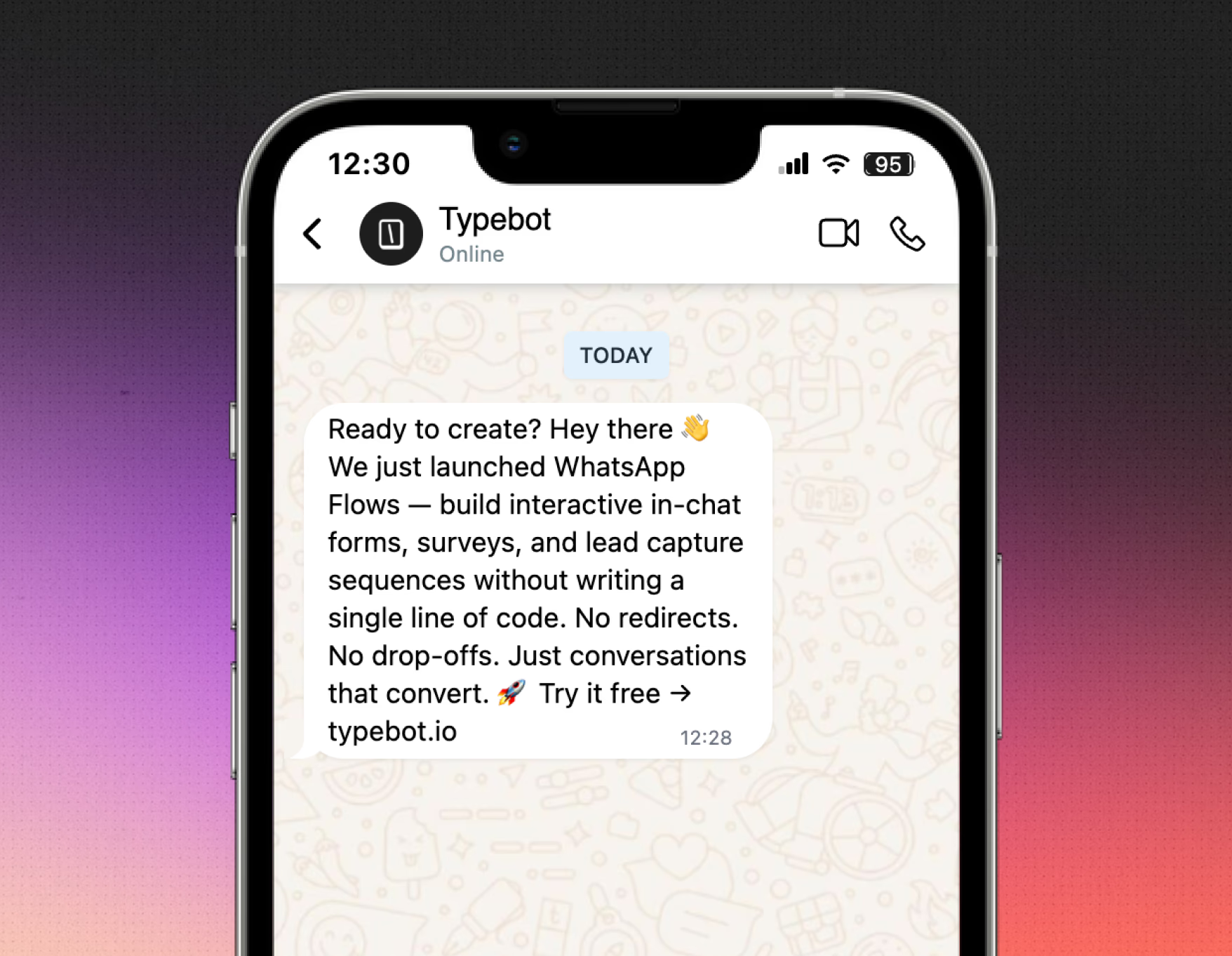
Typebot lets you publish and share your chatbot across channels quickly:
- WordPress, Webflow, Shopify, Wix, Notion, Framer, and more through standard container or bubble embeds.
- Popup and inline options, so you can choose the experience that fits your website.
- API and webhooks, so you can run your bot as a workflow from code or connect it to any tool.
- WhatsApp deployment with native integration, so your text-based chatbot works inside WhatsApp with user variables, such as name and phone number, auto-populated and session management handled for you.
- QR codes and wa.me deep links for omnichannel entry into the bot experience.
Switching between web and WhatsApp usage is seamless. You can preview and test WhatsApp flows before going live, all within the same editor. That makes deployment faster and easier to manage.
Open-source and self-hosting for full control
Typebot is open-source and can be self-hosted on your own servers.
For organizations concerned about data privacy, or agencies running bots for multiple clients, this is a major advantage. There is no vendor lock-in, full access to your own data, and the freedom to extend or modify the platform as needed.
Leverage the power of OpenAI and Anthropic to create smarter, more human-like conversations.
No trial. Generous free plan.
2. Landbot: Conversational landing pages and forms
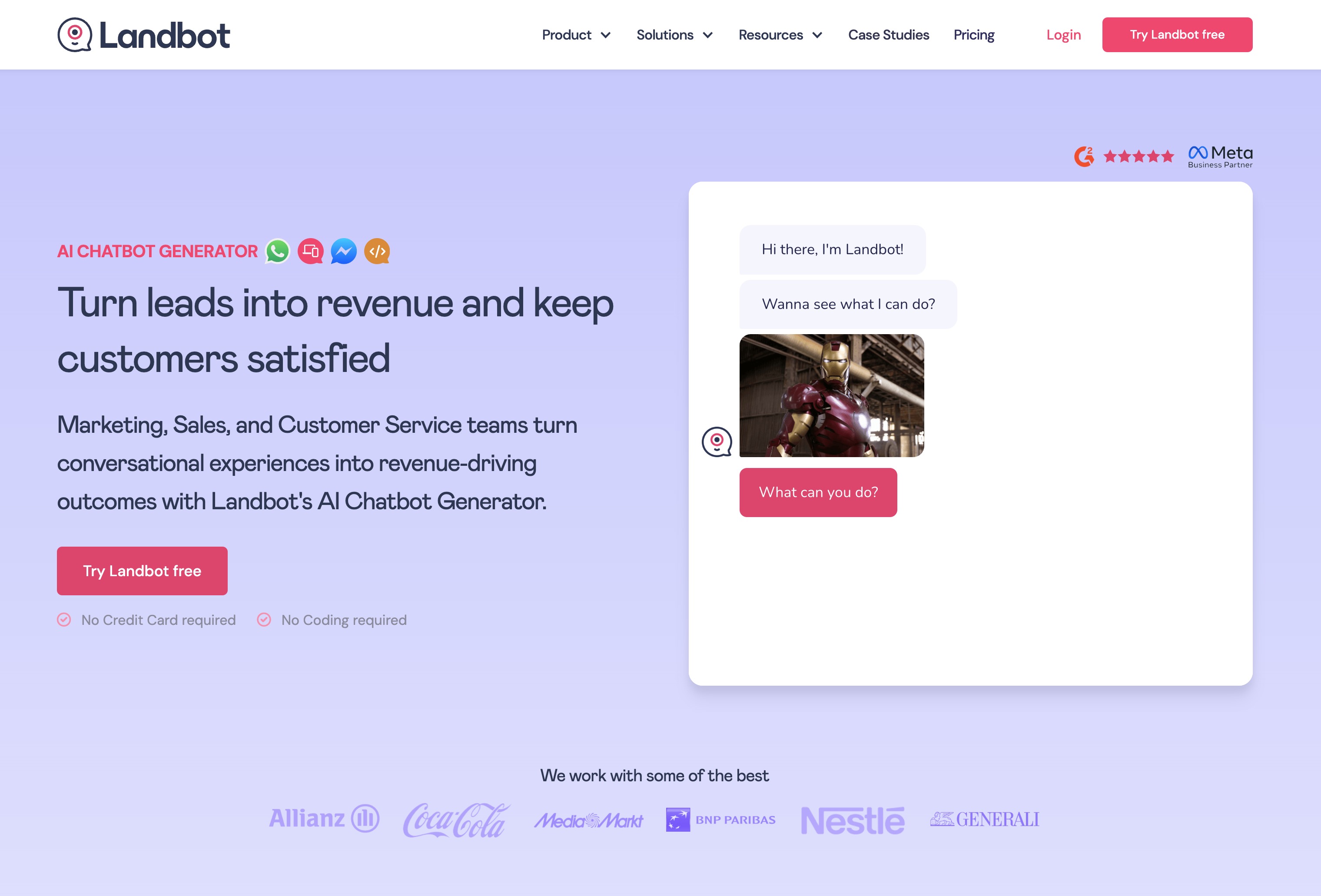
Visual builder for lead generation flows
Landbot’s main appeal is its block-based, drag-and-drop flow builder.
Anyone on your team can build advanced conversational journeys without writing code.
Marketing, sales, and support teams can all create flows with visual blocks. You can ask questions, set conditional logic, trigger automations, and use formulas by connecting blocks in a flow chart.
This makes it easier to build interactive experiences for lead capture, pre-qualifying prospects, or guiding users through forms.
Website embedding and WhatsApp integration
Landbot offers strong multi-channel flexibility.
You can deploy bots on websites with web widgets, pop-ups, and landing pages. The same bot can also run on WhatsApp and Facebook Messenger, so your business can meet prospects where they already are.
WhatsApp is a key channel for Landbot, with support for custom audience segments and targeted campaigns.
Pros, cons, and best use cases
The interface and drag-and-drop design make chatbot building accessible. Teams can build, test, and launch a conversational landing page or automated lead generation funnel faster than on many enterprise-focused platforms.
The pre-built templates also reduce learning time and speed up prototyping.
Integrations through Zapier and native connectors like Salesforce and HubSpot add more workflow and data-sync options.
Some users point to the lack of user tagging and the high cost of WhatsApp as drawbacks.
Others say the shift from older AI Assistants to new AI Agents can disrupt bots that still rely on legacy features. The free tier is also too limited for live campaigns.
It is a good fit if you want conversational forms, interactive landing pages, or WhatsApp-based lead capture. Its builder-first approach, template library, and integrations make it easier to move fast without enterprise chatbot complexity.
3. Collect.chat: Automated chatbot for data collection
Key features
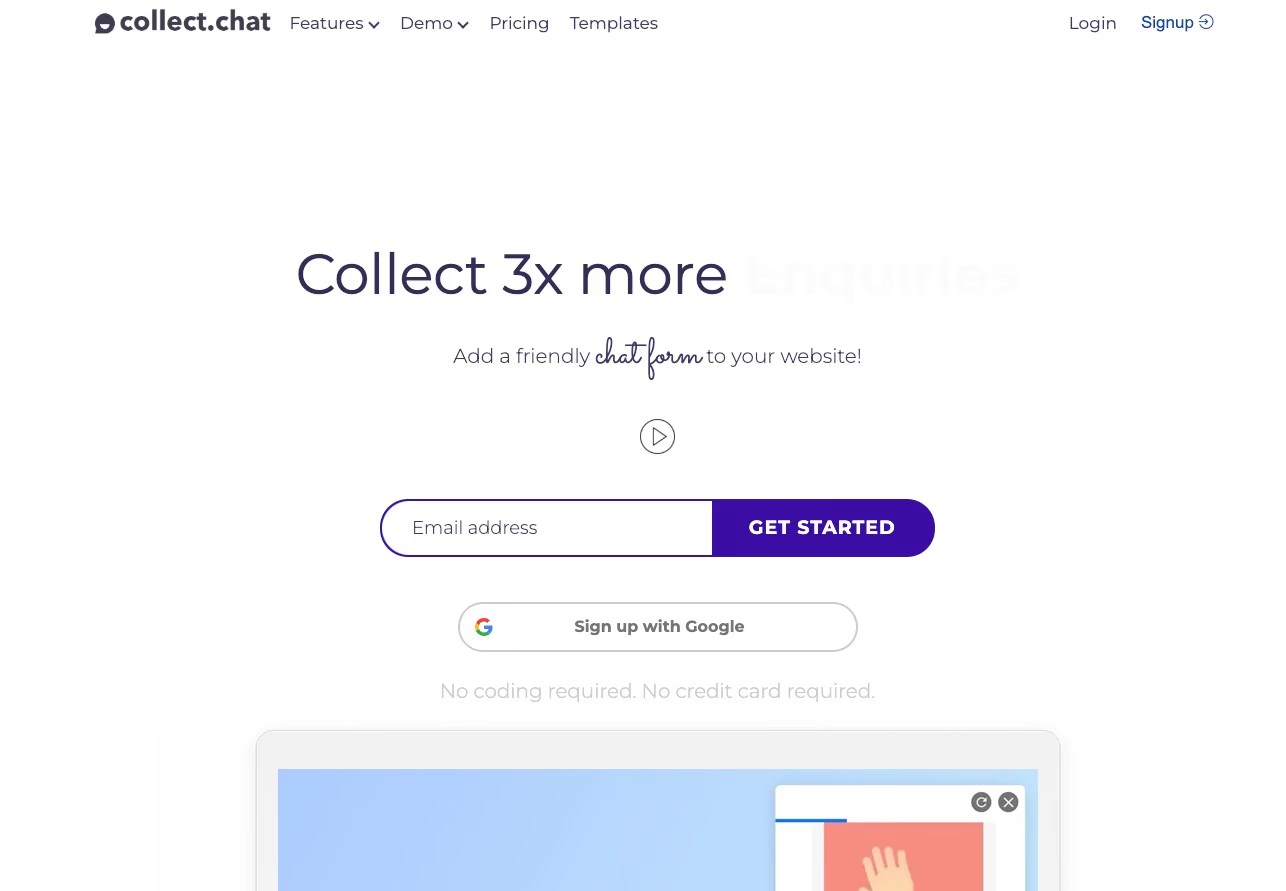
Collect.chat focuses on automated data collection and lead capture. It turns static forms into conversational experiences.
Businesses can build simple chatbots that ask questions, collect responses, and send the data into their backend systems. Setup takes less than 10 minutes. You can upload a file, paste text, or use a website URL.
You can also brand the widget with profile pictures, color themes, chat icons, and welcome messages. That helps the bot feel like part of your website.
The platform uses Retrieval-Augmented Generation to process your content. This keeps responses grounded in your documentation and reduces the risk of incorrect answers.
Automated lead capture and 24/7 data collection
Collect.chat works well for businesses that want to capture leads, gather survey responses, or collect sign-ups.
The chatbot appears in the bottom corner of your site and can answer questions or collect information at any time.
Confidence Score tools help you track answer quality and improve chatbot output over time.
Pricing and limitations
The platform targets budget-sensitive users. The free plan includes 1 chatbot and up to 100 message credits per month for testing and light use.
Paid tiers begin at either $19 or $40 per month, depending on the source. These plans include two chatbots and 2,000 messages monthly.
More advanced plans reach $399 per month. They add team collaboration, more chatbots, and access to advanced OpenAI models.
Best for: Simple data collection and lead generation
Collect.chat suits small businesses, marketing teams focused on lead capture, solo entrepreneurs, and companies with limited technical resources.
It offers a reliable, quick-to-launch conversational chatbot for turning website traffic into actionable data. This makes it a practical choice for replacing static web forms and running basic lead capture campaigns.
4. Tidio: Live chat and AI chatbots for e-commerce
Lyro AI and live chat: Real-time customer service for SMBs
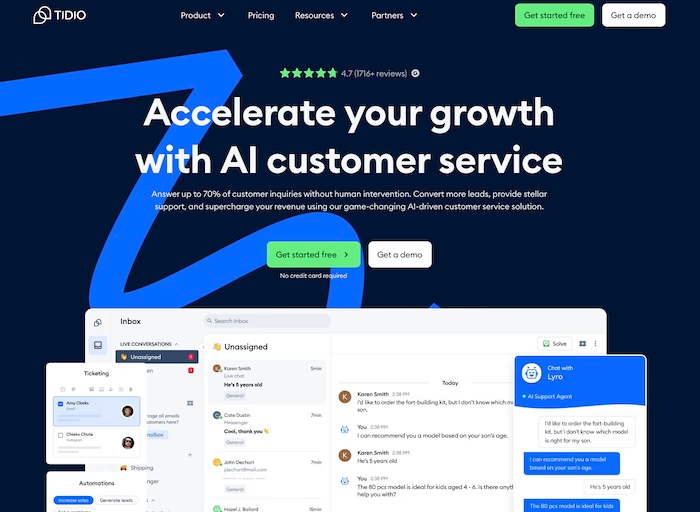
Tidio combines live chat, AI chatbots, and helpdesk tools in a unified inbox.
This setup helps SMBs and e-commerce teams manage visitors, convert leads, and support customers in one place.
Lyro AI, Tidio’s automated agent, handles repetitive questions and frees human agents for more complex conversations.
For example, Lyro can:
- Answer common FAQs
- Route chats to the right department
- Escalate unresolved questions into tickets
This automation works well for e-commerce because customers often ask about order status, shipping times, or product availability.
Drag-and-drop builder and quick launch templates
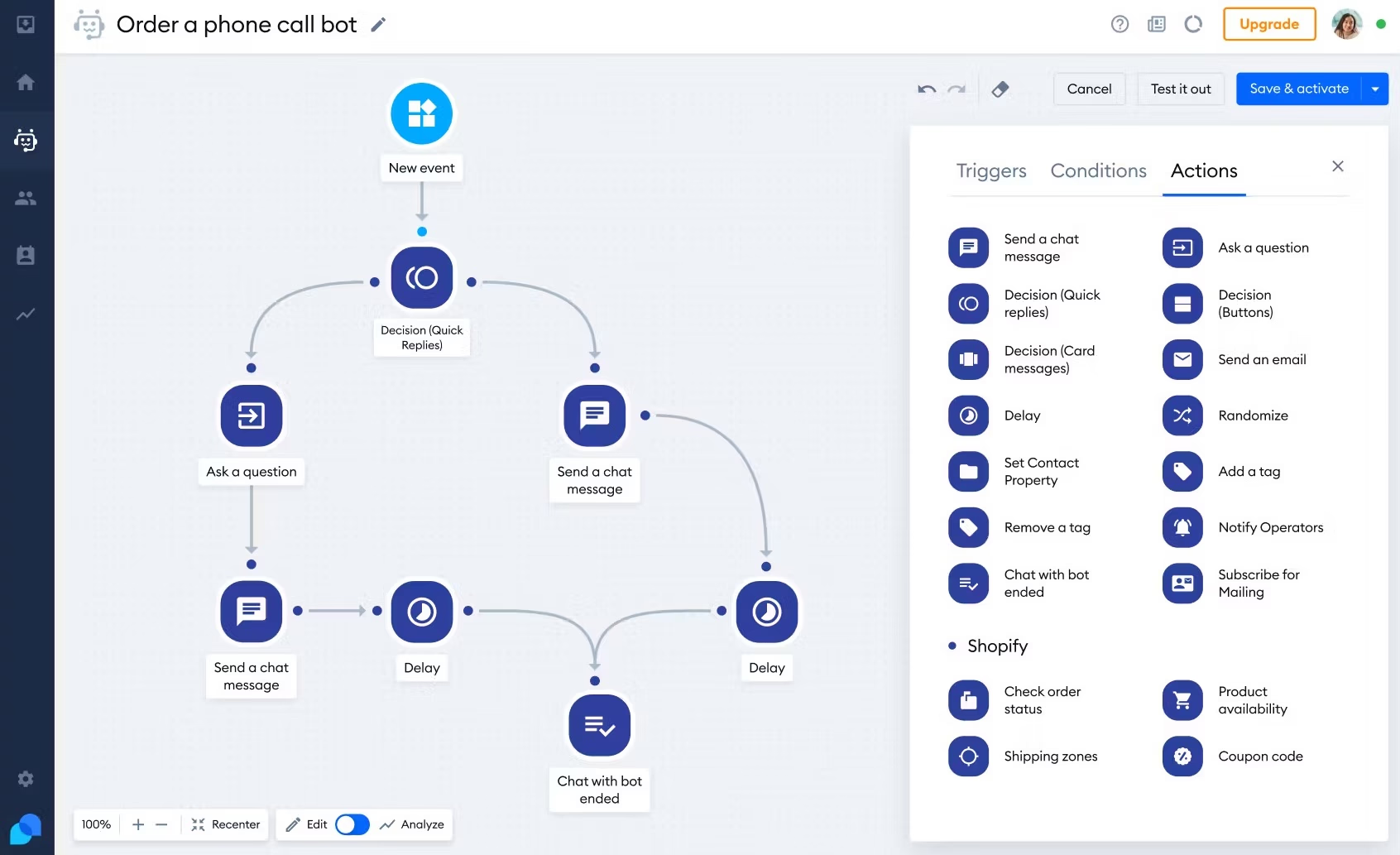
Tidio’s visual builder lets teams set up chatbots without coding.
You can choose templates for flows like:
- Lead capture
- Cart abandonment reminders
- FAQ management
The drag-and-drop canvas also lets teams set triggers based on user behavior.
For example, if a visitor spends more than 30 seconds on a checkout page, the chatbot can offer help or encourage conversion.
This makes it easier to launch targeted automations without a technical team.
Real-time engagement and cart recovery
The live chat widget puts website interaction front and center.
Agents can see visitor context, monitor browsing behavior, and start conversations proactively.
Tidio also integrates well with Shopify and WordPress through plugins and apps that simplify installation.
Pricing and plan structure
Tidio offers a free plan with basic features and paid tiers that start around $29 per month.
Exact pricing depends on the channels, agents, and AI add-ons you choose.
Some features, especially advanced analytics, multichannel inboxes, or expanded AI options, may require add-ons or higher plans.
Who is Tidio best for?
Tidio is built for small to medium e-commerce teams, marketing teams, and support departments that need fast live chat deployment with AI automation.
It works especially well for Shopify and WordPress users because one-click plugins make setup quick.
Tidio is a strong fit if your support workflow stays web-based and your main channels are on-site chat and web ticketing.
5. Crisp: Business messaging with AI agent
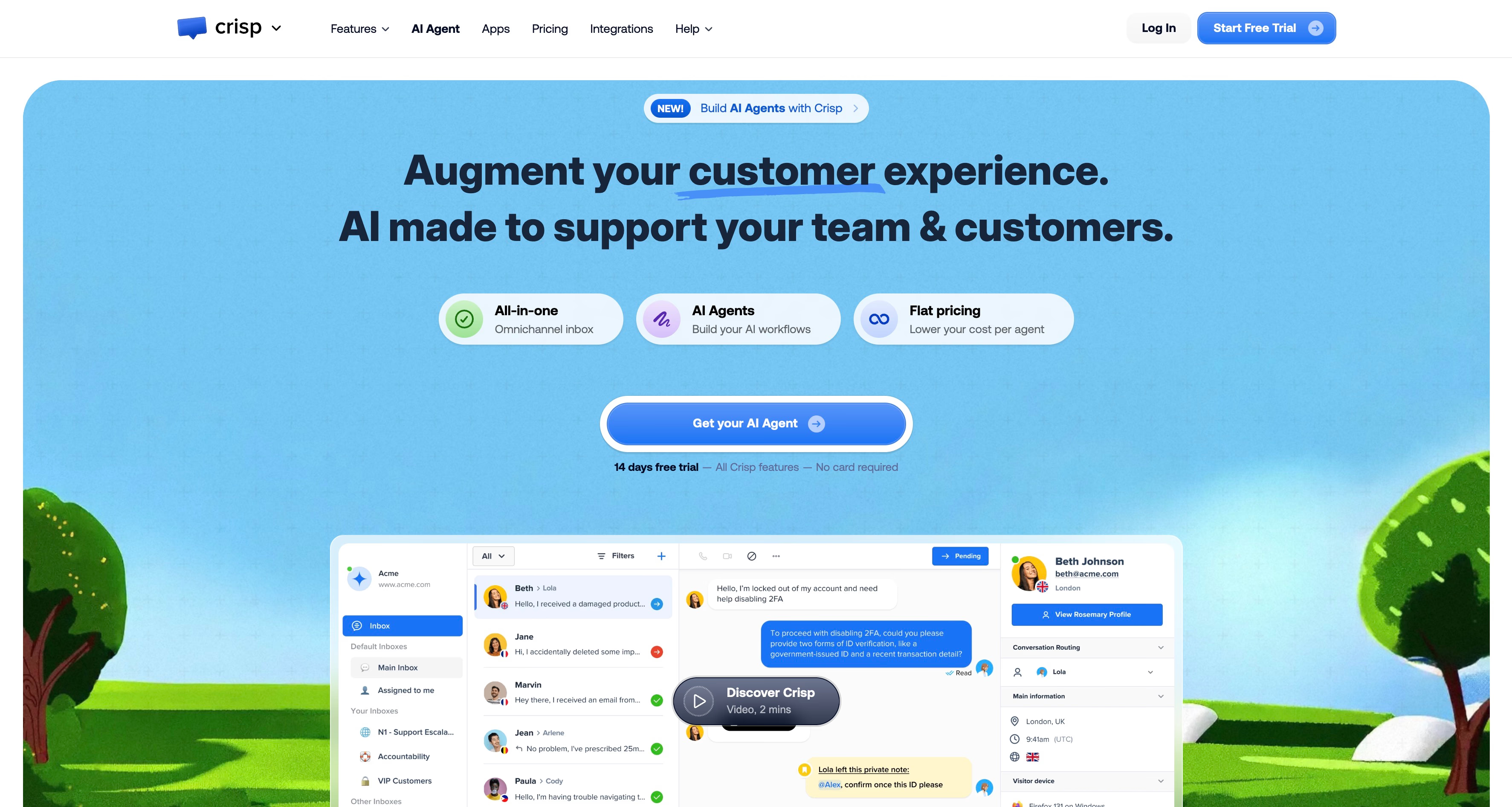
Crisp stands out by combining live chat, a shared inbox, and chatbot automation in one workspace.
If you handle customer messages across email, live chat, and messaging apps, Crisp keeps everything in one timeline.
Every website visitor chat, WhatsApp message, email, and Messenger conversation appears in a single view. Support teams, marketers, and sales reps can see full conversation history, assign chats to teammates, and keep context intact.
AI support with Hugo AI agent
Crisp’s Hugo AI agent adds automation inside your inbox.
Think of it as a teammate that handles common questions, such as shipping, refunds, and appointment scheduling, so staff can focus on more complex cases.
For e-commerce and SaaS teams, this is a practical way to cut first-response times without building full conversational flows.
Best for: Teams wanting live chat plus AI, not pure self-service bots
Crisp is a strong fit for companies that manage customer conversations across multiple channels and want automation at key touchpoints without replacing human support.
It balances a live chat experience with Hugo’s AI efficiency, which works well for sales or support teams that have outgrown a solo inbox but do not need enterprise AI tools yet.
If you want to centralize messaging with human and AI support, Crisp is worth considering.
6. Flowise: Open-source AI agent builder
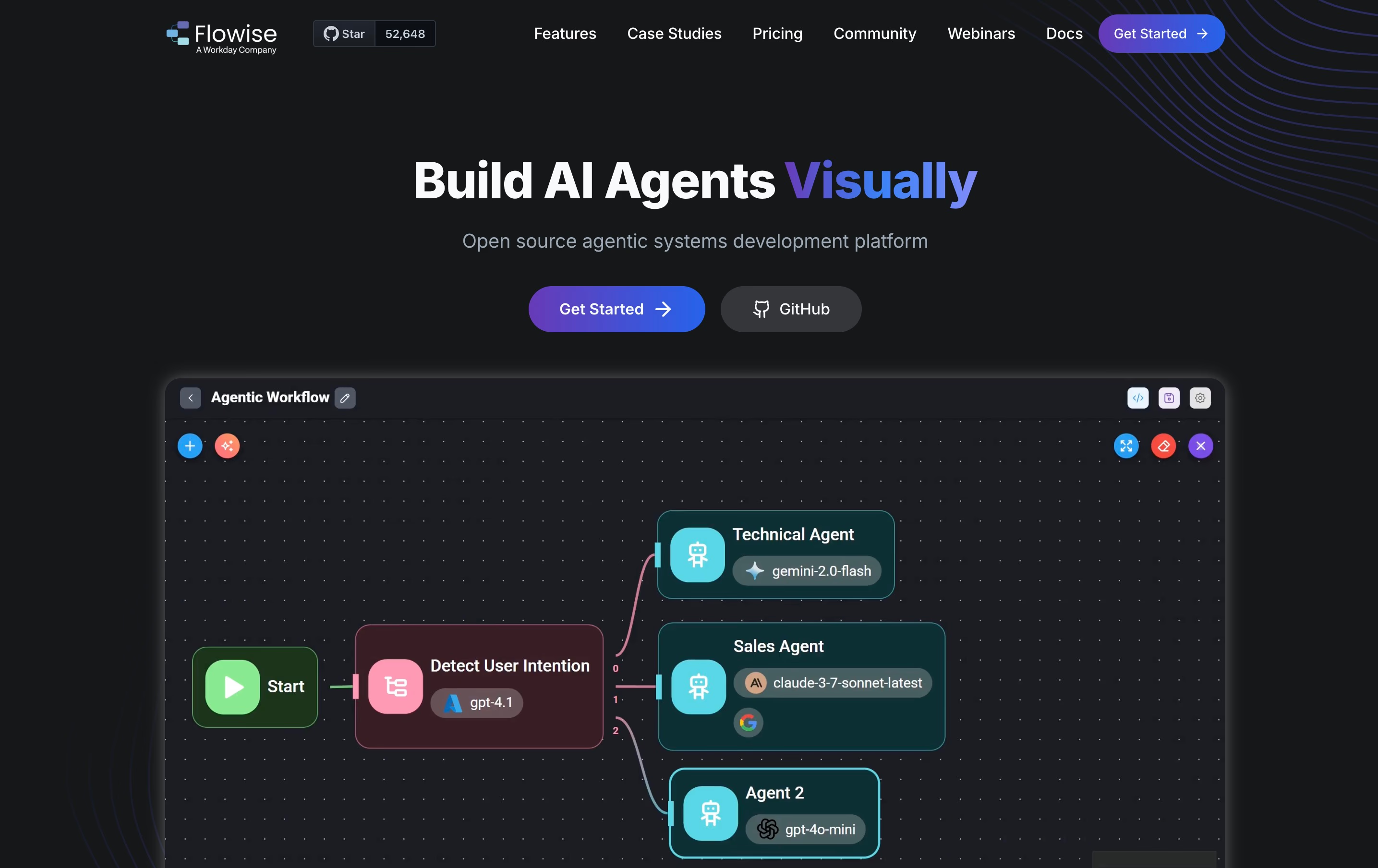
Flowise stands out because it offers a visual editor built for AI-powered chatbots using the LangChain framework.
The drag-and-drop interface lets users build advanced chatbot logic and integrate large language models without writing code.
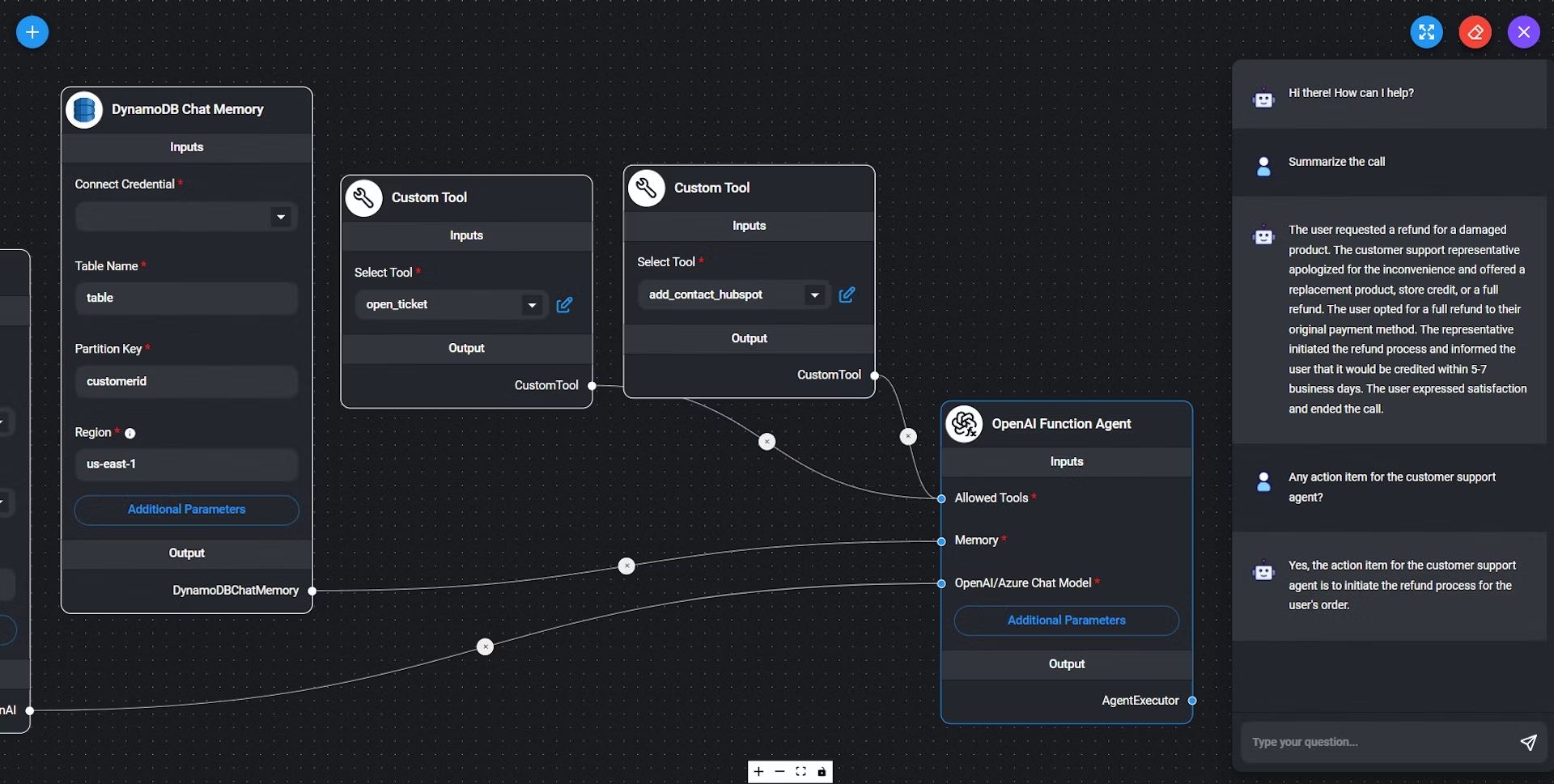
This makes Flowise useful for technical users who want control, and still approachable for people new to AI workflows.
The visual builder supports chaining AI functions, managing context, and setting up advanced logic in a clear workflow.
Self-hostable with full control
A key strength of Flowise is its open-source model.
Users can self-host the platform on their own infrastructure.
This gives teams full control over data, privacy, and the software stack, which matters for compliance and data residency requirements.
Self-hosting also keeps you out of a vendor ecosystem.
Best for users wanting open-source and advanced AI capabilities
Flowise fits teams that need depth and transparency in their chatbot platform.
It works well for people who want to experiment with AI workflows through LangChain support.
It also suits organizations that need on-premise hosting or want more flexibility than commercial SaaS products usually allow.
It is especially appealing to developers, small tech teams, and organizations with in-house AI expertise.
These users usually value configurability more than ready-made templates.
Want to understand how Flowise compares to other visual builders? Check out our detailed Voiceflow vs Flowise comparison to see which platform better fits your open-source and AI workflow needs.
7. ManyChat: social media DM automation
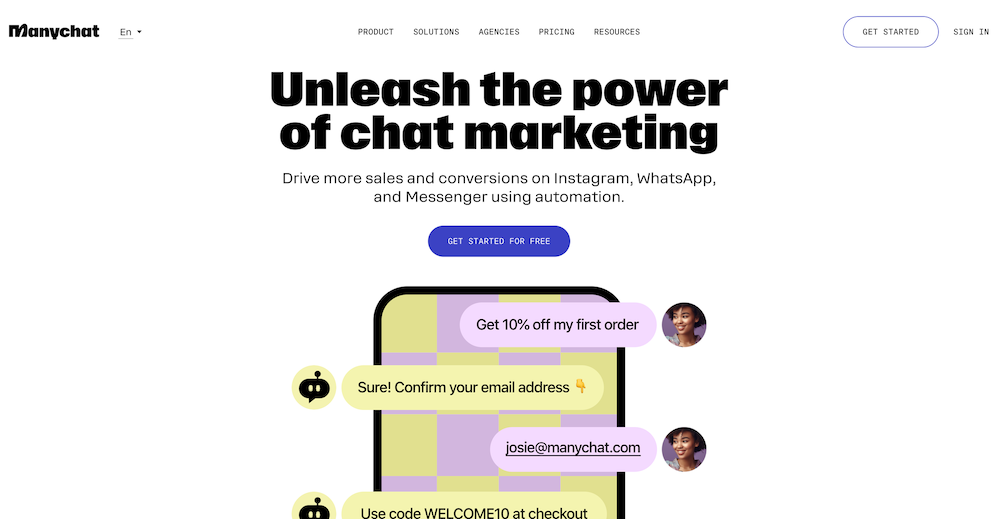
Best for: social media marketers, content creators, and e-commerce brands
ManyChat specializes in automating conversations across Instagram DMs, Facebook Messenger, WhatsApp, SMS, Telegram, and TikTok.
Its main strength is helping brands drive engagement and conversions inside the messaging apps their audiences already use.
With over 1 million brands in 170+ countries and an official Meta partnership, it stands out for social-first use cases, not on-site support widgets or lead forms.
If your goal is to engage, nurture, and sell through social DMs, ManyChat is built for you.
Core features: Multi-channel social automation and AI
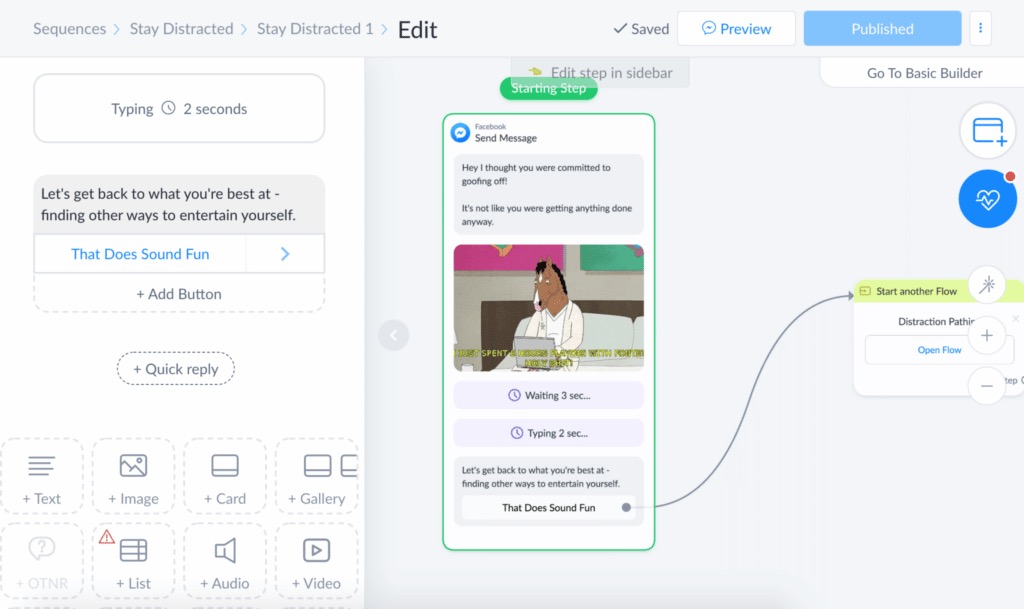
ManyChat’s no-code visual flow builder lets you create automated responses for DMs, comments, story mentions, and more on Instagram, Facebook, and WhatsApp.
It includes prebuilt automations for common tasks such as:
- sending welcome messages
- qualifying leads
- answering FAQs
- sending campaign broadcasts
All interactions across supported networks flow into one unified dashboard, which helps your team avoid channel-hopping.
The AI-powered “Replies” and “Comments” features let brands match their own style. They use prior responses and up to 250,000 characters of context to answer questions or respond to comments before Meta’s 24-hour window closes.
Human agents can take over live through inbox handover when conversations need a personal touch.
Integrations with platforms like Shopify, Mailchimp, and Google Sheets also expand marketing and data automation.
Pricing and limitations
ManyChat offers a free plan that covers automation for up to 1,000 contacts via Instagram, Messenger, and WhatsApp, with basic automations and segmentation.
The Pro plan starts at $15 per month. It adds unlimited contacts, advanced automation, SMS and email channels, and full analytics.
Create fully customizable chatbots without writing a single line of code.
No trial. Generous free plan.
Cost comparison: simple chatbot builders vs. Voiceflow
Free tier comparison
Voiceflow’s free Starter plan is built for prototyping, not production. Its limits and missing core features push most users toward paid plans quickly.
Typebot’s free plan allows up to 200 monthly chats.
It also gives you most of the feature set right away. That means you can launch a working lead-gen, support, or data capture chatbot on your website at no cost.
If you are comparing other tools, Landbot offers 100 free chats per month, but with more limited integrations and fewer advanced bot elements.
Tidio also has a free plan, but many AI and analytics features require an upgrade quickly.
Chatbase’s free plan includes 100 message credits and one basic chatbot.
For real business use, most users will need a paid plan on any platform. Some tools still let you validate an idea before you spend money.
Detailed table pricing comparison
| Platform | Entry paid plan | Team size included | Chat volume/month | WhatsApp native | Open source/self-host | Notes |
|---|---|---|---|---|---|---|
| Typebot | $39/mo, Starter | 2 | 2,000 | Yes | Yes | Flat pricing and full features |
| $89/mo, Pro | 5 | 10,000 | Yes | Yes | Self-host: $0/mo plus infrastructure | |
| Voiceflow | $60/mo, Business | 1 | Usage-based | No | No | $150/mo per editor for advanced use |
| $750/mo, 5 editors | 5 | Usage-based | No | No | Opaque enterprise pricing | |
| Landbot | About $60/mo | 1 | 1,000 to 2,500 | Yes, extra cost | No | WhatsApp bots cost more |
| Tidio | About $29/mo | 1 | Tiered | No | No | AI add-ons and analytics extras |
| Chatbase | $19/mo | 1 | 2,000 | No | No | Text Q&A only, no flows |
How to choose the right Voiceflow alternative
The first question: Do you need an AI agent platform or a chatbot builder?
Before you compare features and prices, clarify what you actually need. Are you building an enterprise AI agent platform, or a practical chatbot builder for web and messaging experiences?
Voiceflow works well for complex voice agents, call center automation, and enterprise compliance.
That also adds overhead if you only need a lead gen funnel, conversational form, automated FAQ bot, or WhatsApp chat widget. If you do not need advanced agent workflows or strict enterprise requirements, most small teams, marketers, and support leads get more value from chatbot-focused tools.
If your priority is lead generation and conversational forms
For most web-based lead gen, survey-style forms, or client qualification, Typebot or Landbot are the most logical choices.
Both offer drag-and-drop visual builders for conversational forms that capture, qualify, and segment leads.
Landbot adds CRM integrations and WhatsApp targeting. It is less flexible for self-hosting, though. Typebot stands out for open-source transparency, flexible deployment for web embeds, WhatsApp, and API use, plus affordable flat-rate plans that scale well for teams.
Most marketing and sales teams should start here unless they need Instagram DM support.
Want to replace static forms on your site?
Static forms can stop conversions.
If your goal is to make data collection conversational, such as quizzes, surveys, or feedback collection, Collect.chat or Typebot fit this job well.
Both tools require no code and focus on usability. Typebot also offers free and self-hosted plans, plus advanced integrations like OpenAI, webhooks, and Google Sheets at no extra cost.
E-commerce customer support and sales enablement
For companies focused on Shopify, WooCommerce, or direct site selling, Tidio stands out.
It combines live agent chat, AI automation through Lyro AI, and simple onboarding for most web platforms.
It works well for real-time engagement, including cart abandonment, instant answers, and routing to support teams on SMB budgets. Its pricing also undercuts enterprise platforms like Voiceflow.
Teams wanting a shared inbox plus chatbot automation
If your workflow depends on team collaboration, shared inboxes, ticketing, or live plus automated chat, Crisp is worth considering.
It combines business messaging, an AI-powered Hugo agent, and a web-native experience.
Crisp works especially well when automation and human handover matter equally. It also suits companies that want chatbots integrated into support, onboarding, and multi-agent workflows.
Interested in open-source AI and control?
For technical teams, agencies, or organizations that want open-source solutions, Typebot offers the easiest path, while Flowise fits advanced visual AI agent development.
Typebot is fully self-hostable and production-ready with a no-code builder.
Flowise is a better fit if you want to prototype custom LLM pipelines or LangChain flows and own the entire stack.
Social media and marketing automation?
If you want to automate conversations and lead capture through Instagram, WhatsApp, Facebook Messenger, or TikTok, ManyChat is built for that use case.
It is a no-code favorite for DM-based campaigns, broadcasts, Shopify and Mailchimp integrations, and fast automation across social conversations.
Its web chatbot features are limited compared with Typebot or Landbot.
Enterprise AI, compliance, or advanced agentic workflows?
If you need complex multi-channel AI orchestration, require SOC 2 or HIPAA compliance, or use voice and telephony as a primary channel, look at Botpress or Dialogflow.
Botpress works best for developer teams.
Dialogflow suits Google Cloud users who need advanced NLU and voice support.
Use these only when your use case truly demands them. For most SMB and chatbot use cases, they add unnecessary complexity and cost.
Final Thoughts: Match the Tool to the Job
Voiceflow shines for enterprise teams building complex AI agents across voice, chat, and phone. But most businesses don't need that level of power.
If your goal is lead generation, customer support, or simple automation, tools like Typebot, Landbot, and Tidio deliver faster results at a fraction of the cost. They let you launch in hours instead of weeks.
The best chatbot platform isn't the most powerful one. It's the one that fits your actual use case.
Start with what you need today. You can always scale up later.
Discover why Typebot is perfect for projects of any size.
No trial. Generous free plan.