5 Best Shopify Chatbots in 2026 (Compared + Free Options)
Looking for the best Shopify chatbot to boost your store's sales? A fashion retailer saw their revenue drop 80% overnight when their chatbot stopped working—then watched it surge 400% once they fixed it. This wasn't a website crash or marketing failure. It was proof that the right AI chatbot isn't just customer service automation anymore.
Modern AI-powered chatbots have evolved into sophisticated sales assistants that understand context, recommend products, and build the kind of trust that converts browsers into buyers.
While most people still think of chatbots as glorified FAQ systems, some are discovering new opportunities. AI can fundamentally transform costs and lifetime value metrics. Let's see how it can do that.
Why Every Shopify Store Needs the Best Chatbot for Shopify in 2026
When Club de Mode’s chatbot went down, sales dropped by 80%. Once it was restored, revenue soared by 400%. This sharp change shows how important conversational AI is becoming in ecommerce.
Shoppers now expect stores to anticipate their needs, not just respond. Static FAQ pages and email forms feel outdated compared to tools like GPT. It can analyze browsing behavior in real time and suggest the perfect add-on.
Here’s why this shift matters:
- Trust through interaction: When a chatbot remembers a customer’s last purchase and suggests matching accessories, it creates a personal connection. Like a trusted boutique associate. This human touch leads customers at stores with AI chatbots to spend more per order.
- 24/7 sales team: Chatbots never clock out. They recover abandoned carts at night, qualify leads during busy times, and handle routine questions without pause. Bot-only chats approximately 88% satisfaction rate, even higher than human agents.
The benefits go beyond sales. For every dollar spent on a sophisticated chatbot, merchants save $5-7 by automating up to 80% of repetitive support queries.
And of course, the biggest advantage is scalability. While human teams get overwhelmed during events like Black Friday. AI chatbots engage thousands of visitors at once, each with personalized recommendations.
This technology doesn’t replace your team. It empowers them. Leading stores use chatbots as tireless first responders, freeing staff to handle complex, high-value tasks.
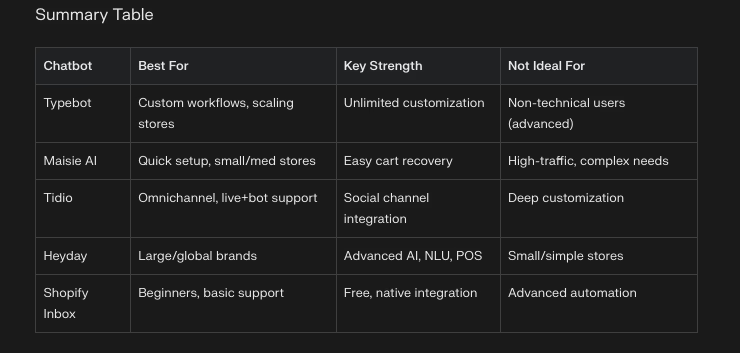
Quick Comparison: 5 Best Shopify Bots in 2026
| Chatbot | Best For | Starting Price | Key Strength |
|---|---|---|---|
| Typebot | Most Shopify stores | Free / $39/mo | Open-source, unlimited customization, AI-ready |
| Heyday | Enterprise & omnichannel | Enterprise pricing | Multi-language, Shopify POS integration |
| Tidio | Hybrid live chat + bot | Free / $29/mo | Human handoff, social media channels |
| Maisie AI | Quick cart recovery | $9/1,000 visitors | Easy setup, abandoned cart focus |
| Shopify Inbox | Budget-conscious stores | Free | Native Shopify integration, zero cost |
1. Typebot: The Shopify Chatbot That Adapts Like Your Best Salesperson
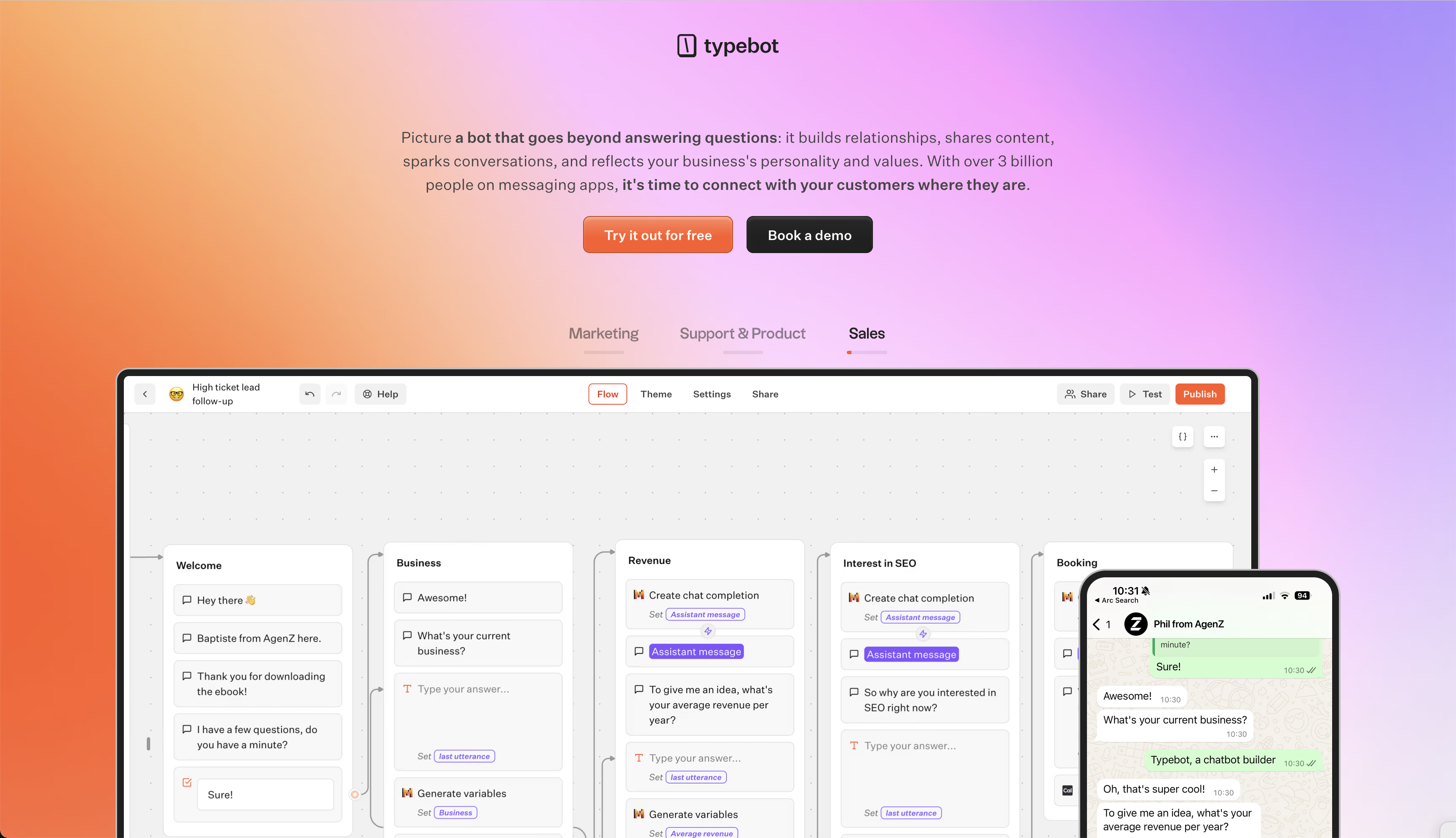
Most Shopify chatbots act like rigid FAQ machines, offering canned responses regardless of the situation.
Typebot behaves more like a top sales associate. Remembering every visitor’s journey, tailoring recommendations in real time, and staying available 24/7.
This flexibility comes from its open-source foundation and intuitive visual conversation design.
Drag-and-drop Interface For Building Advanced Conversational Flows
Creating with Typebot feels like sketching a conversation tree, but every branch adapts on the fly. The visual editor lets you:
- Layer product suggestions based on cart contents using Shopify’s API
- Trigger abandoned cart messages when users show exit intent
- Offer multilingual support without duplicating workflows
Native Integrations That Turn Conversations Into Conversions
Many chatbots stop at basic product lookups, but Typebot’s API connections create a seamless experience. For example:
- A cosmetics store syncs customer color preferences from Typebot to Klaviyo, sending personalized makeup tutorials
- Another business routes high-intent chats directly to their WhatsApp sales team via webhook
Unlimited Customization Without Developer Dependency
Typebot’s open-source approach means you never wait for vendor updates. One merchant quickly built a whiskey flavor quiz that guides users to the perfect product by using:
- A rating scale for taste preferences
- Conditional branches to different collections
- Shopify cart API to automatically add recommended samples
When your chatbot evolves as fast as your business, you don’t just answer questions. You create memorable buying experiences.
How to Build Your Shopify Chatbot in Typebot — Step by Step
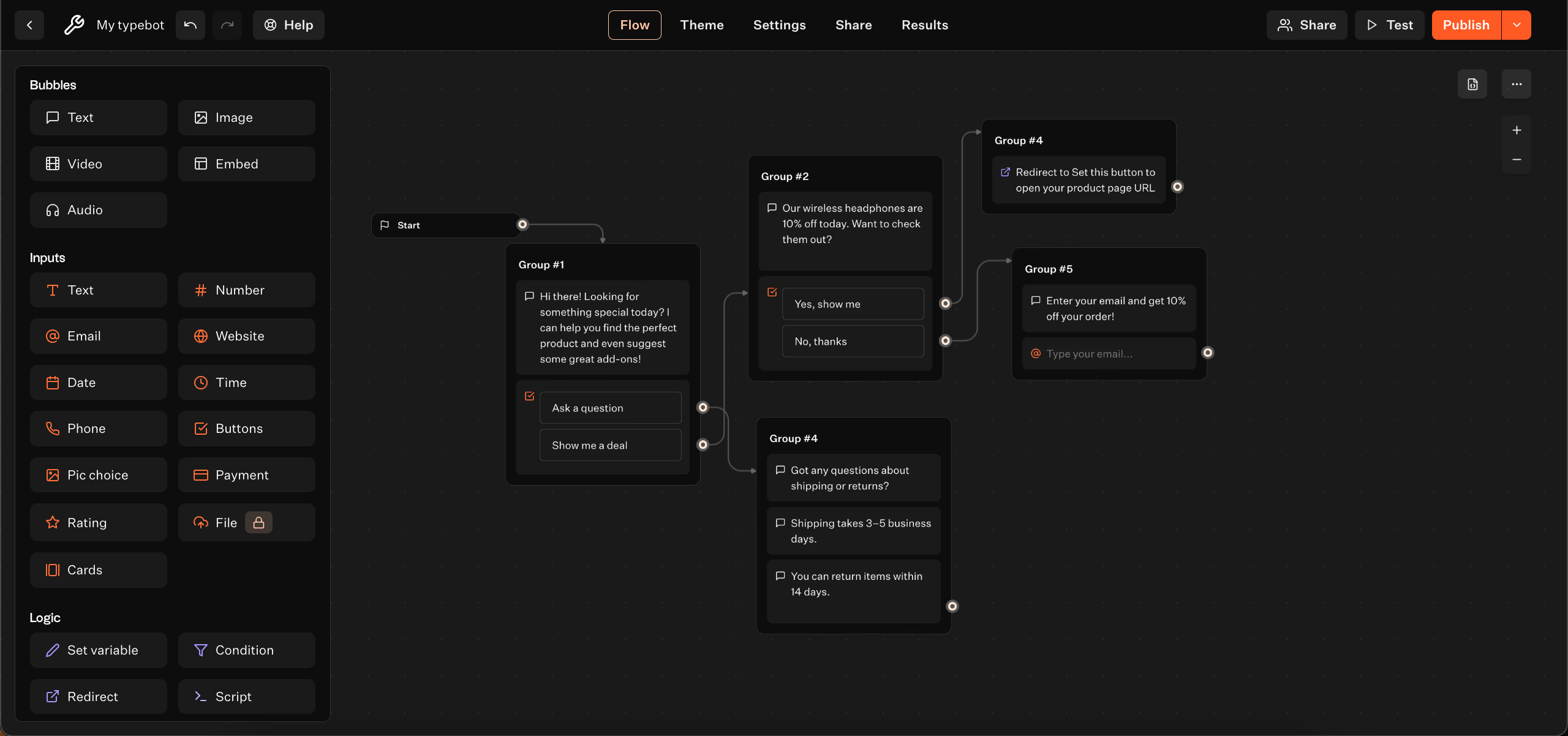
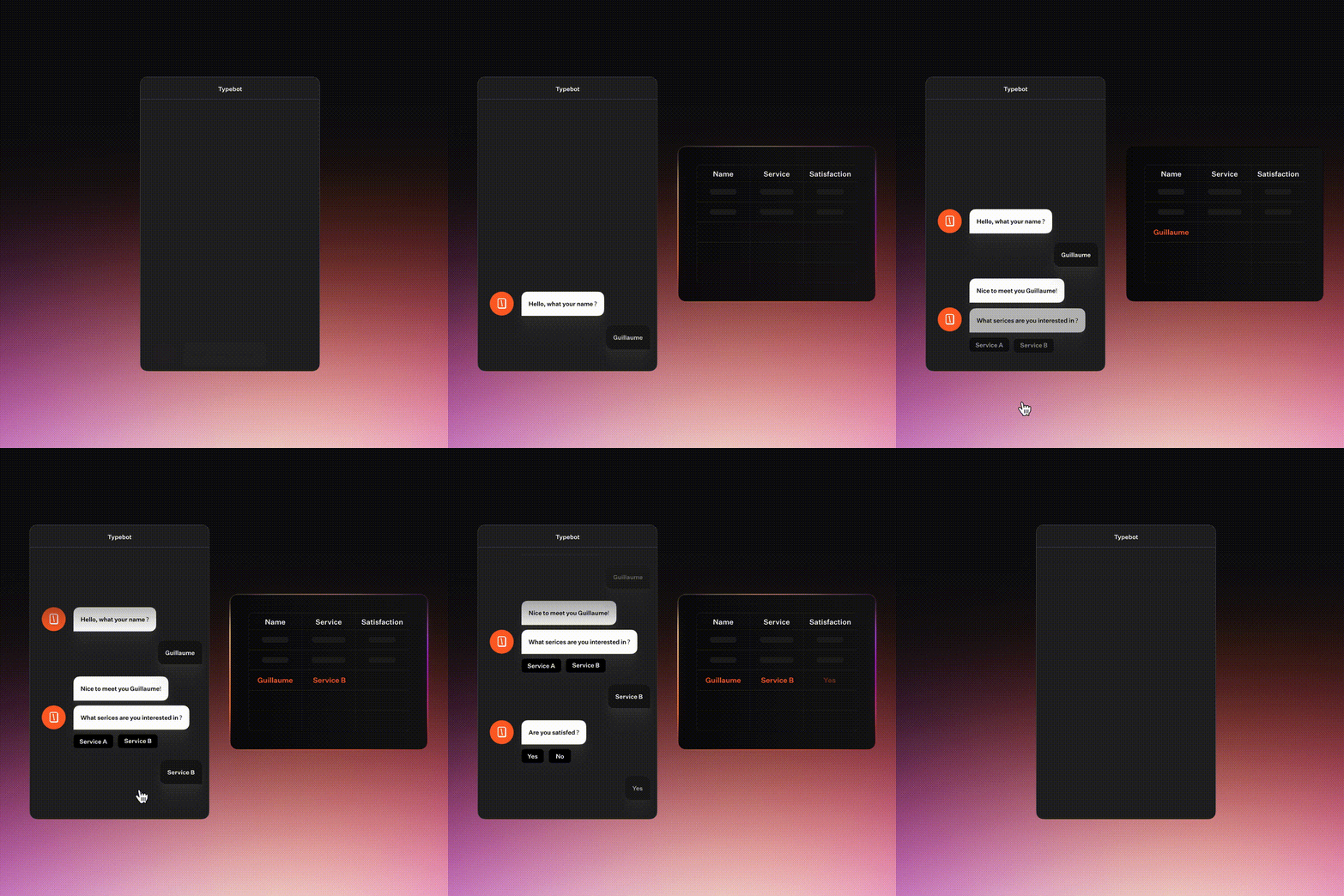
Step 1: Create a New Bot and Start With a Welcome Message
- Log in to your Typebot account and create a new bot.
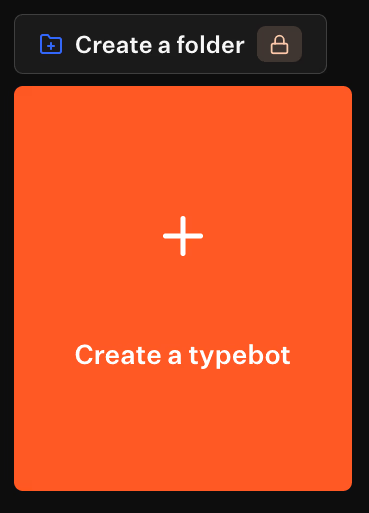
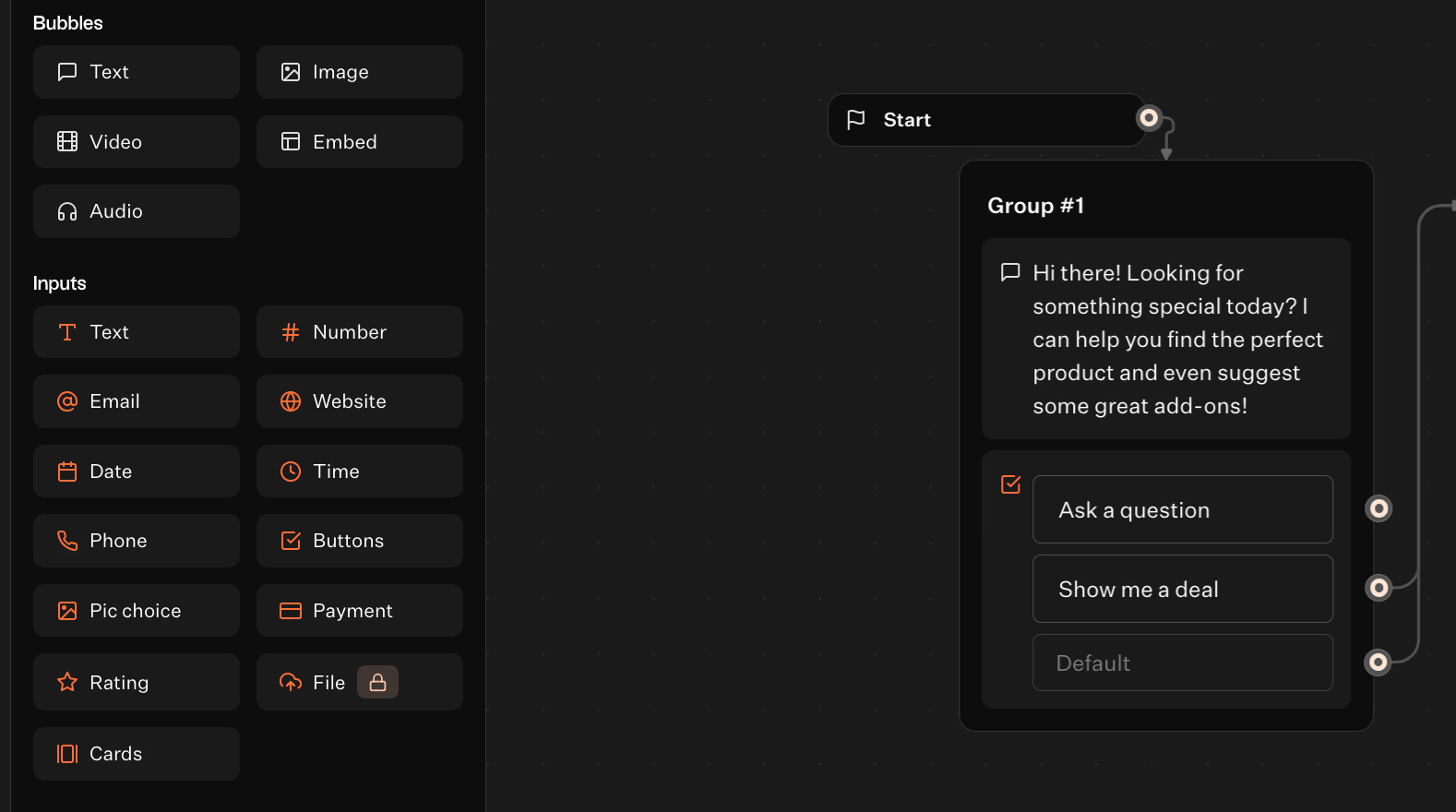
- Pick Text block and drag it.
- Type your greeting message, for example: “Hi there! Looking for something special today? I can help you find the perfect product and even suggest some great add-ons?”
- Click Buttons below the Bubbles and create two buttons:
- “Show me a deal”
- “Ask a question”
Step 2: Build the Product Recommendation Block
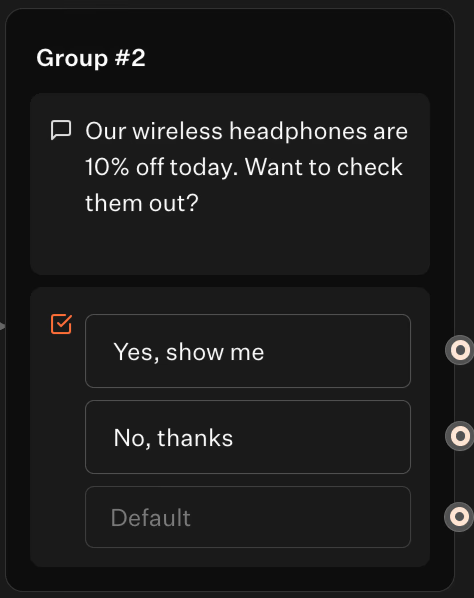
- After the welcome block, drag Text block again.
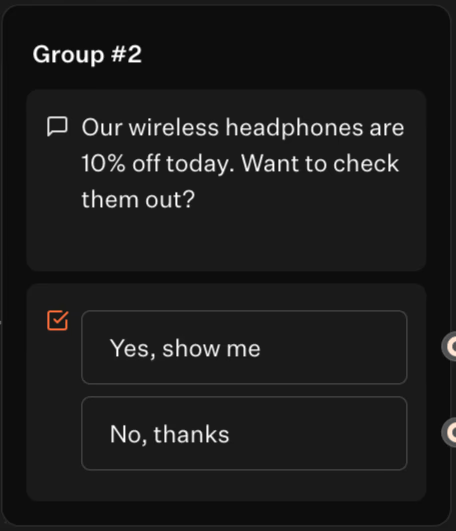
- Write your product recommendation message, for example: “Our wireless headphones are 10% off today. Want to check them out?”
-
Add two buttons:
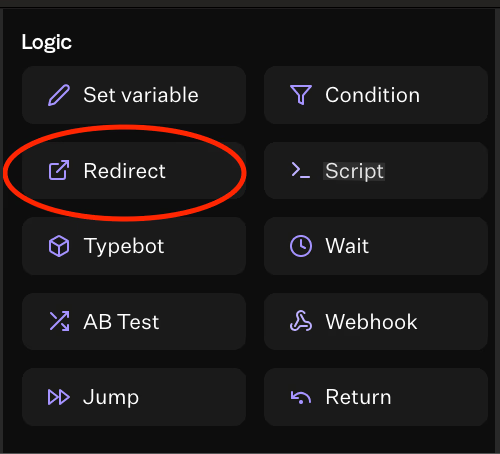
- “Yes, show me” → Set this button to open your product page URL. Drag a Redirect button from Logic.
-
“No, thanks” → Connect this button to another block or end the chat politely.
Step 3: Set Up a Question Input Block
- Add a Text block.
- Ask: “Got any questions about shipping or returns?”
- After this, you can add more Text blocks for common questions.
- Provide some common answers, e.g.:
- “Shipping takes 3–5 business days.”
- “You can return items within 14 days.”
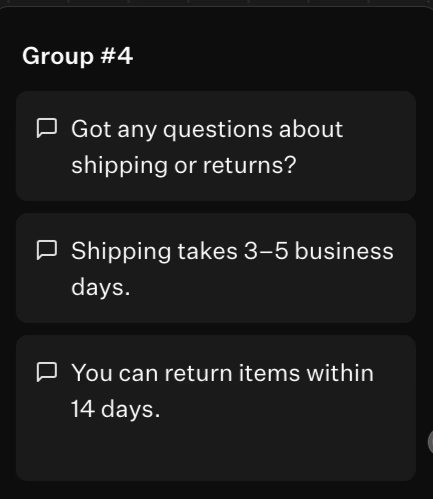
- Do not forget to link it with previous Ask a question button.
Step 4: Collect Emails for Discounts
- Add a Text block. If your customer does not want to check your product at the moment, you can let them know about other promotions or offers. Link it to the "No, thanks" option.
- Ask users to enter their email.
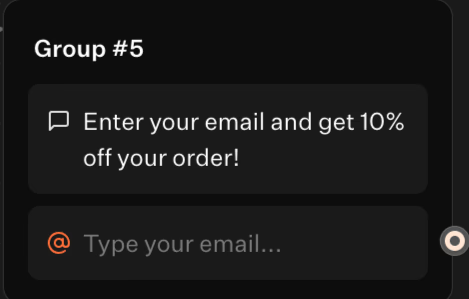
- Drag an Email block from the Inputs.
- Write a message offering a discount, like: "Enter your email and get 10% off your order!" This is a classic Shopify chatbot promo code strategy that boosts conversions.
- You can connect this form to a spreadsheet or email service later.
Done!
You just built a simple Shopify chatbot in Typebot that:
- Greets visitors
- Shows deals and upsells
- Answers questions
- Collects emails
No coding needed — just drag, type, and connect. That easy!
Create fully customizable chatbots without writing a single line of code.
No trial. Generous free plan.
2. Heyday by Hootsuite
Heyday is best suited for large, international, or omnichannel brands. Its AI-driven product recommendations, natural language understanding, and multi-language support allow it to handle complexities. Also, the large product catalogs.
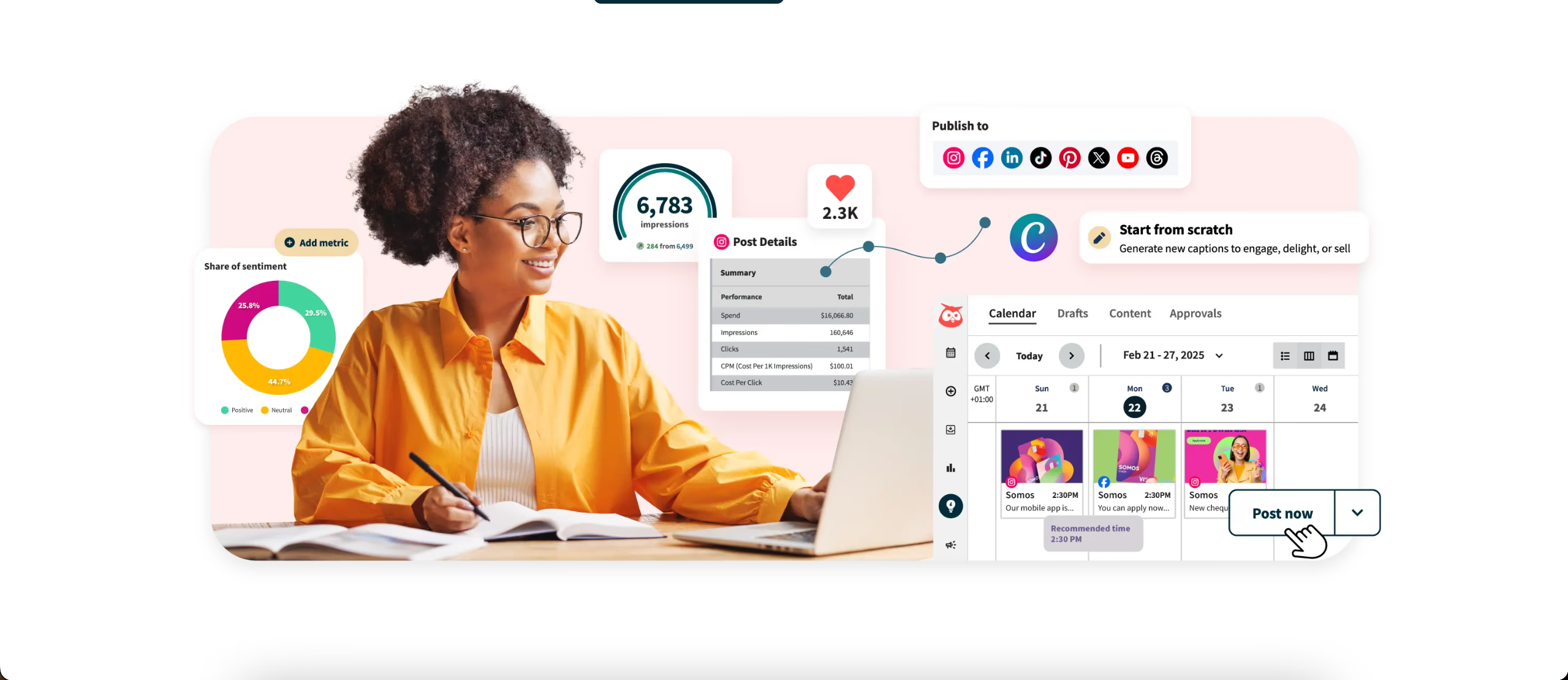
Integration with Shopify POS and other sales channels makes it powerful for retailers. However, its higher cost and more involved onboarding process make it less accessible for smaller stores.
| Strengths | Weaknesses |
|---|---|
| Handles complex product questions and large catalogs | Higher cost (enterprise pricing) |
| Excellent for global/multi-language stores | Setup and onboarding can take longer |
| Integrates with in-store sales and customer support | Overkill for small/simple stores |
3. Tidio
Tidio offers a hybrid approach, blending live chat with chatbot automation. It’s a strong choice for users who want to combine human touch with AI efficiency. Especially across multiple channels like Messenger and Instagram.
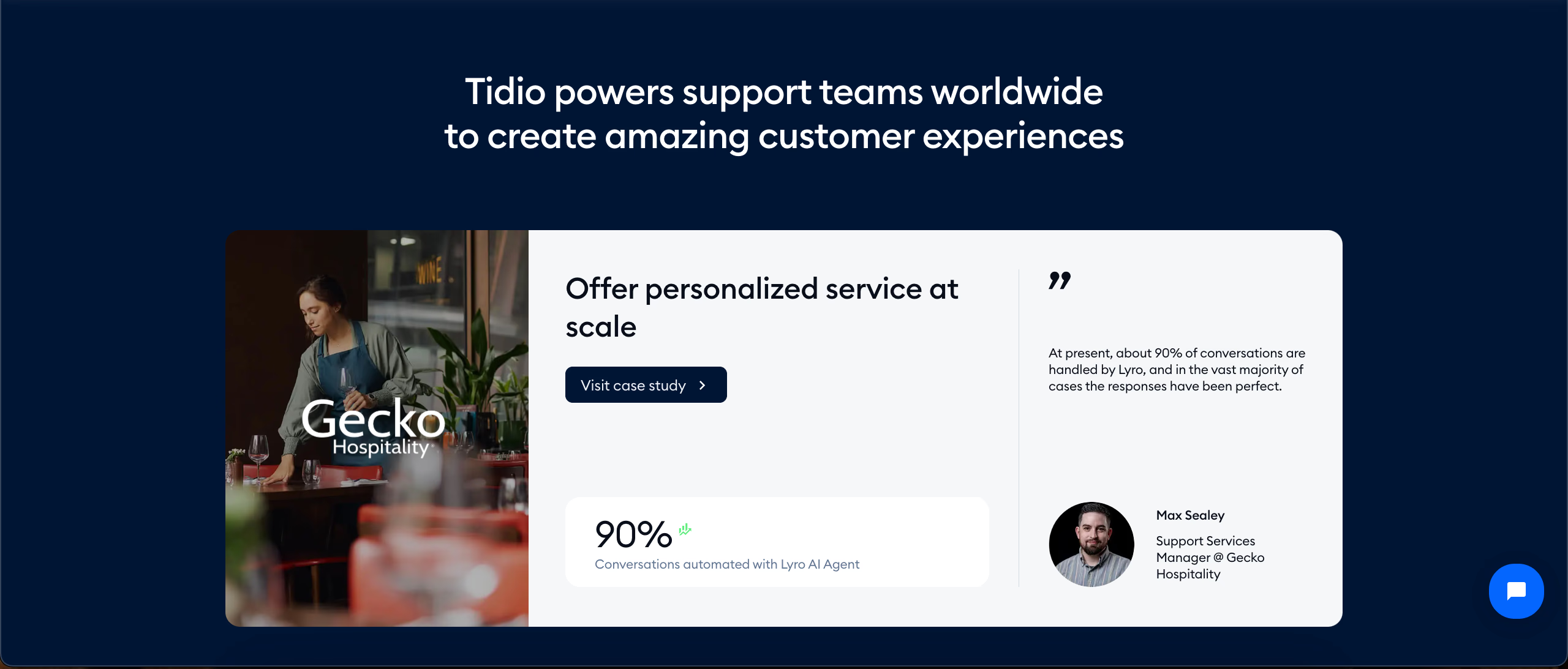
Tidio’s visual builder is user-friendly, and it provides product recommendations and order tracking. Some of its more advanced AI features are locked behind higher-tier plans. Plus, its customization options, while solid, don’t match the open-ended flexibility of Typebot.
| Strengths | Weaknesses |
|---|---|
| Lets human agents jump into conversations | Advanced features (like AI, analytics) are behind higher-priced plans |
| Omnichannel support is great for brands with social presence | Customization is more limited than open-source solutions |
| Easy to set up and manage | May not scale as cost-effectively for very large stores |
4. Maisie AI
Maisie AI targets merchants seeking quick wins in lead capture and cart recovery. It’s easy to set up and excels at automating basic sales tasks, such as abandoned cart reminders and simple FAQ handling.
However, it charges per visitor—at $9 per 1,000 visits, costs can escalate quickly for growing stores. Maisie’s conversational depth is more limited. It is better suited for smaller shops or those with straightforward support needs. Rather than complex product discovery or personalized upselling.
| Strengths | Weaknesses |
|---|---|
| Extremely easy to set up | Costs scale quickly with traffic (can get expensive for high-traffic stores) |
| Good at recapturing abandoned carts | Limited conversation depth and customization |
| Works well for small/medium stores | Not ideal for complex product recommendations |
5. Shopify Inbox
Shopify Inbox is Shopify's own free messaging solution, making it the go-to free Shopify bot for budget-conscious merchants. It's natively integrated with the Shopify admin and connects easily to Facebook Messenger and Instagram DMs.
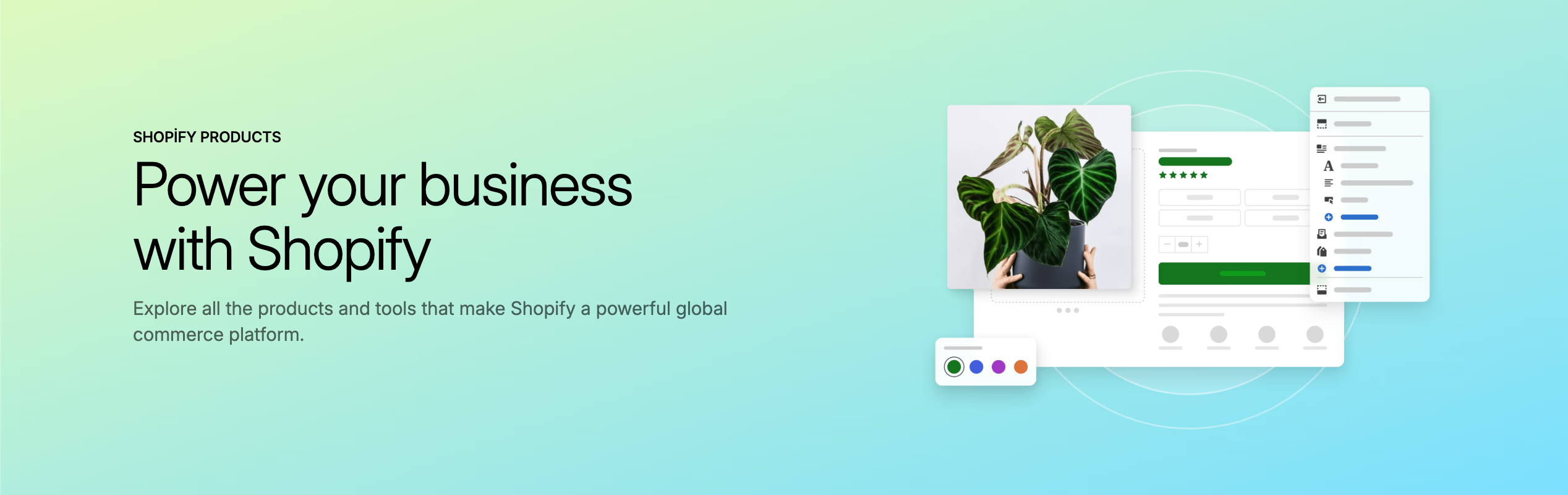
While it’s extremely simple to set up and use, its automation and AI capabilities are basic. It focuses on automated responses to common questions rather than personalized product discovery or complex conversational flows.
Shopify Inbox is best for new or small stores that need a no-cost, no-fuss way to handle customer queries.
| Strengths | Weaknesses |
|---|---|
| 100% free for Shopify users | Very basic automation and AI |
| Seamless order and customer lookup | No advanced product recommendations or conditional logic |
| Super simple setup—no coding or extra tools needed | Not suitable for stores needing complex chat workflows |
What Really Matters When Choosing the Best Bot for Shopify
Most comparison guides focus on feature checklists when reviewing chatbots for Shopify. However, after reviewing hundreds of stores using a chatbot, Shopify merchants consistently point to unconventional factors that separate effective chatbots from the rest.
Conversation Depth Over Flashy AI Claims
Many merchants prioritize "AI capabilities" when choosing a chatbot. Typebot’s visual flow builder excels here. It lets merchants create layered conversations that respond to customer intent.
Some “AI-powered” solutions fall short because they offer:
- Generic product recommendations like "You might like"
- Single cart recovery reminders
- FAQ handling based on simple keyword matching
In contrast, advanced solutions like Typebot provide:
- Contextual suggestions based on browsing history
- Tiered incentives (for example, 10% off followed by free shipping)
- RAG-powered answers from updated knowledge bases
Integration Flexibility As A Growth Lever
Merchants using platforms with both native Shopify chatbot integration and API access achieve higher chatbot ROI.
Examples include:
- Syncing Typebot with loyalty program to reward customers for completing product quizzes
- Launching post-purchase surveys through Google Sheets integration
- Using webhooks to notify staff when high-value customers interact with the bot
The Silent Cost Of 'Simple' Solutions
Free chatbot plans can become expensive as your store grows. For example, Maisie AI charges $9 per 1,000 visitors. At 50,000 visits, that totals $450 a month.
In contrast, open-source Typebot running on a $10/month VPS can handle unlimited traffic. One merchant reported spending $2,100 a year on a SaaS chatbot before switching to a self-hosted solution with the same features.
Three key questions often overlooked are:
- Can the bot access real-time inventory to avoid disappointing customers with out-of-stock items?
- Does it keep conversation history intact when handing off between bot and human agents?
- Can you A/B test different greetings or product recommendation strategies?
Stores using chatbots with conditional logic enjoy higher satisfaction scores than those with linear scripts.
Shoppers want more than quick answers. They want conversations that remember their preferences, acknowledge past interactions, and adapt to their unique journey.
When AI Gets Shopping: The Cognitive Revolution in Shopify Chatbots
Today’s AI-powered assistants act as perceptive shopping companions. They understand context, remember preferences, and anticipate customer needs with impressive accuracy. You know why?
GPT-4.1: The Mind Behind the Machine
OpenAI’s latest model, GPT-4.1, processes text, images, and files simultaneously. This allows chatbots to:
- Interpret product photos customers upload (e.g., “Find me shoes like these”)
- Analyze CSV order histories to identify buying patterns
RAG: The Memory Upgrade
Retrieval-Augmented Generation (RAG) gives chatbots a powerful memory boost. Instead of relying only on training data, RAG lets bots reference:
- Your live Shopify catalog
- Policy documents
- Competitor analyses
In practice, this means:
- Skincare brands can reduce return rates after their chatbot cross-referenced ingredient lists with customer allergy profiles
- Electronics retailers cut support tickets in half by having bots check real-time inventory before responding
Multimodal: The Senses Awaken
The most advanced Shopify chatbots now act like sales associates with enhanced senses. They can:
- Read handwritten notes in product review screenshots
- Compare fabric textures from customer-uploaded images
- Detect frustration in a customer’s tone and escalate issues when needed
For best results, make sure your product images are clean and distraction-free before the AI processes them. You can easily remove background elements to help the chatbot analyze products more accurately.
This goes beyond automation, it’s true augmentation. The best chatbots in 2026 don’t replace human sales teams. They empower them with superhuman product knowledge and 24/7 support.
This cognitive leap resembles how smartphones evolved from simple calling devices into powerful pocket computers. Merchants still using basic rule-based chatbots are, in effect, trying to compete with touchscreens using rotary phones.
Wrapping It Up
The evolution of Shopify chatbots in 2026 marks a turning point for ecommerce. No longer just automated FAQ tools, today's AI-powered chatbots act as intelligent sales associates. Building trust, making personalized recommendations, and driving significant revenue growth.
Choosing the best Shopify chatbot is about more than flashy AI claims or basic automation. Users must weigh conversation depth, Shopify chatbot integration options, and the true cost of scaling.
The cognitive leap in chatbot technology, powered by models like GPT-4.1 and RAG, means that stores can now engage, convert, and retain customers at scale everytime. In this new era, implementing the right chatbot isn’t just an upgrade—it’s a competitive necessity.
Leverage the power of OpenAI and Anthropic to create smarter, more human-like conversations.
No trial. Generous free plan.